Why AI Holiday Graphics Are Changing How Creators Work
Seasonal content used to mean either hiring a designer or spending hours wrestling with Canva templates that looked like everyone else’s. AI image generation has completely flipped that script, and if you’re not using it yet for holiday projects, you’re leaving a huge creative advantage on the table.
AI holiday graphics aren’t just a time-saver. They’re genuinely capable of producing stunning, original artwork that can compete with professionally designed material. Whether you’re a small business owner trying to spruce up your social media feed for Christmas, a blogger who needs seasonal header images, or a designer looking to speed up your workflow, AI tools have something real to offer here. The trick is knowing how to actually use them well.
This guide walks through everything from choosing the right tools to writing prompts that actually produce the festive results you’re after.
Picking the Right AI Tool for Seasonal Images
Not all AI image generators handle holiday aesthetics the same way. Some are better at painterly illustration styles, others excel at photorealistic scenes, and a few are genuinely flexible across both. Here’s a quick breakdown of the main players worth knowing about.
Midjourney
Midjourney is widely considered one of the best tools for aesthetically polished seasonal ai images. Its outputs tend to have a rich, almost editorial quality that works beautifully for things like Christmas scenes, winter landscapes, and festive product mockups. The downside is that it runs through Discord, which adds a small learning curve if you’re new to it. Pricing starts at around $10 per month for basic access.
DALL-E 3 (via ChatGPT)
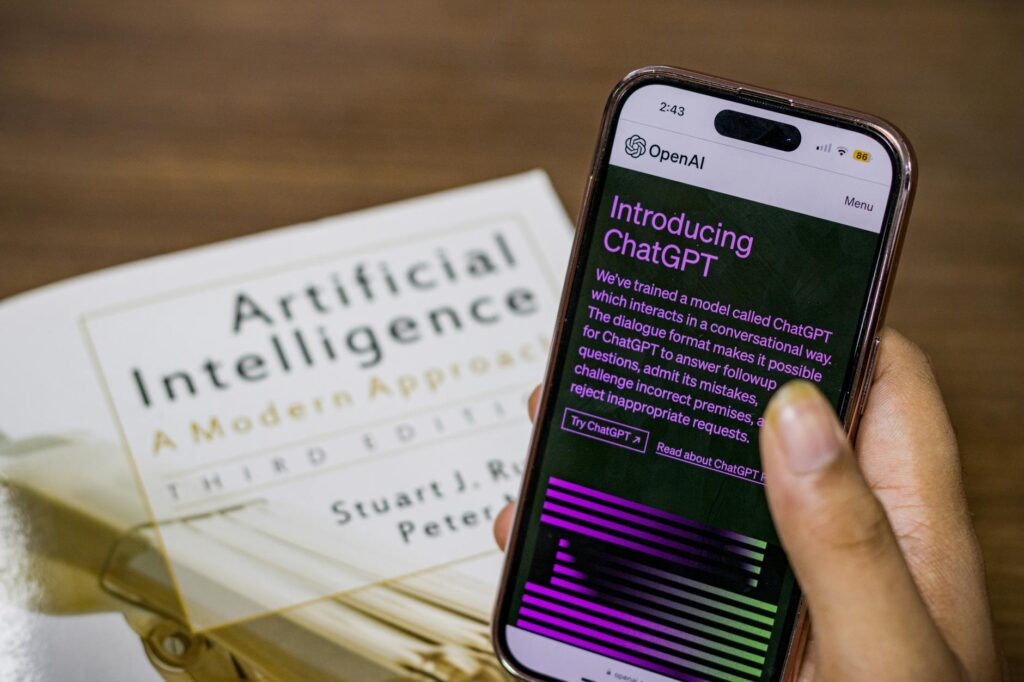
If you’re already using ChatGPT Plus, you’ve got DALL-E 3 built right in. It’s excellent for following detailed instructions, which matters a lot when you’re trying to hit specific seasonal briefs. Want a watercolor-style image of a snowy village with a warm orange glow in the windows? DALL-E 3 handles that kind of nuanced prompt really well. It’s also probably the most beginner-friendly option on this list.
Adobe Firefly
Adobe Firefly is worth highlighting specifically because it’s trained on licensed content, which means commercial use is much cleaner legally. If you’re creating holiday art ai content for client work or selling designs, Firefly’s commercial safety is a significant advantage. It’s also integrated directly into Photoshop, so you can blend AI-generated elements with your existing design work seamlessly.
Stable Diffusion
Stable Diffusion is free and open-source, which makes it appealing if you want maximum control and don’t mind a steeper technical setup. You can run it locally on your own machine if you have a capable GPU, and there are hundreds of community-made models specifically tuned for things like anime-style holiday illustrations or hyper-realistic Christmas imagery.
Writing Prompts That Actually Produce Festive Results
This is where most people go wrong. They type something like “Christmas tree” and wonder why the output looks generic. Good prompting is a skill, and it makes an enormous difference in the quality of your festive ai graphics.
Be Specific About Style First
Before you describe the subject, decide what visual style you want. “A Christmas scene” is vague. “A Christmas scene in the style of a vintage 1950s holiday postcard, warm golden tones, illustrated, slightly worn texture” gives the AI something to actually work with. Style anchors are phrases like: oil painting, vector illustration, watercolor, photorealistic, cel-shaded, retro poster art, and so on. Pick one and commit to it upfront in your prompt.
Layer in Specific Details
Think of your prompt like a recipe. The style is the cooking method, and the specific details are your ingredients. For christmas ai images especially, things like lighting matter enormously. Candlelight, firelight, fairy lights, and snow reflections all create very different moods. Don’t just say “a cozy winter scene.” Say “a cozy living room at night, lit only by a crackling fireplace and strings of warm fairy lights, snow falling outside a frosted window, gifts wrapped in red ribbon stacked beneath a decorated tree.”
That level of detail takes maybe 20 extra seconds to write, and the difference in output quality is dramatic.
Use Negative Prompts Where Available
Many tools let you specify what you don’t want in an image. This is especially useful for holiday content because AI generators sometimes add weird artifacts or misplace decorative elements. Common negative prompts for seasonal work include things like: blurry, extra limbs (if figures are involved), watermark, low quality, oversaturated, or cartoonish (if you want realism). Using negative prompts sharpens your results significantly without requiring you to redo the whole prompt from scratch.
Seasonal Themes and How to Prompt Each One Effectively
Different seasons and holidays have their own visual language. Knowing what signals “Christmas” versus “Halloween” versus “spring” to an AI helps you craft much better prompts.
Winter and Christmas
For christmas ai images and broader winter content, the strongest visual signals are: snow, pine trees, warm interior lighting contrasted with cold blue exteriors, red and green color palettes, gold and silver metallics, and classic symbols like stockings, wreaths, and ornaments. Pair these with your chosen style and you’ll get strong outputs consistently. A prompt like “festive winter market scene, photorealistic, golden hour lighting, snow-dusted wooden stalls, warm lanterns, people in winter coats, shallow depth of field” tends to perform very well.
Halloween and Autumn
Orange, deep purple, black, and burnt sienna are the color signals here. Fog, full moons, bare trees, and carved pumpkins are your strongest visual anchors. For a more elegant take on Halloween content, try prompting for “gothic illustration style” or “dark academia aesthetic” rather than relying on standard spooky clichés. The outputs tend to be far more interesting and usable.
Spring and Easter
Pastels, florals, soft morning light, and outdoor garden settings work well here. Spring content often benefits from a painterly or watercolor style because the inherent softness of those techniques matches the season’s aesthetic naturally. Try something like “watercolor illustration of a spring garden with blooming cherry blossoms, soft pink and lavender tones, gentle morning light, Easter eggs nestled in green grass.”
Summer and Fourth of July
Bold saturated colors, bright daylight, beach and outdoor settings, and strong graphic design sensibilities work well for summer seasonal ai images. For patriotic content specifically, vintage Americana poster styles tend to produce distinctive, high-quality results that feel intentional rather than generic.
Practical Ways to Actually Use Your AI-Generated Holiday Art
Generating the image is only half the work. Knowing where and how to deploy holiday art ai content effectively is what turns it into real value.
Social Media Content Calendars
One of the biggest wins here is batching. Instead of scrambling for a Christmas post on December 20th, you can spend an afternoon in October generating 30 or 40 variations of festive ai graphics and have a full season’s worth of content ready to go. Pair these with relevant captions and schedule them out through a tool like Buffer or Later. Your seasonal content strategy goes from reactive to genuinely planned.
Email Marketing Headers and Banners
Holiday email campaigns consistently outperform regular sends, but they need strong visuals to land. AI-generated seasonal headers are a fast, affordable way to give every email a custom, professional look without commissioning new artwork for each campaign. Tools like Canva let you import AI images and add text overlays easily, so the workflow is simple even if you’re not a designer.
Print-on-Demand Products
Holiday designs sell extremely well on platforms like Redbubble, Etsy (for digital downloads), and Merch by Amazon. AI-generated artwork can form the foundation of these designs, especially if you refine them in a vector editor like Adobe Illustrator or Inkscape afterward. Just make sure you’re using a tool with clear commercial licensing (Firefly and DALL-E 3 are both solid choices here) and check the specific platform’s policies on AI-assisted work.
Blog and Website Seasonal Graphics
Custom seasonal headers for your website or blog used to require a designer or at least solid Photoshop skills. Now you can generate a high-quality, on-brand holiday banner in about five minutes. This makes it practical to actually update your site’s visuals seasonally, which creates a better user experience and signals that your site is actively maintained.
A Few Things to Watch Out For
AI image generation is genuinely impressive, but it’s not without its quirks. Text within images is notoriously unreliable across almost every tool, so don’t try to prompt “Happy Holidays” text into an AI image and expect clean results. Add any text in post-production instead.
Hands and faces can still be a weak point, especially with more crowded holiday scenes involving multiple figures. If your output has distorted hands or strange facial proportions, try simplifying the scene or regenerating with an adjusted prompt that reduces the number of people in the frame.
Also, think about consistency if you’re building a brand presence. Generating images in a dozen different styles might be fun, but it looks scattered if you’re posting them all to the same account. Pick one or two styles that fit your brand and stick to them across your seasonal content.
The bottom line is this: AI holiday graphics are one of the most practical, time-efficient applications of AI image generation available right now. The tools are accessible, the learning curve is manageable, and the results, when you put in a little prompt-craft effort, are genuinely impressive. Start with one tool, spend an hour experimenting with seasonal prompts this week, and you’ll have a repeatable workflow you can use every single holiday season from here on out.