Your Brand Deserves a Face , Here’s How to Build One with AI
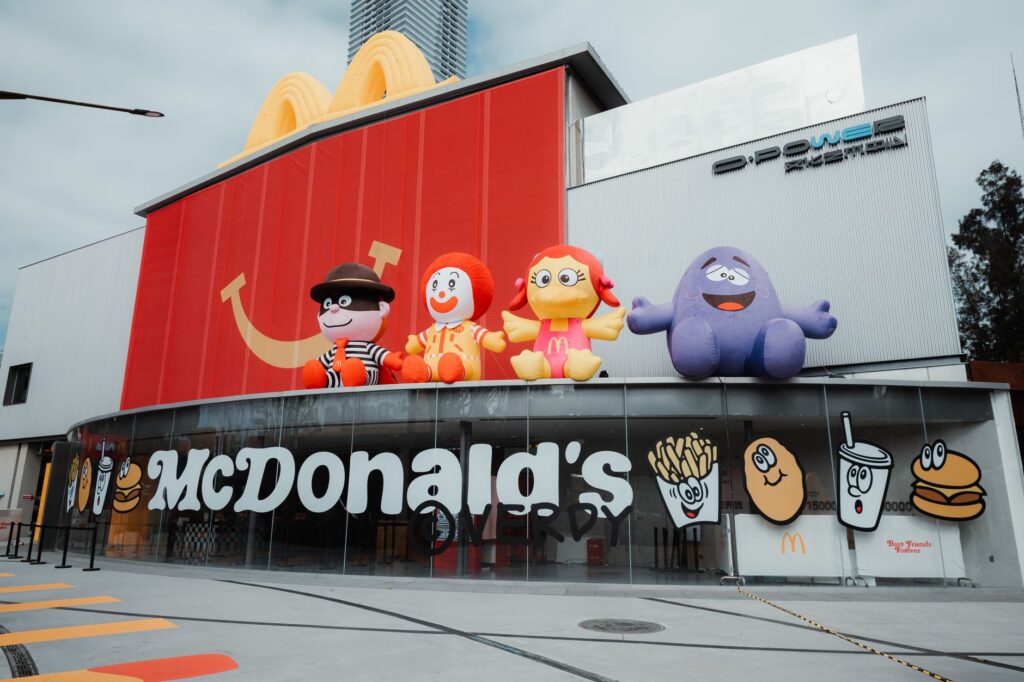
A great brand mascot can do more for recognition than a logo ever will. Think about the Geico Gecko, the Michelin Man, or the Duolingo owl , these characters carry entire brand identities on their shoulders, and companies spent enormous resources creating them. Now, AI image generation tools have flattened that playing field considerably.
Designing an ai brand mascot no longer requires a $15,000 budget and a six-week agency timeline. With the right tools, prompts, and creative strategy, you can generate compelling mascot concepts in an afternoon. This guide walks you through the entire process, from character brief to polished concept sheet.
Why Mascots Work (and Why AI Makes the Process Faster)
Before jumping into tools and prompts, it’s worth understanding what makes mascots effective so you build the right one. Research from marketing firm Ipsos found that branded characters increase brand recall by up to 41% compared to logos alone. Characters create emotional connection in a way that abstract symbols simply can’t.
The traditional mascot design process involves brand strategists, concept illustrators, revisions, legal checks, and final rendering. That process still has value for enterprise brands launching globally, but for small businesses, startups, content creators, and anyone exploring options before committing to a full design engagement, AI tools offer something genuinely useful: fast, visual ideation.
Using mascot design AI tools, you can test dozens of visual directions before you’ve spent a dollar on professional illustration. You can find out whether your brand feels better as a friendly robot, a bold animal, or an illustrated human figure. You can share rough concepts with your audience and gather real feedback. That’s not a compromise. That’s smart creative strategy.
Choosing the Right AI Tools for Mascot Creation
Not every AI image generator is equally suited to character work. Here’s an honest breakdown of the best options for mascot development specifically.
Midjourney
Midjourney remains the strongest tool for stylistically rich, visually coherent character concepts. Its outputs have a polish that other tools often lack, and it handles character consistency reasonably well when you use reference images or style parameters. The subscription starts at $10/month and runs inside Discord, which feels clunky at first but becomes second nature quickly.
Adobe Firefly
Firefly integrates directly into Adobe’s ecosystem, which is a significant practical advantage if you’re handing concepts off to a designer for refinement. Its character outputs are clean and commercially safe, since Adobe trained it on licensed content. If you’re worried about IP concerns with your generated assets, Firefly is the low-risk choice.
DALL-E 3 via ChatGPT
DALL-E 3 is easier to iterate with because you’re working in a conversational interface. You can describe what you want, see a result, and then refine by simply talking. For someone who’s newer to AI image generation, this conversational loop makes it significantly easier to create mascot AI concepts without writing dense technical prompts from scratch.
Leonardo.AI
Leonardo.AI has strong character-focused features, including the ability to fine-tune models on specific art styles. If you want a mascot that matches a very particular visual aesthetic, Leonardo gives you more control than most free-tier tools. The character consistency features are especially useful for generating the same mascot in multiple poses.
Defining Your Mascot Before You Prompt Anything
This is the step most people skip, and it’s the reason they end up with images that look great but feel wrong for their brand. Before you write a single prompt, you need a character brief. It doesn’t need to be long. It needs to answer four questions.
- What does this character represent? Is it your brand’s personality made physical? A spokesperson for a specific product line? A guide character for onboarding?
- Who is the audience? A mascot for a children’s tutoring app looks nothing like one for a cybersecurity platform. Age, tone, and context define visual direction.
- What’s the character type? Human, animal, creature, object, or abstract form. Each carries different emotional weight.
- What adjectives describe this character? Pick three to five. Playful, authoritative, adventurous, approachable, bold. These words become the foundation of every prompt you write.
Spending 20 minutes on this brief will save you hours of generating images that don’t fit. The best ai character mascot concepts come from clarity of intent, not quantity of generation.
Writing Prompts That Actually Produce Usable Mascot Concepts
Prompt writing for character work is a specific skill. Here’s a structure that consistently produces strong mascot concepts across most major AI image generators.
Start with the character type and key visual traits. Then add style direction. Then specify pose and background. Then include technical quality parameters. A prompt built this way might look like this:
“Friendly cartoon bear mascot wearing a blue hard hat, confident and cheerful expression, bold graphic illustration style, white background, full body view, clean lines suitable for logo use, professional character design”
That prompt covers who the character is, what it looks like, what tone it carries, what the art style should be, and what the output needs to work as. Compare that to “cartoon bear mascot” and the difference in output quality is dramatic.
Specific Parameters That Improve Character Outputs
- Style references: Phrases like “Pixar-style”, “flat vector illustration”, “cel shaded”, or “mascot logo style” dramatically affect the result. Pick one that aligns with how your character will actually be used.
- Emotion and expression: Specify the facial expression. “Friendly grin”, “determined expression”, “wide-eyed curiosity” all give the generator meaningful direction.
- White or transparent background: Always specify this. Mascots need to be usable across different contexts, and a cluttered background makes extraction harder.
- Full body vs. bust: If you need the character for app icons or circular profile images, a bust or headshot works better. For merchandise or illustrated collateral, full body gives you more flexibility.
Iterating Toward a Final Concept
Your first generation won’t be your final mascot. It’s a starting point, not a finish line. Treat the first round of outputs as a discovery session. You’re looking for elements to keep, not images to ship.
Generate at least 20 to 30 variations across two or three different stylistic directions before you start narrowing. Keep a running document where you screenshot and annotate what you like and don’t like about each one. Maybe the color palette from one version is perfect but the face in another is more on-brand. That combination becomes your next prompt iteration.
When you find a direction that’s close, start locking variables. Keep the style parameter constant and only adjust one thing at a time, the pose, the accessory, the expression. This is how you converge toward a consistent, refined brand character AI that actually looks intentional and not randomly generated.
For tools like Midjourney, use the “vary (subtle)” feature to make incremental changes to a strong result without completely regenerating it. For DALL-E 3, describe specifically what you want changed in your next message. Leonardo.AI lets you use an existing image as a style reference, which is excellent for maintaining visual consistency across multiple poses.
Creating a Multi-Pose Concept Sheet
A single mascot image isn’t enough for a usable brand asset. What you actually need is a concept sheet showing your character in at least three to four different poses or contexts. This proves the character works across applications and gives designers something real to develop from.
Standard poses for a mascot concept sheet include: neutral standing (the “hero” pose), a waving or greeting pose, an action or working pose relevant to what your brand does, and an emotional expression variant (excited, thinking, or celebrating).
Achieving visual consistency across poses is the hardest part of using AI for mascot work. No current tool does this perfectly, but Leonardo.AI’s character consistency features and Midjourney’s style reference parameter both help significantly. Expect some variation. Your goal at this stage is to create mascot AI concepts strong enough to hand to a human illustrator for final refinement, not to produce camera-ready assets directly from the generator.
What to Do With Your AI-Generated Mascot Concepts
Once you have a strong concept sheet, you have several viable paths forward depending on your budget and goals.
The most professional route is to take your AI concepts to a character illustrator on a platform like 99designs, Dribbble, or Behance and use them as direction. You’re not asking the illustrator to copy the AI work. You’re using the AI concepts to communicate visual direction accurately, which significantly reduces revision rounds and often lowers project costs because the brief is clearer.
If you’re working with a tighter budget, tools like Adobe Illustrator’s Image Trace or Vector Magic can convert your strongest AI output into a workable vector file. This approach has quality limitations and isn’t appropriate for every use case, but for social media assets, merchandise, and digital content, it can work well enough.
Some creators use their AI-generated mascot concepts directly in content without further development. That’s a legitimate choice for internal projects, early-stage brand testing, or content where hand-drawn illustration consistency isn’t critical.
Legal Considerations You Can’t Afford to Ignore
AI-generated images currently exist in a complicated legal landscape. As of 2024, the U.S. Copyright Office has maintained that purely AI-generated images without meaningful human creative input cannot be registered for copyright. This matters for brand assets.
If you plan to trademark your mascot or assert ownership over it commercially, the safest path is to use AI concepts as references and have a human illustrator create the final version. The illustrator’s work is copyrightable and trademarkable. This also protects you if any training data disputes emerge around a specific AI tool in the future.
For lower-stakes applications, the legal risk is proportionally lower. A mascot used only on social media or internal materials carries far less exposure than one printed on product packaging and registered as a trademark.
Turning AI Concepts Into a Real Brand Asset
The smartest way to use AI in mascot development is as a creative accelerator, not a replacement for craft. Generate fast, iterate intelligently, build a clear visual brief from your best outputs, and then bring in professional hands to make it bulletproof. That combination gets you a brand character AI concept that’s both faster and more creatively informed than starting with a blank brief and a designer’s hourly rate.
Start with one tool, write a proper character brief, generate at least 20 variations, and pick three worth developing further. That’s genuinely all it takes to have something on screen worth sharing. Everything else is refinement.