Your Social Media Feed Is Competing Against 500 Million Posts a Day
Half a billion posts hit social media every single day, and yours needs to stop the scroll. AI images for social media might be the most practical creative tool you’re not using yet , or not using well enough.
Let’s fix that. This guide covers how to actually use AI-generated visuals to build a content strategy that looks polished, stays consistent, and doesn’t require you to hire a graphic designer or spend three hours in Photoshop every time you want to post something.
Why AI Images Work So Well for Social Media Content
Social platforms are visual by design. Instagram rewards beautiful imagery. Pinterest runs entirely on eye-catching graphics. Even LinkedIn, once a wasteland of bullet-pointed text posts, has shifted toward visual content that earns more reach. The problem for most creators, small business owners, and marketers is that producing quality visuals at the volume social media demands is genuinely hard without a team behind you.
That’s where social media AI art changes the game. Tools like Midjourney, DALL-E 3, Adobe Firefly, and Stable Diffusion let you generate professional-looking images in seconds. Not stock photo professional, either. We’re talking custom, brand-specific, totally unique imagery that you couldn’t find on Shutterstock even if you searched for two hours.
The other factor is cost. A single commissioned illustration might run you $150 to $500. A subscription to a mid-tier AI image tool runs about $10 to $30 per month, with unlimited or near-unlimited generations. For a solo creator trying to post five times a week, the math practically does itself.
Choosing the Right AI Tool for Your Platform and Style
Not all AI image generators produce the same output, and your choice should match both your platform and your visual identity.
Midjourney for Artistic and Editorial Looks
Midjourney consistently produces the most artistically compelling outputs, especially for brands going for a premium, editorial, or aspirational aesthetic. It’s the go-to for social media AI art that needs to feel curated. Think fashion brands, interior design accounts, travel content, and luxury goods. The downside is that it runs through Discord, which adds a small learning curve if you’re new to it.
DALL-E 3 for Versatility and Accuracy
DALL-E 3 (integrated into ChatGPT Plus) handles complex, specific prompts better than most competitors. If you need “a flat-lay image of a coffee mug, a notebook, and autumn leaves on a white linen background,” it’ll deliver something close to exactly that. For create social content AI images workflows where precision matters more than artistic flair, it’s often the better pick.
Adobe Firefly for Commercial Use and Brand Safety
If you’re creating AI graphics for social accounts tied to a business, Adobe Firefly deserves a serious look. It’s trained exclusively on licensed content, which means commercial use is clean and straightforward. It also integrates directly with Photoshop, making it easy to blend AI-generated elements with your existing design work.
Building a Consistent Visual Identity with AI
Consistency is what turns a social media page from a random collection of posts into an actual brand. The risk with AI image tools is that you generate something new every time and end up with a chaotic feed that looks like five different people ran it. Here’s how to avoid that.
Develop a Style Prompt Template
The smartest thing you can do is build a core prompt template that you apply to every image you generate. This template should include your preferred art style, color palette, mood, and lighting. Something like: “digital illustration, warm terracotta and cream color palette, soft natural lighting, minimal composition, slightly vintage feel.” Save this as your base, then add the specific subject for each post on top of it.
Over time, this creates a feed that feels cohesive even though every image is unique. Scroll through any top-performing AI image Instagram account and you’ll notice this immediately , the individual posts vary in subject but feel like they belong to the same universe.
Lock In Your Color Palette
Colors are how humans recognize brands at a glance. Include your specific hex colors in prompts where possible (some tools respond to this better than others), or describe them precisely. “Muted sage green” reads very differently to an AI than “green.” The more specific your color language, the more reliable your output will be.
Create Character Consistency
If your content strategy involves a recurring character, mascot, or human figure, consistency is tricky with most AI tools. One workaround is to generate a strong base image, save the exact seed and settings, then use that as a reference point for future generations. Some tools like Midjourney have character reference features that help maintain visual continuity across multiple images.
Content Ideas That Actually Perform Using AI Images
Generating a beautiful image is one thing. Knowing what kinds of posts to create is another. Here are content formats that consistently perform well when paired with AI-generated visuals.
Quote Cards and Motivational Content
Quote posts have been a staple of social media forever, but most of them look identical. An AI-generated background that matches the mood of the quote makes yours stand out immediately. A quote about solitude pairs perfectly with a moody, atmospheric landscape. Something about productivity gets a crisp, minimal workspace image. The visual does half the storytelling before anyone reads the words.
Product Mock-Ups and Lifestyle Imagery
Small e-commerce brands can use AI images for social media to create lifestyle content without staging a single photo shoot. If you sell candles, generate images of your candle in a cozy autumn reading nook, a minimalist bathroom, a dinner table at golden hour. You’re not claiming these are real photos , you’re creating aspirational content that shows your product in context. Plenty of brands are doing this already and doing it effectively.
Educational Carousels with Illustrated Headers
Instagram carousels that teach something consistently outperform single-image posts. Add AI-generated illustrated headers to each slide and they instantly look more professional than plain text on a gradient background. You can generate a series of images in the same style for slides one through six, maintaining that visual consistency we talked about earlier.
Seasonal and Trend-Based Content
One of the genuine advantages of AI graphics for social media is speed. When a trend hits or a holiday approaches, you can generate relevant imagery the same day instead of scrambling to find stock photos or waiting on a designer. You’re no longer playing catch-up.
Prompting Strategies That Save You Time and Frustration
Your results are only as good as your prompts. This is where most beginners waste time, generating image after image hoping to stumble onto something good. A better approach treats prompting like a skill worth developing deliberately.
Start with your subject, then layer in style, mood, lighting, composition, and technical specifications. A weak prompt looks like “a woman at a coffee shop.” A strong prompt looks like “a young woman sitting at a sunlit café window, candid photography style, warm golden morning light, shallow depth of field, film grain texture, muted earthy tones, editorial magazine feel.”
Aspect ratio matters enormously for social media. Most platforms have specific formats that perform best: Instagram feed posts work well at 1:1 or 4:5, Instagram Stories and Reels covers need 9:16, Pinterest pins are 2:3, and LinkedIn posts look best at 1.91:1. Specify your target ratio in the prompt or adjust it in the tool settings before generating. Getting this wrong means your images look cropped or oddly sized when posted, which undermines the whole effort.
Negative prompts are your friend. Most AI tools let you specify what you don’t want. Common entries include “blurry, distorted faces, watermark, text, extra limbs” , all the weird AI artifacts that creep into generated images when you least want them to.
Editing and Finishing Your AI Images Before Posting
Raw AI output rarely needs to go straight to your feed. A few minutes of editing makes a significant difference and keeps your content from looking obviously machine-generated to the trained eye.
Canva is genuinely excellent for this step. Import your AI-generated image, overlay your brand fonts, add your logo, adjust the brightness and contrast, and you’ve got a finished social media asset in about five minutes. Many creators who create social content with AI images use a workflow of generate in Midjourney or DALL-E, refine in Canva, schedule in Buffer or Later. Simple, fast, repeatable.
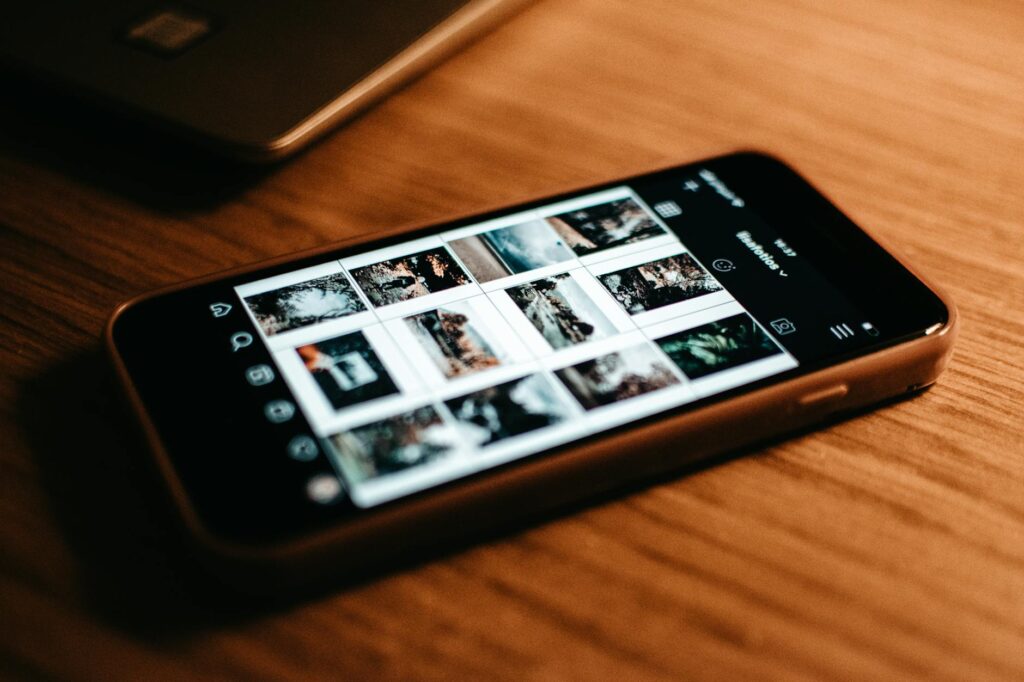
If you’re working on AI image Instagram content specifically, pay attention to how the image looks as a thumbnail in the grid view, not just full-size. Something that looks stunning at full resolution can lose all its impact when it’s displayed at 200 pixels wide in someone’s profile grid. Test it before you commit to a series.
Navigating the Ethics and Disclosure Question
This is the part that actually matters for your reputation. Audiences are increasingly savvy about AI-generated content, and the brands and creators who handle it transparently tend to earn more trust, not less.
You don’t need a lengthy disclaimer on every post, but being open about your process when asked is good practice. Some creators add a small “AI-assisted” tag to their content. Others mention it in their bio. The approach is less important than the honesty. What you want to avoid is passing off AI-generated product imagery as real photography in a way that creates false expectations, especially in e-commerce contexts where it can cross into misleading territory.
The creative community is still working through norms around AI art, and the rules are evolving. Stay aware of platform policies, which are also changing, and check them periodically if AI content is a significant part of your strategy.
Turn Consistency Into Your Competitive Edge
Most social media accounts fail not because their content is bad but because they’re inconsistent. They post brilliantly for two weeks, then go quiet for a month. AI image tools remove one of the biggest barriers to consistency: the time and resources required to produce visuals at scale.
Start small. Pick one platform, develop your prompt template this week, and generate a batch of ten images for your next two weeks of posts. See how they perform. Refine your prompts based on what resonates with your audience. Build from there. The creators who’ll win with AI graphics for social media aren’t the ones who generate the most images , they’re the ones who pair AI speed with a genuine creative strategy. That combination is hard to beat.