Your Profile Picture Is Doing More Work Than You Think
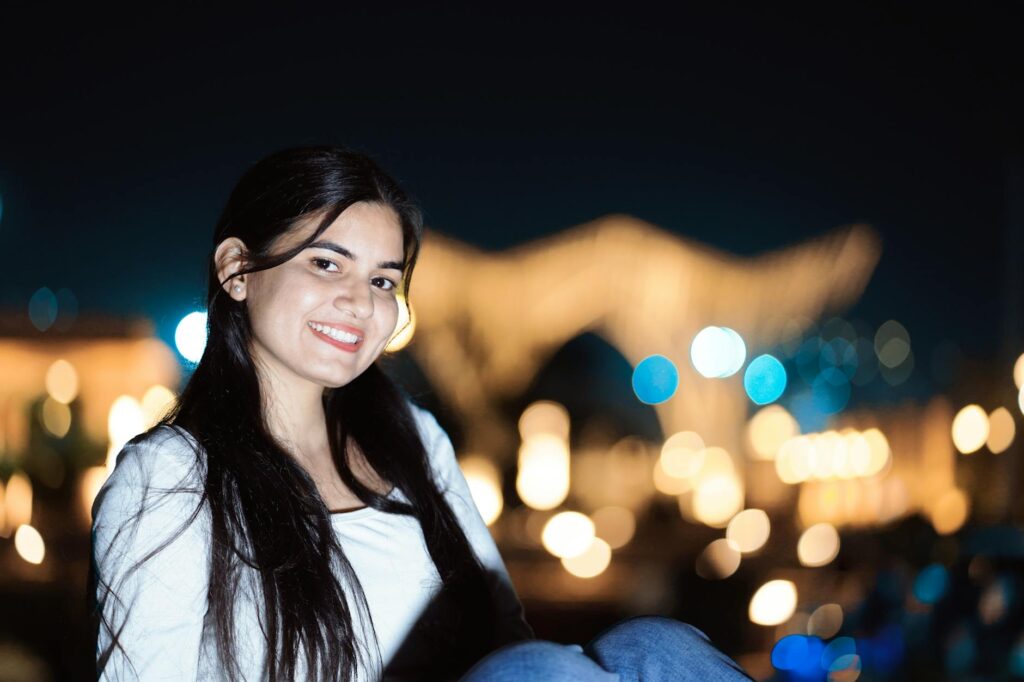
Your profile picture is the first thing anyone sees, and people make snap judgments about it in roughly 50 milliseconds. That’s not enough time to read your bio, check your follower count, or decide if your content is worth following , it’s just enough time for a face to register and a gut reaction to form.
The good news? You don’t need a professional photographer, a studio backdrop, or even great lighting anymore. AI profile picture tools have gotten good enough that plenty of people can’t tell the difference between an AI-generated headshot and one taken by a real camera. Some AI-generated photos look better, honestly. No weird shadows under the eyes. No awkward half-smile. No blinking at exactly the wrong moment.
This guide walks you through exactly how to create a polished, professional-looking social media photo using AI, from choosing the right tool to getting the style and composition right.
What AI Profile Picture Tools Actually Do
Before diving into the how, it helps to understand the what. Most AI profile picture generators work in one of two ways.
The first method uses text-to-image generation. You type a description like “professional woman with short hair, blue blazer, soft studio lighting” and the AI generates a completely new face that doesn’t belong to any real person. Tools like Midjourney, DALL-E 3, and Stable Diffusion work this way. They’re great for creating a stylized avatar or a totally fictional persona.
The second method takes your actual photos and transforms them. You upload 10 to 20 selfies, the model trains on your face, and then it generates new images of you in different styles, outfits, and settings. Platforms like Remini, Aragon AI, and Try It On AI use this approach. The result is recognizably you, just… idealized. Better lit. More composed. Like the version of you that exists only when everything goes perfectly right.
For most people building a personal brand or professional presence, the second approach is more useful. For people who want a logo-style avatar or a character-based identity online, the first approach wins.
Choosing the Right Tool for What You Need
Not every AI profile photo platform is created equal, and the right pick depends on your budget, your goals, and how much control you want over the final result.
For Professional Headshots
If you need something that looks like it belongs on a LinkedIn page or a company website, Aragon AI and Remini are consistently strong performers. You upload a batch of your photos, wait anywhere from 30 minutes to a few hours, and get back a gallery of AI-generated headshots in different outfits and backgrounds. Aragon AI costs around $29 to $69 depending on the package, which is a fraction of what a professional photographer charges for a session with edited finals.
For Creative or Stylized Avatars
If you want a create avatar AI approach that gives you something more artistic, like a cartoon version of yourself, an oil painting, a cyberpunk character, or an anime-style image, tools like Fotor, Lensa AI, and PFPMaker are worth exploring. Lensa’s “magic avatars” feature became something of a viral sensation a couple of years ago for exactly this reason. These aren’t meant to look photorealistic. They’re meant to look cool, and for platforms like Twitter/X, Discord, or gaming communities, they absolutely work.
For Free or Budget Options
If you’d rather not spend money right now, you’ve still got options. Canva’s AI image generator has gotten surprisingly capable and is free at its basic tier. Adobe Firefly offers free credits. Bing Image Creator (powered by DALL-E) is completely free and produces solid results for text-prompted avatars. Just don’t expect the same polish you’d get from a paid, photo-trained model.
How to Get Great Results: The Input Quality Problem
Here’s the part most guides skip, and it’s probably the most important thing to understand: the quality of your output is almost entirely determined by the quality of your input photos.
For tools that train on your face, you need variety. Upload photos taken in different lighting conditions, from slightly different angles, in different environments. Don’t upload 15 nearly identical selfies from the same bathroom. The model needs enough variation to understand what your face actually looks like, not just one specific photograph of it.
A few practical tips that make a real difference:
- Include at least a few photos with natural daylight hitting your face directly
- Avoid sunglasses, heavy filters, or severe facial expressions in your training set
- Include some photos where you’re looking slightly off-camera, not just straight into the lens
- Use photos where your face takes up a significant portion of the frame
- Skip group photos where the model might get confused about which face belongs to you
If you’re using text-based prompts to generate a fictional ai profile image, input quality means the quality of your description. Vague prompts produce vague results. “Professional man” is a weak prompt. “Professional man in his 30s, dark brown hair, calm expression, wearing a charcoal grey suit, soft natural lighting, shallow depth of field, high resolution portrait photography” is going to give you something you can actually use.
Getting the Style Right for Each Platform
A great social media photo ai approach considers the platform, not just the picture itself. What works on LinkedIn looks stiff on Instagram. What works on Discord would look bizarre on a corporate directory page.
LinkedIn and Professional Networks
Go clean and credible. A simple, neutral background (light grey, white, or soft blue works well), professional clothing, and a friendly but composed expression. The AI headshot should read as “someone I’d trust in a meeting.” Avoid heavy stylization here. If someone can tell your photo was AI-generated from across the room, it raises questions instead of building confidence.
Instagram and Personal Branding
You’ve got more room to play. A slightly warmer, more editorial feel works well. Think lifestyle photography aesthetics: soft golden hour light, interesting but not distracting backgrounds, a relaxed pose. The ai profile picture doesn’t need to look like a formal headshot. It should feel like a curated peek at your actual personality, or at least the personality you’re projecting.
Twitter/X, Discord, and Online Communities
This is where a fully stylized avatar can absolutely thrive. A well-made illustrated avatar, a pixel art version of your face, or a bold graphic character creates instant visual identity. On platforms where conversations move fast and your tiny circular profile picture has to pop out of a dense thread, distinctive art beats a realistic photo every time. The create avatar AI tools shine here.
TikTok and YouTube
Your channel art and profile picture should match your content’s energy. If you make high-energy entertainment content, a bright, expressive AI-generated image works. If you make calm, educational content, something cleaner fits better. Consistency matters more than perfection , a viewer who sees your profile picture should already have a rough sense of what you’re about.
Common Mistakes People Make With AI Profile Images
Even with great tools and good inputs, a few patterns consistently produce results that look off or don’t serve the creator’s goals.
Using uncanny valley results. AI sometimes generates faces that are almost right but subtly wrong in ways that feel unsettling: slightly mismatched eyes, odd skin texture, teeth that don’t quite line up. Always review your output critically and skip anything that gives you a weird feeling, even if you can’t articulate exactly why. Your audience’s subconscious will catch it.
Over-idealizing to the point of unrecognizability. If you’re using an ai profile photo that trains on your face, there’s a temptation to pick the most flattering, heavily enhanced result in the gallery. But if the image no longer looks like you when someone meets you in person or on a video call, it creates an awkward disconnect. Pick something that’s an improved version of you, not a completely different person.
Ignoring the background. A beautifully generated face in front of a weird, blurry, or visually busy background undermines the whole thing. Most tools let you regenerate with different backgrounds, or you can use a free tool like Remove.bg to swap the background out after the fact.
Using the same image everywhere forever. Refresh your ai profile image every six months to a year, or whenever your actual appearance changes significantly. A profile picture that’s years out of date doesn’t just look stale, it signals that you’re not actively engaged with your presence online.
Quick Checklist Before You Post That AI Profile Picture
- Does the image look sharp and clear at small sizes (like a tiny circular crop)?
- Is the face well-lit with no strange shadows or artifacts?
- Does the style match the platform and your personal brand?
- If it’s meant to look like you, does it actually still look like you?
- Is the background clean or at least intentional?
- Would you feel comfortable if someone asked how you got this photo?
That last one matters more than people admit. Transparency about using AI is becoming more normal, not less. You don’t need to put “AI-generated” in your bio, but you shouldn’t feel like you’re hiding something either. The best AI profile pictures are ones that genuinely serve you and your audience, not ones that trick people into thinking you’re someone you’re not.
Start With One Tool, Not Ten
The easiest trap to fall into is spending three hours reading reviews and comparisons instead of just making something. Pick one tool from this article, spend 20 minutes with it, and see what you get. If you want a realistic headshot, start with Remini or Aragon. If you want a stylized avatar, start with Lensa or Canva’s AI generator. If you want total creative control and don’t mind a learning curve, Midjourney is worth the time investment.
A solid AI profile picture doesn’t have to be perfect. It has to be better than what you’re using now. And given that most people are still using a blurry photo from a birthday party in 2019, that bar isn’t as high as you might think. Go make something good.