Most People Plan Their Days Wrong, and AI Can Fix That
You’re not bad at productivity because you’re lazy. You’re bad at it because the tools you’re using were designed for a world that no longer exists. Paper planners, static to-do apps, and rigid time-blocking methods all share the same fatal flaw: they can’t adapt when reality hits. AI daily planning changes that equation entirely.
The promise of using AI to plan your day isn’t just about speed or convenience. It’s about having a system that actually thinks alongside you, considers your energy levels, accounts for task complexity, and reorganizes your schedule in real time when something breaks. That’s not a fantasy anymore. Millions of people are already doing it, and the ones who’ve figured it out are getting a measurable edge on their workdays.
This article breaks down exactly how to use AI as your daily planning partner, what tools work best, and the specific habits that separate people who see real results from those who just play with AI features and give up after a week.
What AI Actually Brings to Daily Planning
Before diving into tactics, let’s be honest about what AI is and isn’t. It won’t magically eliminate your procrastination or turn a chaotic workload into a clean checklist without any effort on your part. What it does exceptionally well is process, organize, and suggest. Those three things happen to be exactly where most people fall apart when planning their day.
Traditional planning requires you to hold your entire task list in your head, estimate how long things will take (which humans are notoriously terrible at), and then manually slot everything into your calendar. Research from the American Psychological Association shows that decision fatigue is real, and most people make significantly worse planning decisions after even a modest amount of prior cognitive effort. By offloading the organizational thinking to an AI day planner, you free your mental bandwidth for the work itself.
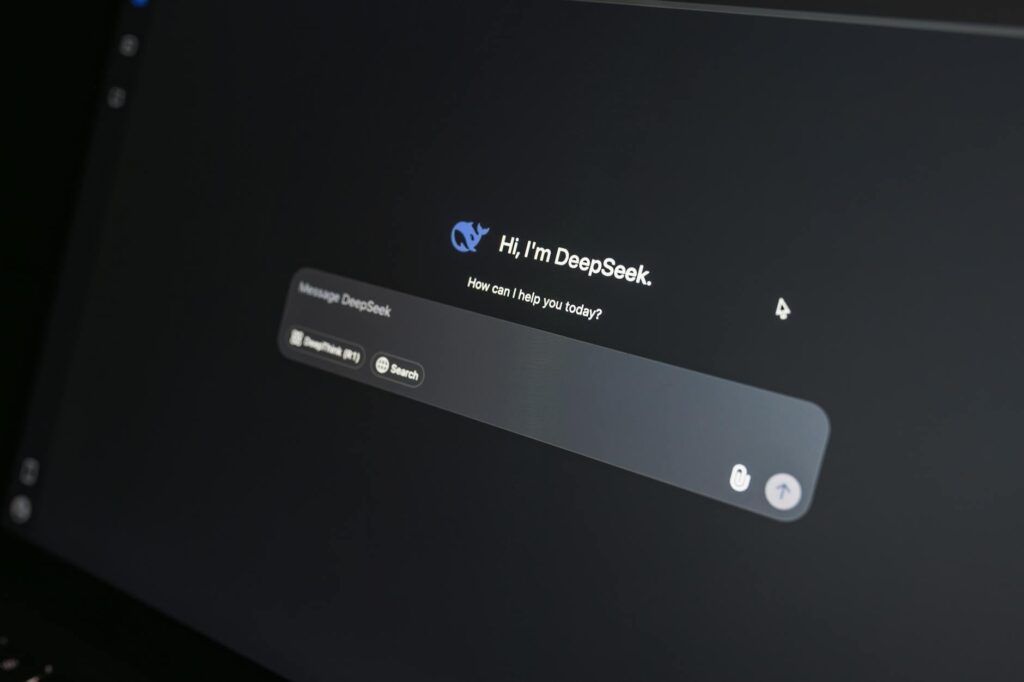
Modern AI tools also understand context in a way older software couldn’t. When you tell a tool like ChatGPT or Claude, “I have a client call at 2pm, three deliverables due by end of day, and I work best in the mornings,” it doesn’t just give you a generic schedule. It uses that context to generate something genuinely tailored to your situation. That’s the core value proposition of AI daily planning: personalized structure at near-zero cost.
The Right Way to Feed Information into Your AI Planner
This is where most beginners go wrong. They open ChatGPT and type something like “help me plan my day” and then wonder why the output is vague and unhelpful. Garbage in, garbage out. The quality of your AI-generated schedule depends almost entirely on the quality of the information you provide.
Here’s a practical framework for giving your AI the inputs it needs to plan effectively:
- Your task list with estimated durations: Don’t just say “write report.” Say “write Q3 report (roughly 90 minutes, high concentration needed).” That distinction lets the AI schedule it during your peak focus window.
- Fixed commitments: Meetings, calls, school pickups, anything that can’t move. List the time and duration.
- Your energy pattern: Are you sharp in the morning and foggy after 3pm? Tell it. AI can match your hardest tasks to your best hours if you share this.
- Constraints and buffers: If you need 20 minutes to decompress after meetings, or you can’t focus in the hour before lunch, include that. These micro-constraints kill most manually built schedules.
- Your actual deadline pressure: Not everything is equally urgent. Flag what genuinely needs to be done today versus what’s preferred but flexible.
Once you feed this information in, ask your AI to generate a time-blocked schedule and explain its reasoning. That second step matters. When you understand why the AI made a particular call, you can push back intelligently and refine the schedule in a conversation rather than just accepting the first draft.
Using AI for Weekly Planning, Not Just Daily Fire-Fighting
One of the biggest mistakes people make with AI productivity tools is using them purely reactively. They wake up Monday morning, feel overwhelmed, and dump everything into an AI chat to figure out what to do that day. That’s better than nothing, but it’s leaving most of the value on the table.
The better approach is to plan effectively with AI at the start of each week, not just each day. Set aside 15 to 20 minutes on Sunday evening or Monday morning for a weekly planning session with your AI. Paste in your upcoming calendar, your project list, and any important deadlines. Ask the AI to help you identify your three most important outcomes for the week and suggest which days are best suited for deep work versus administrative tasks based on your meeting load.
This weekly layer transforms how you use your daily AI planning sessions. Instead of starting from scratch every morning, you’re simply refining a plan that already has strategic direction. Your daily session becomes a 5-minute check-in: what carried over from yesterday, what’s changed, and what does today’s priority order look like? That’s a fundamentally different (and far less stressful) way to start each day.
Tools like Motion, Reclaim.ai, and Structured are specifically built as daily schedule AI platforms, and they automate much of this weekly-to-daily translation. They pull from your calendar, learn your preferences over time, and reschedule tasks automatically when meetings run long or priorities shift. If you work in a role with high schedule variability, these tools are worth the subscription cost purely for the time they save in re-planning.
Prompting Strategies That Actually Work
If you’re using a general-purpose AI like ChatGPT, Claude, or Gemini to plan your day, the way you phrase your prompts makes an enormous difference. A few prompting strategies that consistently produce better results:
The “Honest Context” Prompt
Start every planning session with a brief honest status. Something like: “I slept poorly last night, I have low energy today, and I have about 5 hours of actual work time between my meetings. Here are my tasks…” This kind of context produces more realistic, sustainable schedules rather than aspirational ones you’ll never execute.
The “Challenge My Plan” Prompt
After getting an initial schedule from your AI, ask it to poke holes in it. Literally say: “What are the weakest points in this plan? Where am I most likely to fall behind?” This is a surprisingly powerful technique. The AI will often surface things you hadn’t considered, like scheduling a cognitively demanding task right after a draining meeting, or underestimating how long a particular type of work typically takes.
The “Minimum Viable Day” Prompt
On high-stress days, ask your AI: “If everything goes sideways and I only accomplish three things today, what should they be and why?” This forces a triage mindset and prevents the paralysis that comes from a 20-item list when you’re already overwhelmed. Your daily schedule AI should help you make hard choices, not just reflect them back to you.
Common Pitfalls That Kill AI Planning Momentum
People who abandon AI planning tools usually hit one of the same few walls. Knowing them in advance means you can sidestep them.
The first is over-reliance on a single session. Planning isn’t a one-and-done activity. Your day changes. Use your AI to do a quick mid-day check-in, not just a morning plan. Five minutes at noon to reassess what’s changed and what needs to shift can save your afternoon.
The second is treating AI output as sacred. The schedule your AI day planner generates is a starting point, not a contract. If the plan it gives you doesn’t feel right, push back. Say “I think you’ve underestimated how long task X will take” or “I’d rather cluster all my administrative work in the afternoon.” The conversation is the product. Iterating is how you get something genuinely useful.
The third pitfall is skipping the review. Most AI planning tools and approaches work better over time because you get better at describing your own patterns and constraints. But that only happens if you briefly review what worked and what didn’t. Spend two minutes at the end of the day asking your AI to help you note what you’d change next time. It takes less time than you think and compounds significantly over weeks.
Building a Daily AI Planning Habit That Sticks
Habits stick when they’re attached to something that already exists in your routine. The simplest way to build a consistent AI planning practice is to link it to your first cup of coffee or tea in the morning. Before you open email, before you check Slack, spend 10 minutes with your AI day planner. That single constraint, no email before the plan is set, will change your days faster than almost any other productivity intervention.
The specifics of which tool you use matter less than you might think. ChatGPT and Claude work perfectly well for text-based planning sessions. Motion and Reclaim are better if you want calendar automation. Notion AI and Todoist’s AI features are useful if you already live in those tools. Pick the one that fits your current workflow with the least friction, start there, and upgrade later if you need to.
AI daily planning isn’t a silver bullet. It works because it removes the cognitive overhead of organizing your day so you can spend that energy actually doing things. If you invest even two weeks into building this habit properly, feeding your AI real context, iterating on its suggestions, and reviewing what works, you’ll find it genuinely hard to go back to planning without it. That’s not hype. That’s just what happens when a tool actually fits the problem it’s solving.