Your Walls Deserve Better Than a Generic Print From a Big-Box Store
You’ve got taste. You just don’t have $400 to drop on a canvas that half your neighbors probably own too. That’s exactly why AI home decor art has gone from a nerdy experiment to something genuinely worth paying attention to.
Creating wall art with AI tools isn’t complicated, and the results can be stunning. We’re talking gallery-quality pieces tailored exactly to your style, your color palette, your space. No design experience required. This guide walks you through the whole process, from picking the right tool to getting your artwork printed and hung on the wall.
Choosing the Right AI Tool for the Job
Not all AI image generators are built the same, and the differences matter when you’re making something meant to look good at 24×36 inches on your living room wall.
Here are the main players worth knowing about:
- Midjourney: Consistently produces the most polished, aesthetically refined results. It’s the go-to for wall art ai projects because it handles lighting, composition, and texture in a way that feels intentional rather than random. It runs through Discord, which is a minor annoyance, but the output quality makes it worth it.
- Adobe Firefly: Solid choice if you’re already in the Adobe ecosystem. The images are commercially safe (Adobe trained it on licensed content), which matters if you ever plan to sell prints.
- DALL-E 3 (via ChatGPT): Great for people who want a conversational interface. You can describe what you want in plain language and iterate quickly. Output quality has improved significantly in 2024.
- Stable Diffusion: Free and incredibly powerful if you’re willing to learn. Steeper learning curve, but you get way more control over the final image.
- Leonardo AI: A good middle ground. Cleaner interface than Stable Diffusion, strong results, and a generous free tier.
For most people starting out with ai home art creation, Midjourney or Leonardo AI is the sweet spot. You get high-quality results without needing a computer science degree.
Writing Prompts That Actually Produce Good Art
The prompt is everything. A vague prompt gets you a vague image. A specific, well-structured prompt gets you something you’d actually frame.
Here’s a simple formula that works well for home decor art:
[Subject] + [Style/Medium] + [Color Palette] + [Mood] + [Technical Specs]
Let’s say you want something abstract for a minimalist bedroom. Instead of typing “abstract art blue,” try something like: “abstract fluid painting, soft cerulean and cream tones, minimalist composition, calm and airy mood, high resolution, fine art print quality.”
That second prompt is going to produce something dramatically different and dramatically better. The more context you give the AI, the more it can deliver what you actually want.
Style Keywords That Work Well for Wall Art
Certain style descriptors consistently produce results that translate well to print. Some of the most reliable ones include:
- Fine art print, museum quality, gallery worthy
- Oil painting, watercolor, acrylic on canvas
- Impressionist, abstract expressionist, botanical illustration
- Muted palette, earth tones, Scandinavian minimalism
- Golden hour lighting, soft natural light, dramatic chiaroscuro
Avoid overly specific pop culture references or copyrighted characters. Beyond the legal gray area, they tend to produce cluttered, inconsistent results anyway.
Aspect Ratios and Resolution Matter More Than You Think
This is where a lot of people trip up. They generate a beautiful square image and then realize it doesn’t fit any standard frame. Before you even start prompting, decide what format you need.
Common print sizes and their ratios:
- 8×10 inches: 4:5 ratio
- 11×14 inches: roughly 11:14 (close to 4:5)
- 16×20 inches: 4:5 ratio
- 18×24 inches: 3:4 ratio
- 24×36 inches: 2:3 ratio (standard poster size)
In Midjourney, you set this with the “–ar” parameter. Something like “–ar 2:3” at the end of your prompt gives you that vertical poster format. Leonardo and DALL-E both have aspect ratio selectors built into their interfaces. Get this right before generating a bunch of images you can’t use.
Refining and Upscaling Your AI Artwork
The first image you generate probably won’t be the one you print. That’s normal. AI art creation is an iterative process, and the magic usually happens after a few rounds of refinement.
In Midjourney, you can use the “V” buttons to create variations on any image you like, or the “U” buttons to upscale. Always upscale before downloading if you plan to print at any significant size.
But even Midjourney’s upscaled images sometimes need extra work for large-format printing. At 24×36 inches, you generally want an image that’s at least 4800×7200 pixels for a decent print. Most AI generators top out below that.
AI Upscaling Tools That Preserve Quality
This is where dedicated upscaling tools come in. These aren’t just resizing the image. They’re using AI to intelligently fill in detail as the image gets larger.
- Topaz Gigapixel AI: The industry standard for upscaling photos and AI art. It can take a 1024×1024 image and scale it to 4x or even 6x without the blurry, mushy quality you’d get from Photoshop’s basic resize.
- Adobe Firefly’s Generative Fill: Useful for expanding an image’s canvas if you need to add space on the edges.
- Krea AI: Has a solid real-time upscaler that works well for ai artwork home projects.
Run your final image through one of these before sending it to a printer. The difference in print quality is noticeable, especially on anything larger than 11×14.
Turning Your AI Art Into Actual Prints
Getting your image from a screen to your wall is where things get real. And honestly, this part’s easier than most people expect.
When you print ai art for your home, you’ve got a few routes depending on your budget and how polished you want the final product to be.
Print-on-Demand Services
These services let you upload your image, choose your print size and material, and ship directly to your house. No minimums, no bulk orders.
- Printful: High-quality prints on canvas, poster paper, and metal. If you want a stretched canvas, this is a reliable option.
- Canvaspop: Specializes in canvas prints specifically. Good quality control and a user-friendly ordering process.
- Bay Photo Lab: Used by professional photographers. If you want something that looks genuinely premium, this is worth the slightly higher price.
- Costco Photo Center: Surprisingly good quality for the price. If you’re printing a few pieces and want to keep costs down, don’t overlook this option.
For most living rooms or bedrooms, a 16×20 or 18×24 canvas print hits the sweet spot between visual impact and cost. Expect to pay roughly $40 to $90 depending on the service and material.
Choosing the Right Print Material
Canvas gives a classic, painterly feel that works especially well for abstract or landscape AI artwork. Matte fine art paper is better if you want something that looks like a traditional print or illustration. Glossy paper pops for bold, colorful pieces but can get distracting with glare depending on your lighting.
Metal prints are worth considering if you’re going for a modern, gallery-style look. They’re durable, easy to clean, and have a distinctive luminous quality that standard paper can’t match. They also cost more, usually $80 to $150 for a medium size.
Matching AI Artwork to Your Existing Decor
Generating great-looking art is one thing. Making sure it actually works in your space is another. A lot of people skip this step and end up with a beautiful image that clashes horribly with everything else in the room.
Before you start prompting, grab the hex codes or color names from your main furniture pieces, wall color, and any existing textiles. You can plug those directly into your AI prompts. Saying “muted sage green and warm terracotta tones to complement earthy Japandi interiors” is way more useful than just saying “natural colors.”
Gallery Walls vs. Statement Pieces
Decide upfront whether you’re creating one statement piece or a cohesive gallery wall. For a gallery wall, you’ll want a consistent thread running through every piece. That might be a shared color palette, a consistent style (all watercolor, all black and white line art), or a unified subject matter like botanicals or abstract landscapes.
Generate all your pieces in a single session using similar prompt structures. This keeps the aesthetic cohesive even if each image is distinct. Something like “botanical illustration, black ink on cream background, fine art print style” applied across six different plants will give you a gallery wall that looks intentional, not random.
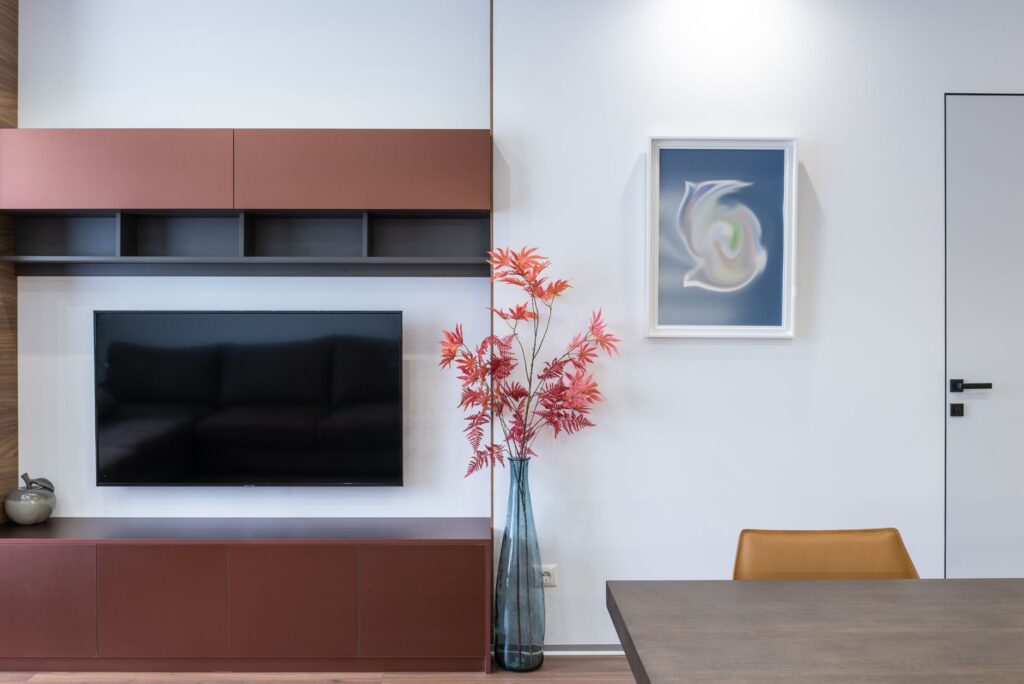
For a single statement piece, go bigger and bolder. A 24×36 canvas with a dramatic landscape or oversized abstract can anchor an entire room. This is where the wall art ai process really shines, because you can iterate until something genuinely moves you rather than settling for what’s available in a store.
Copyright, Ownership, and What You Can Actually Do With Your Art
This question comes up constantly and it’s worth addressing directly. The copyright situation around AI-generated images is still evolving, but here’s the practical reality as of 2024.
In the US, the Copyright Office has stated that purely AI-generated images (with no meaningful human authorship) aren’t eligible for copyright protection. That said, using AI-generated art for personal home decor is a completely different situation from selling it commercially. For hanging something on your own walls, there’s no meaningful legal concern.
If you want to sell prints, check the terms of service for whatever tool you used. Midjourney’s paid tiers grant commercial rights to your outputs. Adobe Firefly is explicitly built for commercial use. Free tiers on various platforms often restrict commercial use, so read the fine print before you start an Etsy shop.
Start Small, Then Scale What Works
Don’t overthink your first project. Pick one room, pick one wall, and decide on one piece. Spend an afternoon experimenting with prompts until you have something that genuinely excites you. Then upscale it, order a print, and see how it looks in your actual space.
The whole point of ai home decor art is that you’re no longer stuck choosing between what’s affordable and what’s beautiful. You can have both. And once you’ve got one piece you love, the process gets addictive fast. So start simple, trust the iteration process, and enjoy having art on your walls that nobody else in the world has.