Why AI Illustrations Are Changing the Social Media Game
Scroll through any high-performing brand’s Instagram or LinkedIn feed and you’ll notice something: the visuals don’t look like stock photos anymore. They look custom, cohesive, and often strikingly stylized, and many of them were built entirely with AI illustration tools.
This shift is real and it’s accelerating. Creating social media graphics with AI no longer requires a design degree, a freelance budget, or hours in Photoshop. What it does require is knowing how to use these tools strategically, because bad AI art is just as easy to produce as good AI art. The difference comes down to process, prompting, and understanding what actually performs on each platform.
Whether you’re a solo creator, a small business owner, or a social media manager handling multiple accounts, this guide walks you through exactly how to produce polished, platform-ready AI illustrations that stop the scroll.
Choosing the Right AI Tool for Social Post Art
Not all AI image generators are built the same, and your platform of choice will significantly shape your results. For social post AI art, the most widely used tools right now fall into a few clear categories.
Midjourney consistently produces the most visually refined, stylistically rich illustrations. It’s the go-to for editorial-quality work and anything that needs a strong aesthetic identity. The learning curve is steeper than competitors, but the output ceiling is higher.
Adobe Firefly integrates directly with Adobe Express and Photoshop, making it ideal if you’re already working in that ecosystem. It’s commercially safe by design, trained on licensed content, which matters if you’re producing content for clients or brands.
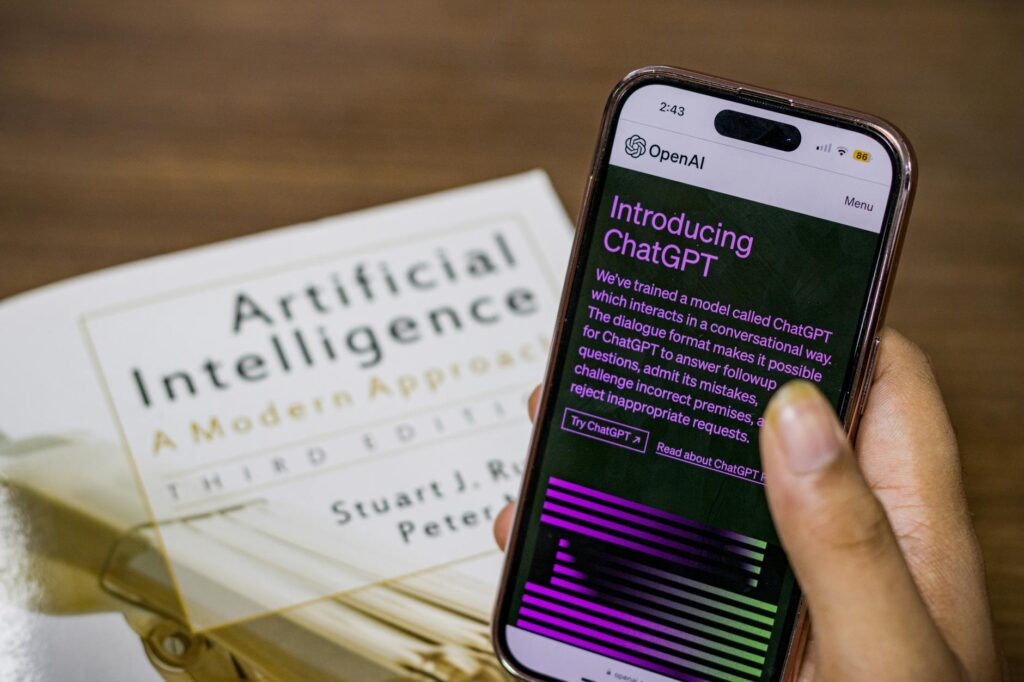
DALL-E 3 (via ChatGPT) handles complex, specific prompts better than most alternatives. If you need to describe a very particular scene or concept, DALL-E 3’s ability to interpret detailed instructions makes it highly practical for social media graphics AI work.
Stable Diffusion is the open-source option that gives you the most control, particularly when using custom models. It’s best suited to users comfortable with a more technical setup.
For most people getting started with AI illustrations for social media, Midjourney or DALL-E 3 will deliver the best return on time invested. Pick one, learn it well, and resist the urge to jump between tools every week.
How to Write Prompts That Actually Produce Usable Results
Here’s where most beginners lose hours: they type vague prompts, get mediocre outputs, and blame the tool. The tool isn’t the problem. Prompting is a skill, and it’s learnable.
When you create illustration AI outputs for social media, your prompt needs to cover four core elements: subject, style, mood, and technical specifications.
Subject is what’s in the image. Be specific. “A woman using a laptop” is weak. “A young professional woman working at a minimalist white desk, soft morning light coming through a window behind her” gives the AI something to work with.
Style tells the AI how to render the image. Reference specific art styles, illustrators, or visual movements. “Flat vector illustration”, “risograph print style”, “gouache painting aesthetic”, “clean line art with a limited pastel palette” all produce dramatically different results. Experiment with referencing specific eras too: “1970s editorial illustration” or “early 2000s graphic novel style” can produce highly distinctive social media graphics AI outputs that stand out from the generic AI look.
Mood sets the emotional tone. Words like “calm”, “vibrant”, “melancholic”, “playful”, “professional”, or “cinematic” steer the composition, color grading, and lighting in meaningful ways.
Technical specs matter more for social media than for other use cases. Specify aspect ratios directly in your prompt or in the tool’s settings. Instagram feed posts want a 1:1 or 4:5 ratio. Stories and Reels need 9:16. LinkedIn posts perform best at 1.91:1 for landscape or 1:1 for square. Always output at the highest resolution available.
A strong prompt might look like this: “Flat vector illustration of a small coffee shop interior, warm amber lighting, cozy and inviting mood, clean geometric shapes, limited earthy color palette, no text, square format.” That level of specificity is what separates scroll-stopping AI post design from generic filler content.
Designing for Each Platform’s Visual Culture
Platform context matters enormously. An illustration style that crushes it on Pinterest might feel out of place on LinkedIn, and vice versa. Understanding the visual culture of each platform is what takes your social post AI art from technically competent to genuinely effective.
Instagram rewards bold color, strong composition, and a consistent visual identity across posts. Flat illustrations, illustrated portraits, and stylized product scenes perform particularly well. If you’re building a feed aesthetic, lock in a color palette and stick to it across all your AI-generated images. Coherence reads as brand professionalism.
LinkedIn skews toward clean, professional visuals. Illustrated infographics, conceptual business imagery, and data-driven visual metaphors work well here. Avoid anything that looks overly whimsical or art-forward. Think editorial illustration for a business publication, not a lifestyle magazine.
Pinterest is vertical-first and discovery-driven. Long-form illustrated content, step-by-step visual guides, and highly styled scene-setting illustrations all perform well. Keywords in the description matter almost as much as the image itself.
Twitter/X and Threads favor images that communicate quickly. A single striking illustration with a clear focal point will outperform complex, detail-heavy compositions because people are scrolling fast. High contrast, clear subjects, and visual surprise all help.
TikTok is video-first, but AI illustrations are gaining traction as static slides within carousel-style videos or as backgrounds for text overlays. Animated AI illustrations, achieved by running outputs through tools like RunwayML or Kling AI, open up additional creative territory here.
Refining Your AI Illustrations After Generation
Raw AI output is rarely post-ready. The artists and brands producing the most impressive AI illustrations for social media are spending time in post-processing, and that’s a step a lot of beginners skip entirely.
A few refinements make a significant difference:
- Upscaling: Use a dedicated AI upscaler like Topaz Gigapixel or the built-in upscaling in Midjourney to bring images to a minimum of 2000px on the short side before posting. Compressed social platforms degrade image quality, so starting with a high-resolution file is non-negotiable.
- Color grading: Import your image into Lightroom, Photoshop, or even Canva and apply a consistent color grade. This unifies AI illustrations that were generated separately and makes them feel cohesive as a set.
- Text and branding overlays: Most AI image generators can’t reliably produce readable text within images yet. Add any copy, logos, or brand elements in a design tool afterward. Canva, Adobe Express, and Figma all handle this quickly.
- Removing artifacts: AI images sometimes contain subtle distortions, extra fingers on hands, or oddly rendered backgrounds. Use the inpainting feature in your AI tool or Photoshop’s generative fill to clean these up before publishing.
Treat AI illustration generation as the first stage of a two-stage process: generation plus refinement. Brands that skip the second stage are usually the ones whose AI content looks noticeably “off” to trained eyes.
Building a Repeatable System for AI Post Design
If you’re managing social media at any real volume, working illustration by illustration is unsustainable. The solution is building a templated system that makes AI post design fast, consistent, and scalable.
Start by creating a “style brief” document for each brand or account. This should include your approved art styles, color palette codes, mood descriptors, subject matter guidelines, and any negative prompts (elements you consistently want to exclude). When you sit down to batch-create content, you’re pulling from this brief rather than reinventing the wheel each time.
Next, build a prompt library. Every time you generate a prompt that produces excellent results, save it. Organize prompts by content type: lifestyle, product, quote cards, seasonal themes, and so on. Over time, this library becomes one of your most valuable production assets.
Finally, establish a posting workflow. Generate your images in batches, run them through your refinement process, drop them into your scheduling tool with captions and hashtags, and schedule for the week or month ahead. Tools like Buffer, Later, and Metricool all support this workflow well. Batching your create illustration AI sessions means you’re spending focused time on production rather than scrambling for content daily.
The Quality Bar Is Rising, and That’s a Good Thing
AI illustrations for social media have matured remarkably fast. The generic, uncanny-valley outputs that defined early AI art are increasingly easy to avoid if you know what you’re doing. The tools are better, the prompting knowledge is more accessible, and the post-processing ecosystem has caught up significantly.
But because the tools are more accessible, the quality bar has also risen. A year ago, any AI-generated image looked impressive. Today, audiences are more discerning, and they can tell the difference between AI art that’s been thoughtfully crafted and AI art that was generated in thirty seconds and posted without a second look.
The creators and brands winning with AI post design right now aren’t just using AI to save time. They’re using it to produce work that genuinely looks better than what they could afford or build before. That’s the real opportunity: not to replace creativity with automation, but to amplify creative vision at a scale that wasn’t previously possible.
Start with one tool, master your prompting fundamentals, build your refinement workflow, and create a style brief that makes every session faster than the last. The first fifty AI illustrations you generate will teach you more than any guide can, so start generating them now.