Why Etsy Sellers Are Turning to AI Art (And Making Real Money)
A digital printables seller in Ohio quietly crossed $40,000 in revenue last year selling wall art she never painted, photographed, or hand-drew. Her secret wasn’t outsourcing to designers. It was AI image generation, and she’s far from the only one doing it. The market for AI images on Etsy has exploded, and whether you’re an established shop owner or just getting started, understanding how to create and sell this content ethically and effectively could genuinely transform your business.
Etsy AI art isn’t a shortcut for lazy sellers. Done right, it’s a legitimate creative workflow that combines your aesthetic judgment, your knowledge of buyer psychology, and the raw generative power of tools like Midjourney, Adobe Firefly, and DALL-E 3. The sellers who win aren’t the ones who type a prompt and upload whatever appears. They’re the ones who treat AI as a collaborator and apply real creative direction to every image.
Understanding What You’re Actually Allowed to Sell
Before you open your AI images shop or add digital prints to an existing one, you need to understand the legal and platform landscape. Etsy’s policies don’t prohibit selling AI-generated art outright, but they do require accurate labeling. As of 2024, Etsy classifies AI-assisted designs as digital items that must be disclosed. You can’t list an AI image as “hand-painted” or “original artwork” in a misleading way.
Copyright is the trickier question. In the United States, the Copyright Office has consistently ruled that purely AI-generated images without meaningful human creative input aren’t eligible for copyright protection. That means you can sell them, but you can’t necessarily stop someone else from copying them either. Many successful sellers protect themselves by creating compositions that combine AI-generated elements with their own edits, text overlays, color grading, and layout work in tools like Canva or Photoshop. That human layer strengthens your claim to the final product.
Also pay attention to the terms of service for whichever AI tool you use. Midjourney’s commercial licensing, for instance, requires a paid subscription if you’re earning revenue. Adobe Firefly explicitly trains on licensed content and grants commercial use rights with a paid Creative Cloud plan. Knowing these details isn’t optional if you’re running a real business.
Choosing the Right AI Tool for Your Shop’s Style
Not every AI image generator produces the same aesthetic, and your choice of tool should match the visual language of your niche. Here’s how the major players stack up for Etsy sellers specifically.
Midjourney: High Artistic Quality, Steeper Learning Curve
Midjourney consistently produces the most painterly, atmospheric, and visually striking outputs of any tool available right now. It’s the go-to for botanical prints, fantasy landscapes, cottagecore illustrations, and anything that needs to look like genuine fine art. The downside is that you operate it through Discord, which feels awkward at first, and mastering its prompt syntax takes real time. For sellers targeting premium wall art buyers willing to pay $8 to $15 per digital print, it’s worth every minute of that learning curve.
Adobe Firefly: Safest for Commercial Use
If copyright clarity matters most to you (and it should), Adobe Firefly is the most defensible choice. It’s trained exclusively on Adobe Stock images and public domain content, which means you’re not exposed to the training data controversies that follow other tools. The outputs are clean and professional, particularly for patterns, textures, and lifestyle mockup backgrounds. It integrates directly into Photoshop and Illustrator, which makes the editing workflow seamless.
DALL-E 3 via ChatGPT: Best for Quick Iterations
OpenAI’s DALL-E 3, accessible through ChatGPT Plus, is excellent for sellers who need to test a lot of concepts quickly. The conversational interface means you can refine prompts in natural language without memorizing parameter codes. It’s particularly good for children’s illustration styles, simple icons, and pattern repeats. The outputs don’t always match Midjourney’s depth, but for many product categories on Etsy, they’re more than good enough.
Writing Prompts That Actually Produce Sellable Images
Here’s where most beginners waste time. They type “pretty flower” and get confused when the result looks generic. Effective prompting for sell ai art etsy purposes requires you to think like an art director briefing a designer, not like someone using a search engine.
A strong prompt has four components working together:
- Subject: What’s in the image, described specifically. Not “woman in garden” but “a young woman with auburn hair sitting among wildflowers, looking away from camera.”
- Style reference: The visual language you want. “Watercolor illustration,” “linocut print,” “vintage botanical engraving,” “oil painting in the style of the Dutch Golden Age.”
- Mood and lighting: “Soft morning light,” “moody candlelit atmosphere,” “bright and airy Scandinavian minimalism.”
- Technical specs: Aspect ratio, resolution guidance, or Midjourney parameters like “–ar 2:3 –stylize 750”.
Compare these two prompts: “autumn forest print” versus “a dense autumn forest floor covered in fallen oak and maple leaves in shades of burnt sienna and gold, watercolor illustration style, soft diffused light filtering through bare branches, minimal white space, suitable for wall art, –ar 2:3 –stylize 600.” The second prompt tells the AI exactly what you’re envisioning. That specificity is the difference between 200 unusable outputs and 3 stunning ones.
Study your Etsy competition before you write a single prompt. Open the bestselling listings in your category, look at the aesthetics that appear over and over, and reverse-engineer the visual style into prompt language. You’re not copying anyone’s work. You’re identifying what the market wants and then generating your own original interpretation of that aesthetic.
Building a Product Line, Not Just Random Images
Shops that succeed with etsy ai content don’t upload scattered images hoping something sticks. They build cohesive product lines organized around a recognizable aesthetic identity. Think of your shop the way a brand thinks about its product catalog.
A practical approach: pick one niche, one visual style, and produce a series of 10 to 20 images that clearly belong together. A set of 12 vintage-style mushroom botanical prints. A collection of 8 celestial moon phase illustrations in a consistent muted palette. A series of 15 abstract watercolor pet portraits using the same background treatment. Buyers browsing your shop should immediately sense that everything comes from the same creative vision, even if that vision was shaped through AI prompting rather than hand-drawing.
Consistency also helps with SEO. Etsy’s search algorithm rewards shops with clear topical focus. If every listing in your shop uses the same relevant keywords and visual style, you’re far more likely to appear in category searches than a shop with 40 unrelated products.
Preparing AI Images for Etsy Listings: File Formats and Sizes
Generating the image is step one. Preparing it for sale requires a bit more work. Most buyers purchasing digital wall art prints expect high-resolution files they can send to a print shop or print at home. That means your final files need to be at least 300 DPI at the intended print size.
Many AI tools output images at 72 DPI by default. You’ll need to upscale them using tools like Topaz Gigapixel AI, Adobe Photoshop’s Super Resolution feature, or even the free upscaler at upscayl.org. Aim for files that can print cleanly at 8×10, 11×14, and 16×20 inches minimum. Offering multiple sizes in a single ZIP file adds perceived value and reduces customer service questions.
For file formats, deliver JPEGs for photographs and painterly styles, and PNGs when the image needs a transparent background (for clip art, stickers, or sublimation designs). If you’re selling in the printable planner or stationery space, PDFs formatted to standard paper sizes like A4 or US Letter are often expected by buyers.
Listing Your AI Art in a Way That Actually Converts
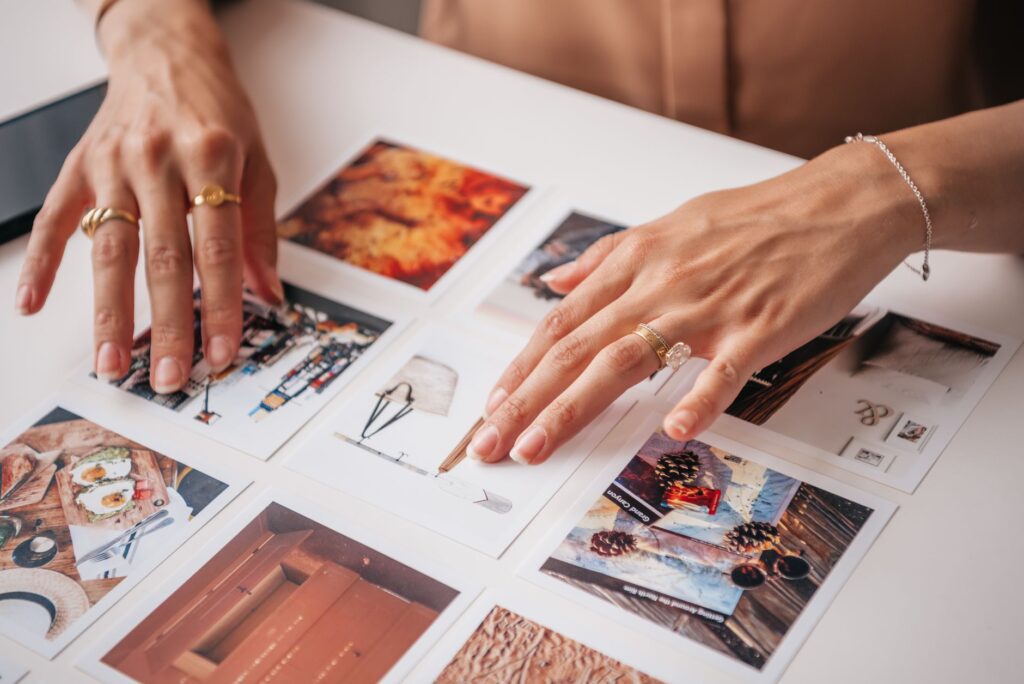
Your product photography, or more accurately your mockups, does most of the selling. Buyers on Etsy are visual, and a raw image file on a white background converts at a fraction of the rate of that same image shown in a beautiful room setting. Use tools like Placeit, Creative Market mockup templates, or Canva’s mockup frames to show your prints hanging on walls, displayed in frames, or printed on their intended surface.
Your listing title and description need to tell buyers exactly what they’re getting. Be specific: “Vintage Mushroom Botanical Art Print, Digital Download, 5×7 8×10 11×14 16×20, Cottagecore Wall Decor, Printable Art, Instant Download.” That string of keywords isn’t keyword stuffing for the sake of it. It’s the language actual buyers type into Etsy search when they’re ready to purchase.
In your listing description, disclose that the artwork was created with AI assistance. This isn’t just a best practice for etsy ai art transparency. It also builds trust with the subset of buyers who actively look for ethically labeled AI work, and it protects you from policy disputes down the road.
Scaling from First Sale to Consistent Revenue
The economics of digital downloads make this business model genuinely appealing. You create a file once and sell it unlimited times with no additional production cost. Sellers who reach consistent monthly income with ai images etsy usually do so by treating the shop like a content operation: adding new listings every week, testing different niches and styles, and doubling down on the categories where sales organically appear.
Track which listings generate favorites, which convert to sales, and what search terms buyers used to find you. Etsy’s built-in stats are good enough for this analysis when you’re starting out. Over time, you’ll develop a clear picture of which aesthetics your specific audience responds to, and you can use that data to guide your prompting sessions more efficiently.
Start with 20 strong listings rather than 100 mediocre ones. Pick a niche you find genuinely interesting, learn one AI tool well before jumping to others, and commit to improving your prompting skills with every session. The sellers earning real income from AI art on Etsy aren’t sitting on a secret tool or a magic prompt. They’re simply showing up consistently, treating quality as non-negotiable, and building a shop that looks like it was curated by someone who cares about what they’re selling. That’s still the differentiator, and it’s entirely within your reach.