Why Home Entrepreneurs Are Turning to AI Faster Than Anyone Expected
Running a business from your kitchen table used to mean doing everything yourself, burning through evenings on tasks that bigger companies had whole departments for. AI has flipped that equation completely, and the home entrepreneurs who’ve figured this out are pulling ahead fast.
The market for AI productivity tools has exploded. According to McKinsey’s 2023 global survey, over 50% of organizations reported using AI in at least one business function, and solo operators and small home businesses are catching up quickly. If you’re looking at the best ai home based business tools available right now, the options are genuinely impressive, and most of them are affordable enough that a solopreneur running lean can access the same capabilities as a mid-sized marketing agency.
This isn’t a list padded with tools you’ll never use. Every recommendation here solves a real problem that home business owners face daily, from client communication to financial tracking to content creation. Let’s get into what actually works.
Content Creation and Copywriting: Where AI Saves the Most Hours
Ask any home entrepreneur what eats their time, and content is almost always near the top. Blog posts, social captions, email newsletters, product descriptions, proposal letters. It never ends. This is where ai tools for home business use deliver the clearest, most immediate return.
ChatGPT (GPT-4o) for Versatile Writing and Strategy
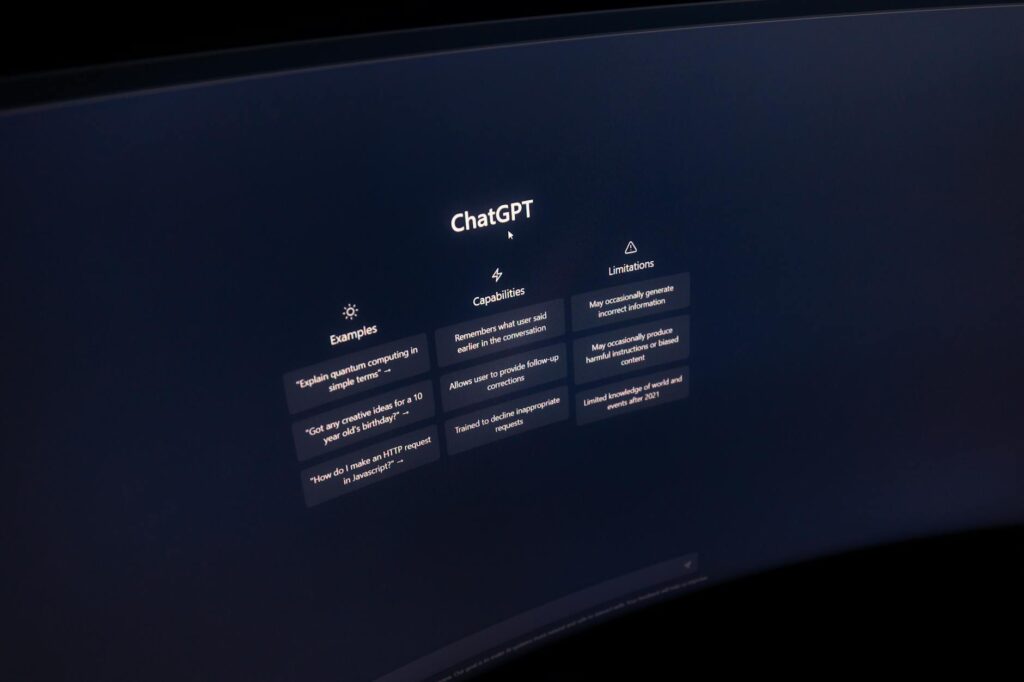
OpenAI’s ChatGPT, running on the GPT-4o model, remains the strongest all-around tool for home business owners who need flexible, high-quality output. The free tier is genuinely useful, and the Plus plan at $20 per month gives you access to GPT-4o with higher usage limits, image generation through DALL-E, and the ability to create custom GPTs tailored to your specific business niche.
Where it excels is breadth. You can draft a client proposal, then pivot to brainstorming product names, then use it to write a two-week email nurture sequence. It’s not perfect at any one thing, but it’s excellent at almost everything, which is exactly what a home entrepreneur needs. The custom GPT feature is particularly underrated: you can build a version that already knows your brand voice, your pricing structure, and your typical customer questions, cutting setup time out of every session.
Jasper for Marketing-Focused Copy
Jasper positions itself specifically for marketers and comes with pre-built templates for ads, landing pages, and long-form content. At $39 per month for the Creator plan, it’s more expensive than ChatGPT, but its Jasper Brand Voice feature, which learns from your existing content and maintains consistency automatically, is worth the premium for anyone running a content-heavy business. If you’re writing paid ad copy regularly, the ROI is straightforward to calculate.
Design Without a Design Degree: Visual Tools That Deliver
When you run business from home with ai tools handling your visuals, you can produce work that looks professional without paying a freelance designer $75 an hour for every project. The gap between DIY design and agency design has narrowed dramatically in the last two years.
Canva Magic Studio
Canva’s AI suite, called Magic Studio, has turned an already powerful platform into something close to a full creative department. The Magic Design feature generates complete, branded layouts from a text prompt. Magic Write handles copy within designs. The background remover and Magic Edit tools let you manipulate images without any Photoshop knowledge.
Canva Pro costs $15 per month, and for a home business producing regular social content, presentations, or marketing collateral, it pays for itself within the first week. The template library alone, with over 1 million options, means you’re rarely starting from a blank page. It integrates directly with Instagram, Facebook, and LinkedIn scheduling, which removes another manual step from your workflow.
Adobe Firefly for Image Generation
Adobe Firefly is worth mentioning separately because it’s built on commercially safe training data, meaning you’re not facing copyright ambiguity when you use generated images for client work or product marketing. For home entrepreneurs doing client projects, that distinction matters. Firefly integrates into Adobe Express and Photoshop, and a standalone version is available within Adobe’s free tier with limited monthly credits.
Client Management and Communication: Stop Dropping the Ball
One of the real advantages larger companies have over solo operators is systems. They have CRMs, dedicated account managers, and structured follow-up processes. AI tools let you replicate that structure without hiring anyone. A solid home business ai review of client tools has to include this category because this is where home businesses most commonly lose revenue.
HubSpot CRM with AI Features
HubSpot’s free CRM is legitimately free and genuinely powerful. The platform added a suite of AI features under the “ChatSpot” umbrella that let you ask questions about your pipeline, draft follow-up emails, and generate contact summaries using natural language commands. You don’t need to learn a complex interface to get useful data out of it.
For a home entrepreneur managing 20 to 50 active client relationships, HubSpot’s free tier handles nearly everything. The paid tiers, starting at $15 per month per seat, add email automation sequences and more detailed reporting. If you’re losing track of who you followed up with and when, this is the fix.
Tidio for AI-Powered Customer Service
Tidio combines live chat with an AI chatbot called Lyro that can handle customer questions autonomously based on your business’s FAQ content. For e-commerce home businesses or service providers with recurring questions, Lyro resolves roughly 70% of customer queries without you touching them, according to Tidio’s own published data. The free plan covers basic functionality, and paid plans start at $29 per month.
Setting it up takes about two hours. After that, it runs independently, handling inquiries at 2 AM without you needing to be awake. For anyone offering products or digital services, that responsiveness builds trust with customers who’d otherwise email you and wait.
Financial Management and Bookkeeping: The Tasks People Avoid Most
Roughly 40% of small business owners say bookkeeping is their least favorite task, according to a survey by Clutch. It’s also the one most likely to create serious problems when neglected. AI tools have made meaningful inroads here, particularly in automating categorization and surfacing insights without requiring accounting knowledge.
Keeper for Solo Business Tax and Bookkeeping
Keeper is designed specifically for freelancers and self-employed business owners. It connects to your bank accounts, automatically scans transactions, and flags potential business deductions you might miss. The AI learns your spending patterns over time and gets more accurate with each month. At $20 per month, it’s built for people who want to stay tax-ready year-round without hiring a bookkeeper.
One specific feature worth noting: Keeper’s built-in tax filing lets you file directly through the platform, bundling expense tracking and filing into one workflow. For a home entrepreneur doing their own taxes, eliminating the export-import shuffle between apps saves hours every April.
QuickBooks with AI Insights
QuickBooks remains the industry standard, and its recent AI additions make the platform substantially more useful for non-accountants. The Cash Flow Planner uses your historical data to forecast upcoming income and expenses, flagging potential shortfalls before they happen. The automated categorization has improved significantly. Plans start at $17.50 per month for the Simple Start tier.
If you’re already using QuickBooks, the AI features are worth exploring in your existing dashboard. If you’re not using any accounting software, starting here is a reasonable choice because it integrates with more payment processors, payroll tools, and banks than any competing platform.
Scheduling, Productivity, and the Tools That Hold Everything Together
The best ai home based business setup isn’t just a collection of individual tools. It’s a stack that connects, minimizes manual handoffs, and reduces the cognitive load of keeping track of everything simultaneously.
Notion AI for Project and Knowledge Management
Notion with its built-in AI layer has become a genuinely central tool for solo business operators. You can manage projects, store client notes, build SOPs, and write content all in one workspace. The AI component summarizes long documents, drafts meeting notes, generates project plans from bullet points, and answers questions about content you’ve stored inside your workspace.
For someone running business from home with ai assistance, having a single place where all your business knowledge lives, and an AI that can interact with it, is a structural advantage. The Plus plan, which includes AI access, costs $16 per month. It’s one of the higher-value subscriptions in this stack.
Zapier with AI Actions for Automation
Zapier connects your tools together so data moves automatically between them without you touching it. A new client signs a contract in DocuSign, Zapier creates a folder in Google Drive, sends a welcome email via Gmail, and adds a task in Notion, all without manual steps. Its AI Actions feature now lets you trigger AI-powered steps inside these workflows, like generating a personalized onboarding message for each new client based on their intake form responses.
The free plan allows 100 tasks per month, which is enough to test whether automation delivers value for your specific workflow. Paid plans start at $20 per month and scale with usage.
Building Your Stack Without Overspending
The home entrepreneur ai tools landscape is crowded, and it’s easy to end up paying for six subscriptions that overlap in functionality. A practical starting stack for most home businesses looks like this: ChatGPT Plus for content and strategy ($20/month), Canva Pro for design ($15/month), HubSpot free for CRM, Notion Plus for project management ($16/month), and Keeper or QuickBooks for finances ($17 to $20/month). That’s roughly $70 to $75 per month total, and those tools collectively replace work that would otherwise require multiple part-time contractors or dozens of unbillable hours each week.
Start with the category where you lose the most time or money, add one tool, get fluent with it, then expand. The home business owners seeing the biggest gains from AI aren’t the ones who signed up for everything at once. They’re the ones who picked two or three tools and actually integrated them into their daily workflow. Pick your biggest bottleneck, pick the tool that solves it, and start there this week.