Most Free AI Tools Are Garbage. Here’s What Isn’t.
You’ve probably tried a handful of “free” AI tools, hit a paywall after five minutes, and walked away annoyed. It happens constantly, and frankly it’s made a lot of people skeptical that anything useful actually comes without a price tag.
But here’s the thing: some genuinely good tools are sitting right there, free to use, and most people just don’t know about them or don’t realize how capable they’ve become. The best free AI tools aren’t always the ones with the biggest marketing budgets. Sometimes they’re open tools, freemium platforms with generous limits, or products that give you real value before ever asking for a credit card.
This isn’t a list padded with tools you’ve already dismissed. These are picks that hold up under actual use. Let’s get into it.
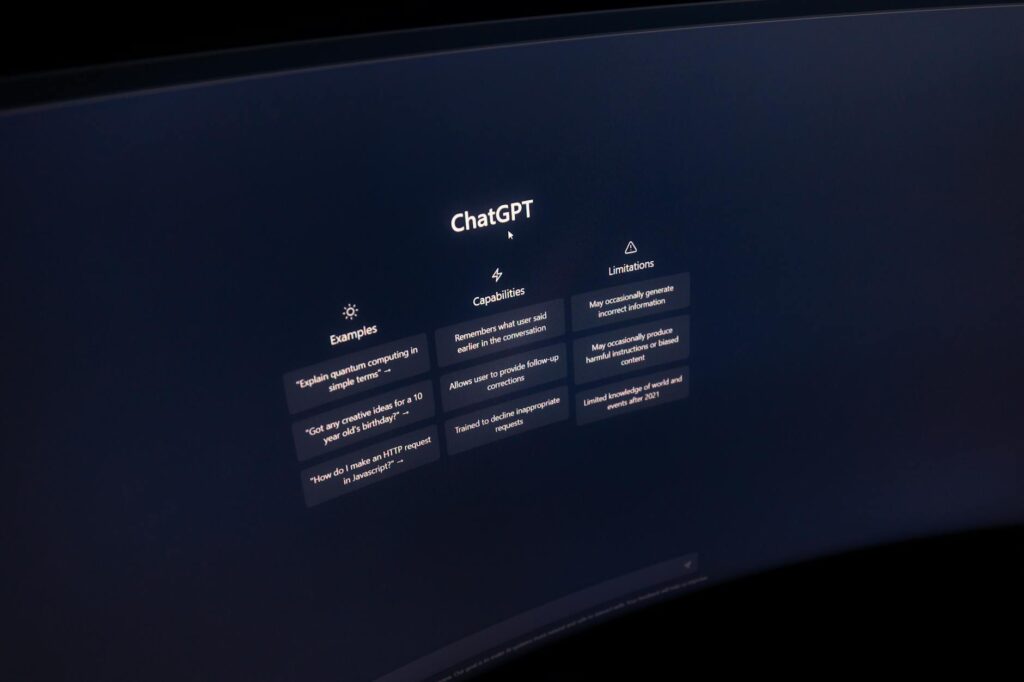
ChatGPT Free Tier: Still a Surprisingly Strong Starting Point
Yes, the paid version is better. GPT-4o is faster, smarter, and handles longer conversations more gracefully. But the free tier of ChatGPT is still one of the most capable no cost AI tools available right now, and that matters for anyone who doesn’t want to spend money just to experiment.
OpenAI’s free plan gives you access to GPT-4o with some usage limits. You can draft emails, summarize documents, brainstorm ideas, write code, and get answers to complex questions without paying a dollar. For casual to moderate use, the limits rarely feel punishing.
What makes it worth recommending in any free ai tool review is the sheer breadth of what it handles. Writers use it for editing passes. Developers use it for debugging. Students use it for research summaries. Small business owners use it for drafting customer communications. One tool, dozens of workflows.
The catch is memory and advanced features like data analysis and image generation get capped or locked. But if you just need a smart conversational assistant that actually understands nuance? The free tier delivers.
Perplexity AI: The Search Engine That Actually Explains Things
Google gives you links. Perplexity gives you answers with citations. That’s the core pitch, and it’s not hype.
Perplexity is one of the top free AI tools for research tasks, and it consistently outperforms a basic Google search when you need to understand something rather than just find a link. You ask it a question, and it synthesizes results from multiple sources, then shows you exactly where each piece of information came from. That citation model matters. You’re not just trusting the AI blindly.
The free tier handles most everyday research queries without issue. It’s especially useful for:
- Fact-checking claims quickly before sharing them
- Getting up-to-date information on news or recent events
- Learning about complex topics without wading through ten browser tabs
- Comparing products, services, or options side by side
Perplexity Pro unlocks Claude, GPT-4, and more powerful models, but the free version using its default model handles the majority of research use cases just fine. If you spend any time doing online research, this tool deserves a spot in your daily rotation.
Claude by Anthropic: The Best Free AI for Long, Thoughtful Writing
Claude doesn’t get enough credit in most free ai tool reviews. It’s Anthropic’s answer to ChatGPT, and in a few key areas it genuinely edges ahead of the competition, especially when you’re dealing with long-form writing or nuanced reasoning tasks.
The free tier of Claude gives you access to Claude 3.5 Sonnet, which is no small thing. This model is widely considered one of the best available right now for writing tasks. It follows instructions carefully, maintains tone and style across long documents, and produces text that reads more naturally than a lot of AI output.
Where Claude really shines is handling big documents. Paste in a long contract, a research paper, or a detailed brief, and Claude can work with it in a way that doesn’t lose track of the context. That’s genuinely useful for professionals who deal with dense material regularly.
Daily usage limits apply on the free plan, and you’ll hit them if you’re using it heavily. But for moderate use, like writing a few solid pieces of content or analyzing a handful of documents per day, the free tier holds up well. It’s one of the best free AI tools for anyone who prioritizes writing quality over raw speed.
Canva Magic Studio: AI Design Without Hiring a Designer
Canva’s been around forever as a free design tool, but the addition of its Magic Studio AI features has made it genuinely powerful for non-designers. We’re talking about tools that would have cost hundreds of dollars to access even three years ago, now sitting inside a free account.
The features worth using include:
- Magic Write: An AI text generator built directly into Canva for captions, headlines, and copy
- Background Remover: One-click background removal that actually works cleanly on most images
- Magic Resize: Instantly reformats designs for different platforms without starting over
- Text to Image: Generate simple AI visuals directly inside your design workflow
The free tier doesn’t give you unlimited access to every Magic Studio feature, but it gives you enough to handle real work. Social media content creators, small business owners, bloggers, and freelancers all benefit here. If you’re already using Canva and haven’t explored the AI tools inside it, you’re leaving value on the table.
Google Gemini: The Sleeper Pick Most People Overlook
Gemini has had a rough PR journey, but the current version is significantly better than its early releases, and the free tier is one of the most overlooked no cost AI tools available right now heading into 2026.
What gives Gemini an edge for a lot of users is its deep integration with Google’s ecosystem. If you use Gmail, Google Docs, Google Drive, or Google Calendar, Gemini can reach into those services in ways that ChatGPT simply can’t. Ask it to summarize your emails from last week. Have it draft a document and insert it directly into Google Docs. Pull information from files already in your Drive.
For anyone living inside Google Workspace, this integration alone makes Gemini worth trying as part of any top free AI 2026 toolkit. The standalone Gemini app is also solid for general use, with multimodal capabilities that let you analyze images and work with different types of input in the same conversation.
It’s not perfect. Gemini occasionally produces answers that feel more templated than Claude or ChatGPT. But the practical workflow integration makes up for a lot, especially if you’re looking to actually weave AI into your daily work rather than keep it as a separate tab you sometimes remember to open.
Otter.ai: Free AI Transcription That Actually Keeps Up
Not every useful AI tool is a chatbot. Otter.ai is one of the best free ai tools for anyone who sits through a lot of meetings, interviews, or lectures and needs an accurate record of what was said.
The free plan gives you 300 minutes of transcription per month, which covers roughly 10 to 15 average-length meetings. For most people, that’s plenty. Otter transcribes in real time, identifies different speakers, and lets you add comments or highlights as you go. After the meeting, you’ve got a searchable transcript instead of a wall of notes you’ll never re-read.
It integrates with Zoom and Google Meet, so the setup friction is low. Journalists, researchers, podcasters, and remote workers who do regular calls all get real value from this. The accuracy isn’t flawless on heavy accents or fast speech, but it’s better than most free transcription alternatives by a noticeable margin.
Gamma: Free AI Presentations Without the PowerPoint Pain
Building slide decks is one of those tasks that takes way longer than it should. Gamma solves that by letting you describe what you want and generating a fully structured, visually polished presentation in about 60 seconds.
The free tier gives you a limited number of AI credits each month, which is enough to generate a handful of complete presentations. It’s genuinely impressive what comes out. Gamma picks layouts, formats content across slides, and even suggests visuals. You still need to review and edit the output, but you’re starting from something usable rather than a blank canvas.
Compared to fiddling with PowerPoint or Google Slides for two hours, even a single Gamma presentation per month on the free plan saves meaningful time. It’s one of those free ai tools worth using that feels almost unfair once you realize how fast the workflow becomes.
How to Actually Get Value From Free AI Tools
One mistake a lot of people make is treating free tiers as demos rather than real tools. Most of the platforms above are fully functional for moderate usage. The key is matching the tool to the task instead of forcing one AI to do everything.
Use ChatGPT or Claude for writing and reasoning. Use Perplexity for research. Use Gemini when you’re working inside Google’s ecosystem. Use Otter for transcription. Use Canva’s AI for design. Stack them instead of searching for one magic tool that handles everything, because that tool doesn’t exist, free or paid.
The best free AI tools in 2026 are legitimately useful, not just stripped-down teasers. Pick two or three from this list that match what you actually do every day, spend a week building them into your workflow, and you’ll wonder how you worked without them. Start with whichever one solves your most annoying daily task. That’s always the fastest way to build a habit that sticks.