Audio has always been one of the most emotionally powerful tools for advocacy, and now AI is putting that power in the hands of small nonprofits, independent activists, and community organizers who never had a recording budget. If you’ve got a message worth spreading, you’ve got everything you need to start.
The barrier used to be real. Hiring voice talent, booking studio time, editing audio tracks , all of that could run a grassroots organization thousands of dollars per campaign. AI audio tools have collapsed that cost to almost nothing, and the quality has genuinely caught up to what audiences expect. We’re at a tipping point where a climate activist in rural Montana and a well-funded PR firm can produce audio content that sounds equally compelling. That’s a big deal.
Why Audio Works So Well for Advocacy Messaging
Before diving into the tools and process, it’s worth understanding why audio specifically hits differently for social cause work. Studies on emotional processing consistently show that the human voice triggers empathy in ways that text simply can’t replicate. When someone hears a real (or convincingly realistic) voice describe suffering, urgency, or hope, the brain responds differently than when it reads the same words on a screen.
Podcasts built around social issues regularly outperform their blog equivalents in audience retention. Audio ads for charitable campaigns generate significantly higher recall than display ads. And short voice clips on platforms like Instagram Reels, TikTok, and YouTube Shorts can carry a message to millions of people who’d never stop to read a caption.
This is exactly why ai social cause audio has become a genuine area of focus for digital advocacy teams. It’s not just about convenience , it’s about matching the medium to the emotional weight of the message.
Choosing the Right AI Audio Tool for Your Cause
Not all AI audio platforms are built the same, and the differences matter when you’re trying to create awareness audio with AI that actually moves people. Here’s how to think about your options:
Text-to-Speech Platforms with Emotional Range
Tools like ElevenLabs, Murf, and Speechify Studio let you generate voiceovers from typed scripts using synthetic voices that can convey warmth, urgency, sadness, and authority. For social cause work, emotional range matters enormously. A voice that sounds robotic or flat will undercut your message instantly.
ElevenLabs in particular has gained attention for its ability to clone voices and adjust emotional delivery. If your organization has a recognizable spokesperson, voice cloning lets you scale their voice across dozens of audio pieces without scheduling recording sessions every time. That said, always get explicit consent before cloning anyone’s voice. Ethically and legally, that’s non-negotiable.
AI Music and Ambient Sound Generation
Voice alone rarely makes a complete audio piece. Background music sets emotional tone before a single word is spoken. Tools like Suno, Udio, and Soundraw let you generate royalty-free music by describing the mood you want. “Hopeful and urgent, acoustic guitar, building crescendo” will get you something usable in seconds.
For cause voice AI projects, pairing a well-crafted voiceover with the right underscore can be the difference between a message that lingers and one that’s forgotten the moment it ends.
Audio Editing and Assembly Tools
Once you have your voice and music components, you’ll need to assemble them. Adobe Podcast (formerly Enhance Speech) uses AI to clean up audio quality and reduce noise. Descript lets you edit audio the same way you’d edit a document , delete a word in the transcript and it disappears from the audio. These aren’t just convenient; they genuinely reduce the technical skill required to produce polished content.
Writing Scripts That Actually Land
The most sophisticated AI voice in the world won’t save a weak script. This is where a lot of organizations stumble. They think the technology will carry the message, but the writing has to do most of the heavy lifting.
For social message audio AI to be effective, your script needs to do three things quickly: establish the problem with specificity, create an emotional connection through a human story or vivid detail, and give the listener a clear next step. That structure works whether you’re producing a 30-second Instagram clip or a five-minute podcast segment.
Specificity is everything. “Millions of children don’t have clean water” sounds like a statistic. “In Flint, Michigan, families are still buying bottled water ten years after the crisis began” sounds like a story. The second version is something a listener holds onto.
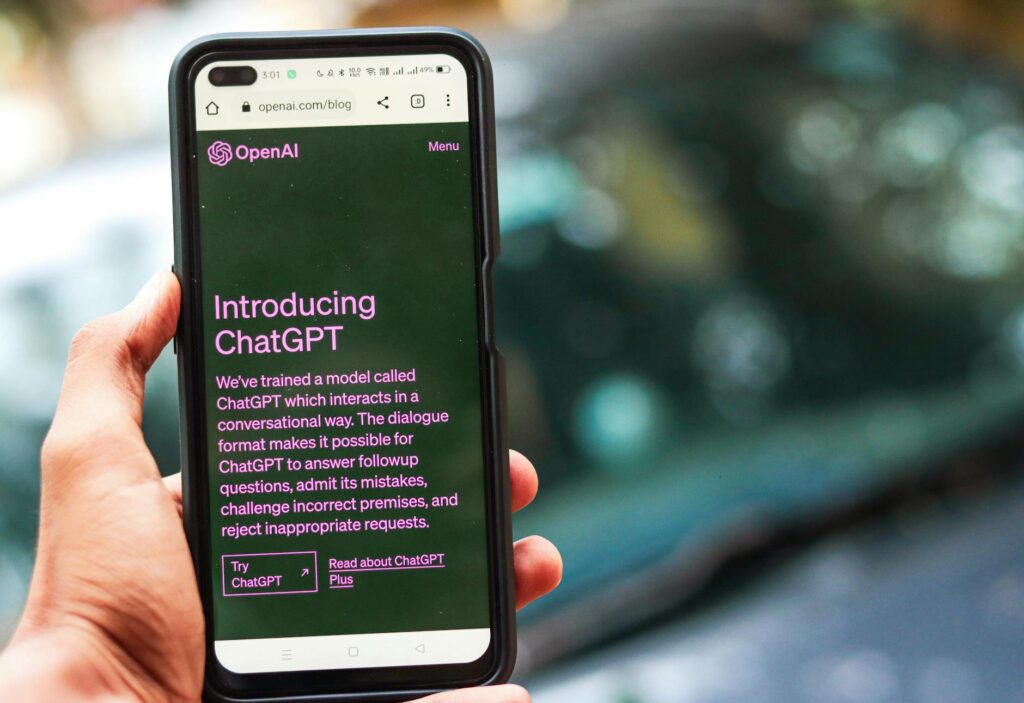
You can use AI writing tools like Claude or ChatGPT to draft and refine your scripts, but treat them as a starting point. Read every draft out loud before sending it to the voice generator. If a sentence is hard to say naturally, it’ll sound awkward even with the best AI voice. Rewrite until it flows the way a real person would talk.
Building a Complete AI Advocacy Audio Workflow
Let’s get practical. Here’s a workflow you can actually follow to produce ai advocacy audio from scratch, even with no audio production background.
Step 1: Define Your Output Format
Are you producing a 15-second social media clip, a 60-second radio-style ad, a podcast episode intro, or a longer documentary-style piece? Each format has different pacing and structure requirements. Decide this before you write a single word, because it changes everything about how you write the script.
Step 2: Write and Test Your Script
Write the script with your target voice in mind. Shorter sentences read better in text-to-speech. Avoid complex punctuation that might confuse the AI voice model. Read it aloud at normal speaking pace and time it. A 150-word script runs about 60 seconds. Adjust from there.
Step 3: Generate and Refine the Voiceover
Upload your script to your chosen TTS platform. Most tools let you preview multiple voice options , try at least three before committing. Listen specifically for unnatural pauses, mispronunciations of key terms, and flat delivery on emotionally important lines. Most platforms let you add emphasis markers or adjust pacing for individual words. Use those features.
Step 4: Source or Generate Your Music Bed
Generate background music using a tool like Suno or Soundraw, or pull from royalty-free libraries like Pixabay or Free Music Archive. Bring the music in underneath your voiceover at roughly 20-30% of the voice volume. The voice should always be clearly dominant.
Step 5: Assemble and Polish
Use Descript, GarageBand, or even the free version of Audacity to layer your voice and music tracks. Add a half-second fade-in at the start and a one-to-two second fade-out at the end. Run the final file through Adobe Podcast’s Enhance Speech tool to clean up any audio artifacts. Export as MP3 at 320kbps for high quality, or 128kbps if file size is a concern for streaming.
Navigating the Ethical Questions You’ll Face
Using AI for advocacy isn’t without complications, and being upfront about them makes your work stronger, not weaker.
The biggest question is transparency. Should you disclose that your audio was AI-generated? For most social cause audio, the answer is yes, and it’s easier than you’d expect. A simple line in your post caption like “Produced with AI audio tools” or a brief note in your content description covers it. Audiences are increasingly comfortable with AI-assisted content as long as the message is authentic. What they don’t forgive is deception.
Voice cloning raises a harder question. If you’re using a synthetic voice that sounds like a real person (even a public figure) to advance your cause, that’s ethically murky territory even when the cause is righteous. Stick to clearly synthetic voices or voices you’ve licensed and have permission to use. Your cause doesn’t benefit from a controversy about how you made the content.
There’s also the question of representation. If your cause advocates for a specific community, consider whether AI-generated voices actually represent that community’s speech patterns, accents, and cadence. Most TTS platforms skew toward standard American or British English. Choosing a voice that reflects the community you’re speaking for (or with) is part of respecting the work.
Distributing Your AI Audio Where It Will Actually Be Heard
Creating compelling cause voice AI content is only half the job. Distribution strategy determines whether it reaches the people who need to hear it.
Short clips (under 60 seconds) perform best on Instagram Reels, TikTok, and YouTube Shorts when paired with relevant visuals. Use tools like Canva or CapCut to add simple animated text overlays to your audio , this dramatically increases accessibility and watch time. Captions aren’t optional; roughly 85% of social media video is watched without sound initially, so your text has to earn the click to unmute.
Longer pieces work well as podcast content syndicated through Spotify for Podcasters, Apple Podcasts, or Anchor. If your organization runs email campaigns, embedding a short audio clip in your newsletter can dramatically increase engagement rates over text-only emails.
Don’t overlook radio. Many community radio stations actively seek PSA content from local nonprofits, and a well-produced 60-second AI-generated spot is entirely acceptable for broadcast if the audio quality meets their specifications (usually 44.1kHz, stereo, MP3 or WAV).
The tools are here, the costs are minimal, and the reach is real. If your organization has been sitting on an important message because you didn’t have the production resources to do it justice, that excuse is gone. Pick one format, draft a tight 60-second script, run it through a quality TTS platform this week, and see what your message sounds like with a real voice behind it. You might be surprised how quickly something worth sharing takes shape.