Podcasting Just Got a Serious Upgrade
The difference between a podcast that sounds like it was recorded in a bathroom and one that sounds like a professional studio production is no longer just about expensive microphones. AI tools have changed the game so completely that a solo creator with a laptop can now produce, edit, transcribe, promote, and analyze a full episode in the time it used to take just to clean up the audio.
But with dozens of tools fighting for your subscription dollars, figuring out which ones actually deliver is its own full-time job. This podcasting AI guide cuts through the noise. Whether you’re just starting out or you’re managing a high-volume production schedule, these are the tools worth your time and money.
Audio Editing and Noise Removal: Where AI Earns Its Keep First
Bad audio kills podcasts. Listeners will tolerate a mediocre interview before they’ll tolerate distracting background noise, and no amount of great content fixes a recording that sounds like it happened next to a highway.
Adobe Podcast (Enhance Speech)
Adobe’s free Enhance Speech tool is probably the single most impressive quick-win in the AI for podcasters space. You upload a raw audio file, it runs through Adobe’s model, and what comes out sounds dramatically cleaner. Background hum, room echo, and ambient noise get stripped away with a precision that used to require paid engineers. It’s not perfect on every recording, but on a scale of “messy home office” to “treated studio booth,” it reliably moves your audio at least two levels up. Best of all, the basic version is completely free.
Descript
Descript deserves its own category, but its audio cleaning features belong in this section first. The Studio Sound feature applies AI-driven noise reduction and audio leveling automatically. What makes Descript genuinely different, though, is that it combines that audio work with a full text-based editor. You edit your podcast like a Word document. Delete the text, delete the audio. It’s an approach that makes cutting filler words and awkward pauses almost effortless, even for people who’ve never touched a DAW in their lives.
Transcription and Show Notes: Stop Doing This Manually
If you’re still transcribing your episodes by hand or writing show notes from scratch, you’re burning hours that AI can reclaim for you. The best AI tools for podcasters in this category are accurate enough now that human error is the bigger concern.
Riverside.fm
Riverside is primarily a recording platform, but its AI features have grown into something genuinely impressive. It records locally on both ends of a remote interview (which is what gives it that clean, studio-quality separation), and it now layers in automatic transcription, AI-generated show notes, and even short-form clip suggestions. For podcasters who interview guests remotely, which at this point is most of us, Riverside is one of the most complete top podcast AI tools available at a single subscription price.
Otter.ai
Otter.ai has been around long enough to refine what it does well: fast, accurate transcription with speaker identification. It integrates with Zoom, Google Meet, and Microsoft Teams, which matters if your recording workflow runs through any of those platforms. The transcripts aren’t always perfect, especially with heavy accents or heavy jargon, but at roughly 90-95% accuracy on clear audio, it’s close enough that a quick review pass is all you need. The free tier is genuinely functional, though serious podcasters will want the Pro plan for longer recording limits.
Castmagic
This one is specifically built for podcasters, and it shows. Upload an episode to Castmagic and it doesn’t just transcribe; it generates timestamped show notes, social media captions, blog post drafts, email newsletter content, and a list of key quotes. For anyone running a podcast as part of a broader content strategy, it’s arguably the most efficient repurposing tool in the category. A single episode becomes a week’s worth of content without the manual effort.
Video Clips and Social Content: Turning Episodes Into Reach
Most podcast growth today doesn’t come from podcast directories. It comes from short-form video clips on Instagram Reels, TikTok, and YouTube Shorts. Getting those clips out consistently used to require either a video editor on staff or hours of manual work. Several AI tools have made that nearly automatic.
Opus Clip
Opus Clip takes a long-form video or audio file, analyzes it for the most compelling moments using a “virality score” metric, and automatically generates short clips complete with captions, speaker labels, and clean cuts. The quality of the clip selection is genuinely good. It’s not just finding moments where people speak loudly; it’s identifying moments with narrative tension, strong quotes, or clear standalone value. For podcasters who also publish video versions of their episodes, Opus Clip is probably the strongest single tool for turning one piece of content into a week’s worth of social posts.
Vidyo.ai
Vidyo.ai serves a similar purpose but with slightly more manual control over which clips you select. It’s a bit more affordable than Opus Clip at lower tiers, and the auto-captioning is clean and accurate. If you prefer to choose the moments yourself rather than fully delegating that judgment to an algorithm, Vidyo.ai gives you the power without the full manual editing workload.
Podcast AI Tools Review: The Writing and Scripting Side
Not every podcast is fully scripted, but even conversational formats benefit from solid episode outlines, researched talking points, and polished intro scripts. AI writing tools have gotten good enough that this prep work, which used to take two to three hours per episode, can happen in thirty minutes.
ChatGPT (GPT-4)
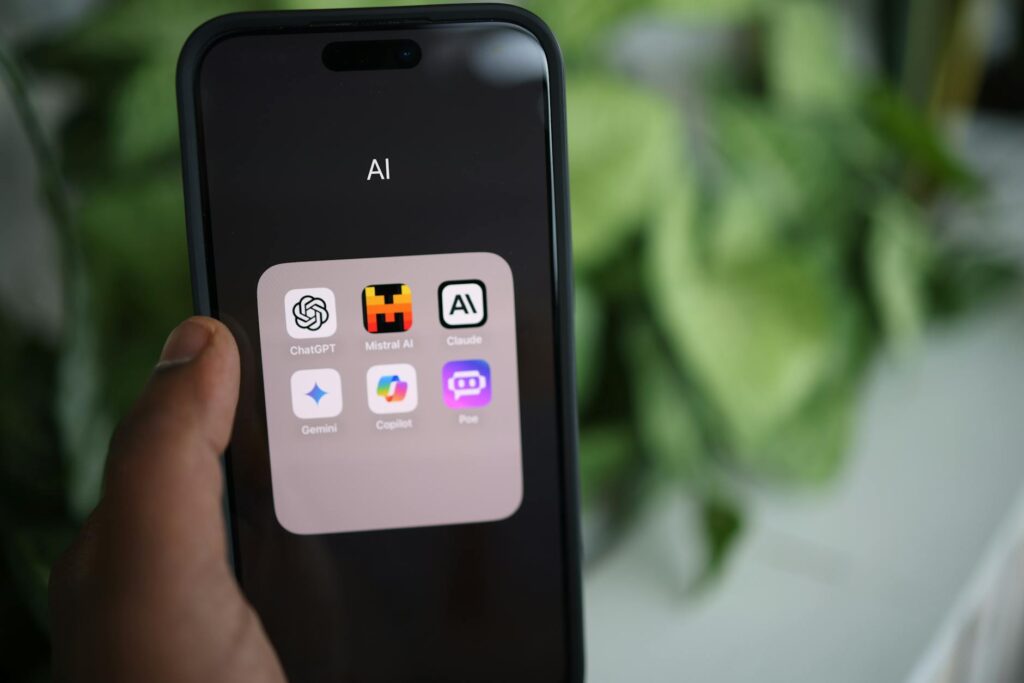
It’s hard to write a serious podcast AI tools review without acknowledging the elephant in the room. ChatGPT is the most versatile writing assistant available, and for podcasters it’s useful across a surprisingly wide range of tasks: episode outlines, research summaries, guest intro scripts, ad copy, listener Q&A responses, and episode titles. The key is learning to give it specific, detailed prompts rather than vague requests. “Write me a podcast episode outline” produces mediocre generic output. “Write a 10-point outline for a podcast episode on retirement investing for people in their 40s who are starting late, focusing on actionable steps and avoiding financial jargon” produces something genuinely useful.
Podcastle
Podcastle sits at an interesting intersection of recording, editing, and AI writing assistance. Its AI tools include a script editor, a text-to-speech feature that can generate remarkably natural-sounding voice-overs, and an AI interviewer that can actually conduct automated interviews using pre-set questions. For solo podcasters producing educational content, the text-to-speech and scripting tools alone make it worth evaluating. It’s not replacing human conversation, but for certain podcast formats it opens up production possibilities that would otherwise require a full team.
Analytics and Audience Intelligence: Knowing What’s Actually Working
Producing content without understanding how it’s performing is just guessing louder. A few AI-powered analytics tools have emerged that give podcasters insight well beyond basic download numbers.
Spotify for Podcasters (Spotify’s Native Dashboard)
If your podcast is on Spotify (and roughly 30% of podcast listening globally happens there), the native analytics dashboard has progressively added more AI-driven insights. You can see exactly where listeners drop off within an episode, which tells you more about what’s working than total downloads ever could. A consistent drop at the 18-minute mark across three episodes is a signal. AI-powered recommendations in the dashboard can now surface these patterns without requiring you to manually dig through the data.
Chartable (Now Part of Spotify)
Chartable’s attribution and SmartLinks features help podcasters understand where listeners are coming from, which matters enormously if you’re running any kind of paid promotion or social media campaign. Knowing that your YouTube Shorts are converting listeners better than your Twitter posts, for example, tells you exactly where to focus your energy.
How to Choose Without Getting Overwhelmed
Here’s the honest reality of navigating this space: subscribing to every tool in this article would cost you somewhere between $150 and $300 per month. That’s not the move. The better approach is identifying your specific bottleneck and solving that first.
- If your biggest problem is bad audio quality, start with Adobe Enhance Speech (free) and Descript.
- If you’re losing hours to post-production writing, Castmagic or Riverside’s AI features will have the biggest immediate impact.
- If you’re struggling with audience growth and social reach, Opus Clip should be your first investment.
- If you’re producing content without a clear scripting workflow, ChatGPT with intentional prompting costs $20 a month and covers enormous ground.
Most podcasters who experiment with this stack end up settling on two or three tools that fit their workflow and dropping the rest. That’s the right outcome. The goal isn’t to use more AI, it’s to spend more time on the parts of podcasting that actually require a human: the conversation, the perspective, the connection with your audience.
The best AI tools for podcasters aren’t the flashiest ones. They’re the ones that quietly remove friction from your process and give you back the hours that were disappearing into tasks a machine can handle just as well. Pick your bottleneck, solve it with the right tool, and then actually use the time you’ve freed up to make better content. That’s what grows a podcast in 2024.