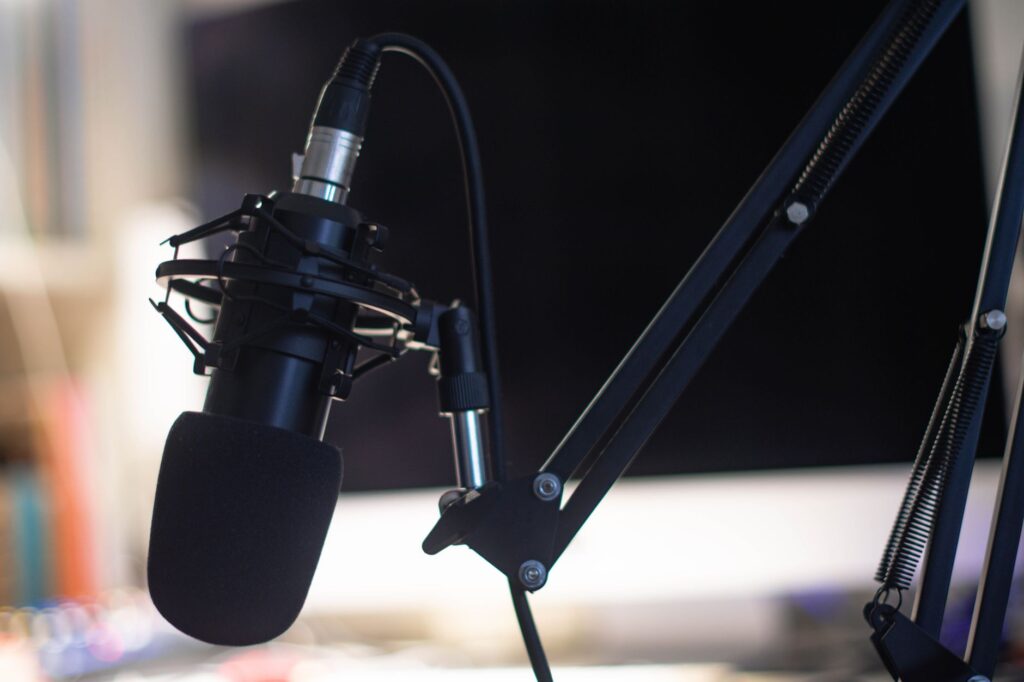
You’ve got something complex to explain, a limited budget, and zero desire to spend three days in a recording studio. AI audio tools can fix all of that in a single afternoon.
Whether you’re building an explainer podcast with AI, producing educational audio for a course, or just trying to make dense information actually listenable, the process is more accessible than most people realize. You don’t need a professional voice actor, expensive equipment, or audio engineering skills. What you need is a solid workflow and the right tools for each stage. Let’s break it down.
What “Explainer Audio” Actually Means (and Why It’s Different)
Explainer audio is a specific format. It’s not a podcast interview, not a lecture recording, and not an audiobook. It’s designed to take one concept, topic, or process and make it genuinely easy to understand for someone who knows nothing about it. Think “how does compound interest actually work” or “what is a neural network, explained simply.” Short, focused, purposeful.
The reason AI explainer audio has exploded in popularity is simple: demand for this format is way up, and human production costs haven’t come down. A professionally produced five-minute explainer used to cost anywhere from $500 to $2,000 once you factored in scriptwriting, voice talent, and editing. Now you can produce the same quality for under $50 a month using AI tools, sometimes less.
That cost shift has opened the door for educators, solopreneurs, SaaS companies, and content creators who would’ve been priced out before. And the quality gap between AI-generated and human-recorded audio? It’s closing fast. Some AI voices are now indistinguishable from real narrators in blind listening tests.
Step One: Build a Script That Actually Works for Audio
Here’s where most people mess up. They treat AI audio as a text-to-speech shortcut and just dump in a blog post or a slide deck’s worth of notes. That doesn’t work. Audio explanation and written explanation are completely different cognitive experiences.
When someone reads, they can pause, reread a confusing sentence, or skim ahead. Listeners can’t do any of that (well, they can rewind, but nobody actually does). So your script needs to do the heavy lifting upfront. That means:
- Front-loading the payoff. Tell listeners what they’ll understand by the end, right at the start.
- Using shorter sentences than you would in writing. If a sentence needs a comma to hold it together, consider breaking it in two.
- Adding verbal signposting. Phrases like “here’s the key part” or “so why does this matter?” help listeners know where they are in the explanation.
- Reading it out loud before you feed it to an AI voice. Every awkward phrase will sound ten times worse in synthesized speech.
You can use AI to help write the script too. Tools like ChatGPT or Claude are genuinely good at converting complex topics into clear, conversational language. Give them a detailed prompt: specify the audience’s knowledge level, the tone you want (casual, authoritative, friendly), and the length. A solid prompt might be: “Write a 600-word explainer audio script about how DNS works, for someone who knows nothing about networking. Keep the tone conversational and avoid jargon unless you define it immediately.”
Refine the output. Don’t just paste it straight into your voice tool. Read it, tweak it, make it sound like something a real person would actually say.
Choosing the Right AI Voice Tool for Your Explainer
Not all AI voice platforms are built the same, and the right choice depends heavily on your use case. Here’s a quick breakdown of the major players and what they’re each best at:
ElevenLabs
This is the gold standard for voice quality right now. ElevenLabs produces some of the most natural-sounding AI narration available, with good control over pacing, tone, and emotional delivery. It’s the top pick for creating explainer AI audio that needs to sound polished and human. The free tier is limited, but the starter plan runs about $5 per month and covers most small projects easily.
Murf AI
Murf is built specifically for content creators and includes a built-in editor that lets you adjust emphasis, pauses, and pitch at the word level. It’s slightly less “natural” than ElevenLabs at the premium end, but its studio interface makes it much easier to produce finished audio without any external editing software. Good choice if you’re new to audio production.
Play.ht
Play.ht has a massive voice library and strong multilingual support. If you’re producing educational audio AI content for global audiences or need the same explainer in multiple languages, Play.ht handles that better than most competitors. It also has a decent API if you want to automate production at scale.
Descript
Descript takes a different approach. It’s a full audio and video editor that lets you edit audio by editing the transcript. You can record your own voice and use Overdub to fill in corrections or generate entirely new lines. It’s the best tool if you want to blend your real voice with AI-generated segments, which can actually sound more authentic than pure AI narration.
For most people building an explainer podcast with AI from scratch, ElevenLabs or Murf will cover 90% of use cases. Start with one, learn it properly, then expand if you need something it can’t do.
How to Structure a Five-Minute Explainer Audio
Five minutes is the sweet spot for standalone explainer content. It’s long enough to go deep on one idea, short enough to hold attention. Here’s a structure that works consistently:
- Hook (30 seconds): Open with a surprising fact, a relatable problem, or a direct promise. “By the end of this, you’ll understand why your Wi-Fi slows down when everyone’s home at once.”
- Context (45 seconds): Briefly explain why this topic matters and who it’s for. Don’t go deep yet.
- Core Explanation (2.5 to 3 minutes): Break the concept into two or three parts. Use analogies. Real-world comparisons work better than technical definitions every single time.
- Common Misconceptions (30 to 45 seconds): Address one or two things people usually get wrong. This builds trust fast.
- Takeaway (30 seconds): Tell people what to remember and, if relevant, what to do next.
This structure works for ai explainer audio across almost any topic. It gives listeners a clear journey and makes your content feel intentional rather than rambling.
Adding Music, Sound Design, and Finishing Touches
Raw AI voice narration sounds fine. But adding even minimal production elements bumps the perceived quality up significantly. Research on podcast listening habits suggests that listeners rate audio with background music or subtle sound design as roughly 30% more professional than voice-only recordings, even when the narration quality is identical.
You don’t need to go overboard. A light intro/outro music bed and maybe some subtle ambient sound underneath technical sections is usually enough. For royalty-free music, Epidemic Sound and Artlist are the industry standards. Both have monthly plans and clear licensing for commercial use. Free alternatives like Free Music Archive or YouTube Audio Library work too, but the quality is more inconsistent.
For mixing, Audacity is free and handles basic layering fine. Adobe Audition gives you more control but costs money. If you’re already using Descript, its built-in mixing tools are honestly good enough for most explainer formats.
Keep the voice track front and center. Music should sit at roughly 10 to 15 decibels below the narrator. If someone has to strain to hear the words, the production has failed regardless of how good the music sounds.
Where to Publish and How to Distribute Your Explainer Audio
Once you’ve got a finished file, you need to get it in front of people. The best channel depends on your goal.
If you’re building a series, use a podcast host like Buzzsprout, Transistor, or Podbean. These distribute your audio to Spotify, Apple Podcasts, and Amazon Music automatically. Even if your “podcast” is technically a niche educational audio series rather than a traditional show, the podcast format is the easiest way to reach a built-in audience.
For course creators, platforms like Teachable, Thinkific, or even a plain Gumroad page work well. Pair each audio explanation with a short PDF summary and you’ve got a premium product people will actually pay for.
Don’t overlook embedding audio directly on blog posts or landing pages. Services like Podbean and SoundCloud give you an embeddable player. Adding audio explanation to a written article increases average time on page dramatically, which helps SEO and builds audience connection at the same time.
Social distribution matters too. Short clips (60 to 90 seconds) from your explainer audio can work well as Instagram Reels, TikToks, or LinkedIn posts with captions. Pull the most surprising or counterintuitive 90 seconds from your content, add captions using a tool like Kapwing, and you’ve got a social clip that drives people back to the full audio.
The Real Advantage of Doing This Consistently
One well-made explainer audio piece is useful. A library of fifty is a business asset. When you commit to a regular cadence, even just two or three pieces per month, you start building something that compounds over time. Your content gets discovered, shared, and referenced. Your audience grows. And because the marginal cost of producing each new piece is low with AI tools, the economics get better the longer you do it.
Start with one topic you know well, run it through the workflow outlined here, and publish it somewhere. Don’t wait for perfect equipment, a bigger budget, or a more elaborate plan. The tools to create high-quality, genuinely helpful educational audio AI content are available right now, and most of them cost less per month than a dinner out. Pick a tool, write a script, and make something people actually want to listen to.


