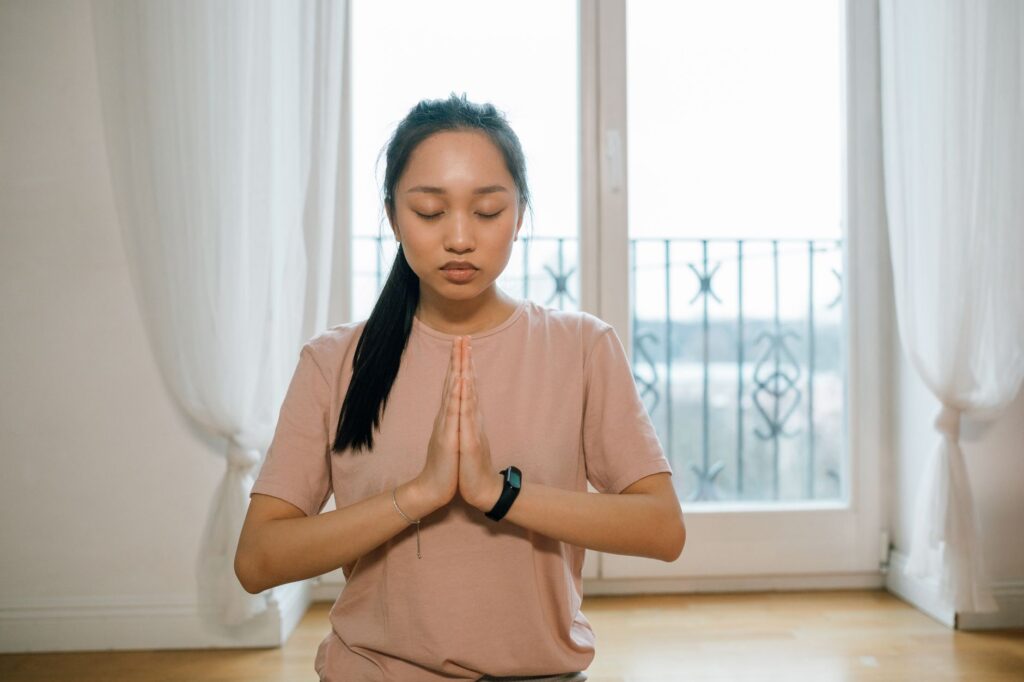
Your Breath Is the Shortcut , AI Can Help You Use It Better
Breathing is the one thing you do roughly 20,000 times a day, and most people are doing it badly. The good news is that AI tools have made it genuinely easy to build custom guided breathing exercises from scratch, even if you’ve never recorded a single audio file in your life.
Whether you want to create a calming wind-down routine for yourself, produce breathwork content for an audience, or build a meditation library for a wellness app, AI handles the heavy lifting. Text-to-speech engines, voice cloning tools, ambient sound generators, and AI scriptwriters can all work together to produce professional-sounding ai breathing exercise audio in a fraction of the time it used to take. Let’s walk through exactly how to do it.
Why AI Works So Well for Breathwork Specifically
Most guided meditation content lives or dies by its pacing. A voice that rushes the inhale, pauses awkwardly, or uses a tone that feels clinical rather than warm will break the experience immediately. This is actually where AI has a surprising edge over DIY human recordings.
Modern text-to-speech platforms like ElevenLabs, Murf, and Play.ht give you precise control over speaking rate, pitch, and pause length. You can tell the system exactly how many seconds to pause between cues. No breath coach or voice actor can hold a 4-second silence with the same mechanical consistency that a listener needs when they’re trying to sync their inhale to the audio prompt. That consistency is the whole point of structured breathwork.
Meditation breathing ai tools also solve a very practical problem: cost. Hiring a professional voice artist, booking studio time, and editing the final audio can run anywhere from $300 to over $1,000 for a single polished track. A monthly subscription to a good AI voice platform costs roughly $20 to $50 and gives you unlimited takes, unlimited edits, and zero scheduling headaches.
Step One: Write the Script With AI Assistance
Start with the script. This is where most people get stuck because they overthink it. A guided breathing script doesn’t need to be poetic or complex. It needs to be specific, timed, and calming.
Use a large language model like ChatGPT, Claude, or Gemini to generate your base script. Give it clear instructions. For example: “Write a 5-minute guided breathing exercise using the 4-7-8 technique. The tone should be warm and gentle. Include specific cue phrases like ‘inhale now’ and ‘begin your exhale.’ Add natural pauses using ellipses or pause markers.” You’ll get a solid first draft in under 30 seconds.
From there, you refine. Read it out loud yourself. Does the pacing feel right? Are the cue phrases appearing at the right moments in the cycle? You’ll usually tweak two or three things, and then it’s ready for the voice engine. Don’t skip this step of reading it aloud. Your ear will catch timing problems that your eyes miss completely.
Some techniques worth building scripts around include:
- Box breathing (4-4-4-4): Inhale 4 seconds, hold 4 seconds, exhale 4 seconds, hold 4 seconds. Great for stress and focus.
- 4-7-8 breathing: Inhale 4 seconds, hold 7 seconds, exhale 8 seconds. Widely used for sleep and anxiety relief.
- Coherent breathing: 5-second inhale, 5-second exhale, no holds. Excellent for beginners and general relaxation.
- Physiological sigh: Double inhale through the nose, long exhale through the mouth. Evidence-backed for rapid stress reduction.
Each technique has a different rhythm, which means each script needs different pause lengths. Build those pauses directly into your text using markers like “[PAUSE 4 SECONDS]” before you hand the script to your voice generator.
Step Two: Choose the Right AI Voice for the Mood
Voice selection is not cosmetic. It’s functional. A voice that’s too bright and energetic will feel jarring in a breathwork context. A voice that’s too slow and breathy can feel unsettling. You’re looking for something warm, measured, and human-feeling.
ElevenLabs currently offers some of the most natural-sounding voices available. Their “Aria” and “Sarah” voices work particularly well for guided breathing ai content because they carry a natural softness without sounding robotic. Murf’s “Natalie” voice and Play.ht’s “Scarlett” are also popular choices among meditation content creators.
When testing voices, listen specifically for:
- How the voice handles the end of sentences. Does it trail off naturally or cut abruptly?
- Whether consonants like “S” create harsh sibilance that would be distracting through headphones.
- How it sounds at a slightly reduced speaking rate. Most TTS platforms let you slow the voice to 85-90% speed, which adds a natural calm.
If you’re building breathwork audio ai content for a brand or channel with a consistent identity, some platforms let you clone your own voice. This creates a library of content that sounds like you, even when you’re not the one sitting at a microphone.
Step Three: Layer in Ambient Sound Using AI Audio Tools
Voice alone rarely creates a complete meditative experience. The ambient layer matters more than most creators realize. Silence isn’t neutral; it can feel empty and stark when someone’s trying to relax. The right background sound signals safety, calm, and stillness to the nervous system.
AI ambient sound generators have gotten remarkably good. Tools like Mubert, Endel, and Soundraw can generate looping, royalty-free soundscapes on demand. You can specify “deep forest at dawn with gentle rain,” “low-frequency binaural tones for sleep,” or “soft ocean waves without wind noise,” and get a custom audio layer in seconds.
A few things to keep in mind when layering:
- Keep ambient volume at roughly 20-30% relative to the voice. The voice is the guide. The ambient sound is the container.
- Avoid anything with sudden sounds, bird calls that spike in volume, or rhythmic patterns that compete with the breathing cues.
- Binaural beats work well for sleep and deep relaxation exercises but need to be listened to through headphones to function. Always note this in your content.
Once you’ve generated your ambient track, you’ll mix it with your AI voice audio using a free tool like Audacity or GarageBand. The process takes about 10 minutes and doesn’t require any music production experience.
Adding Visual Sync for Video Platforms
If you’re publishing relaxation breathing audio ai content on YouTube, Instagram, or TikTok, a visual element significantly improves watch time and engagement. You don’t need a video production setup for this. AI image and video tools make it straightforward.
Platforms like Runway ML, Pika, or even Canva’s AI video features let you generate slow, looping nature visuals. Think: clouds drifting, water rippling, a candle flame moving gently. Pair your AI voice audio with a looping visual and you have a complete YouTube video ready to upload.
For text overlays, some creators add a simple breathing timer animation. A circle that slowly expands during the inhale and contracts during the exhale gives viewers a visual anchor. Tools like Canva and Adobe Express can create these animations without any coding knowledge. This small addition dramatically improves the user experience, especially for viewers who are new to breathwork and need a concrete visual cue to follow.
Quality Checks Before You Publish
Before releasing anything, run through this checklist. It saves embarrassment and reshoot time.
- Listen with headphones. Sibilance and audio artifacts that don’t show up on laptop speakers will be obvious through earbuds. Most people use headphones for meditation.
- Test the timing yourself. Actually do the breathing exercise while listening to the audio. Is there enough time on the exhale? Does the pause after the hold feel comfortable or anxious?
- Check the intro and outro. The audio should fade in gently, not start abruptly. A cold start is jarring. Give listeners 5-10 seconds of ambient sound before the voice begins.
- Review the total length. For a simple daily practice, 5-10 minutes is the sweet spot. Content over 20 minutes needs to offer something more structured, like a full body scan or visualization.
Building a Library and Scaling Your Content
Once you’ve produced one solid piece of guided breathing ai content, the workflow scales quickly. The scripting, voice generation, ambient layering, and basic mixing process takes about 45-60 minutes for a 10-minute track. After your first two or three pieces, you’ll move even faster because you’ll have voice settings saved, ambient tracks you like, and script templates you can adapt.
Consider building a small library organized by purpose. Morning energy breathing (energizing techniques like breath of fire or Kapalabhati), afternoon focus reset (box breathing), and evening wind-down (4-7-8 or coherent breathing) gives users a complete daily system. This kind of structured library is also what app developers and wellness platforms look for when they’re sourcing breathwork content from creators.
The demand for high-quality, accessible breathwork audio is growing fast. The global meditation app market was valued at roughly $2.08 billion in 2023 and is expected to reach nearly $8 billion by 2031. That’s not a niche interest. That’s a mainstream wellness shift, and AI gives independent creators and small studios the tools to compete in it without a large production budget.
Pick one breathing technique today, generate a 5-minute script, drop it into a voice generator, layer in some ambient sound, and publish it somewhere. The hardest part isn’t the tools. It’s starting. Once you’ve done it once, you’ll realize this is one of the most efficient content formats you can produce with AI, and one that genuinely helps the people who find it.


