A generic “Happy Birthday!” text is the digital equivalent of a gas station card. If you actually care about the person, you can do better, and AI audio and voice tools now make it shockingly easy to do so without needing a recording studio, a scriptwriter, or even a great speaking voice.
The landscape of AI-generated voice content has changed dramatically over the past two years. What used to require expensive production software and hours of editing can now be accomplished in minutes. Crafting a thoughtful, personalized ai birthday message, complete with the right tone, the right pacing, and even a voice that sounds familiar, is genuinely within reach for anyone willing to spend twenty minutes learning the tools. This article walks you through how to do it right.
Why Generic Birthday Messages Fall Flat (And What Works Instead)
Studies on social bonding consistently show that effort signals care. A message that includes a specific memory, an inside joke, or a reference to something the recipient actually loves carries far more emotional weight than something you could have copy-pasted to anyone in your contacts. The problem has never been wanting to personalize. The problem is time, creativity, and sometimes confidence in your own voice.
That’s exactly the gap AI tools are designed to fill. A well-constructed ai greeting message doesn’t have to sound robotic or hollow. When you feed the right inputs into the right system, the output feels warm, specific, and human. The secret is in how you approach the process, not just which tool you pick.
Think about what actually makes a birthday message memorable. It’s specificity. “Happy birthday, hope your day is great” tells someone nothing about how well you know them. “Happy birthday, I still laugh about the time you got lost on the way to your own surprise party” tells them everything. AI can help you articulate those moments more eloquently than you might on your own, and then voice synthesis technology can deliver them in an audio format that hits differently than text ever could.
Choosing the Right AI Tools for Birthday Audio
Not all AI tools serve the same purpose here. You’re essentially working with two distinct layers: the text generation layer and the voice synthesis layer. Sometimes these live in the same platform. Often they don’t, and you’ll want to combine them deliberately.
Text Generation: Getting the Script Right First
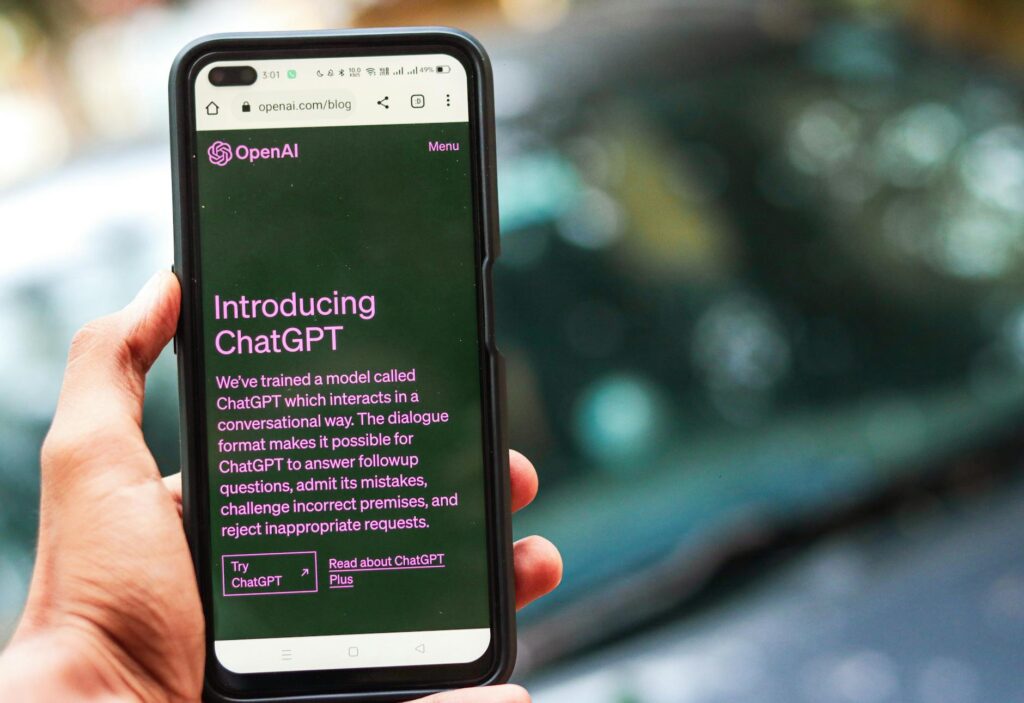
Start with a large language model like ChatGPT, Claude, or Gemini to draft your message. Don’t just ask it to “write a birthday message.” That approach produces exactly the generic output you’re trying to avoid. Instead, give it context. Here’s the kind of prompt that actually works:
“Write a warm, funny birthday message for my college roommate Sarah. She’s turning 32. We bonded over terrible reality TV, she just started a new job in marketing, and she has a golden retriever named Pretzel. Keep it under 90 seconds when spoken aloud. Make it sound like it’s coming from me, not a greeting card.”
That level of specificity transforms the output completely. You’re not asking AI to guess, you’re giving it the raw material and asking it to shape it. After it generates a draft, refine it. Read it aloud yourself. Does it sound like something you’d actually say? Adjust the vocabulary, the rhythm, the jokes until it feels right. The script is your foundation, and everything built on a weak foundation sounds off.
Voice Synthesis: Bringing the Message to Life
Once your script is solid, it’s time to add the audio layer. This is where birthday audio ai technology has made the most remarkable leaps. Tools like ElevenLabs, Murf, Play.ht, and Resemble AI can generate natural-sounding voices from text with emotional inflection, pacing control, and tonal variation. Some platforms let you clone your own voice using a short audio sample, which opens up an entirely different category of personalization.
If you use a custom message ai voice that actually sounds like you, the recipient hears something that feels like a real phone call or voice note, not a production. That’s a genuinely powerful experience, especially for people who live far apart and don’t hear each other’s voices often. ElevenLabs, for example, requires roughly one minute of clean audio to generate a usable voice clone. Record yourself reading a neutral paragraph, upload it, and within minutes you have a digital version of your voice that can speak any script you feed it.
For those who’d rather not clone their own voice, using a high-quality pre-built voice is still far better than a text message. Choose a voice that matches the tone of your message. A warm, slightly slower voice works well for sentimental messages. A brighter, faster voice suits something playful and funny. Most platforms let you preview multiple options before committing.
How to Add Real Personalization Without It Sounding Manufactured
Here’s the part most people skip, and it’s the difference between a message that makes someone tear up and one that gets a polite “aw, thanks.” Real personalization requires real inputs. Before you open any AI tool, spend five minutes answering these questions about the person:
- What’s one specific memory you share that only the two of you would fully understand?
- What are they going through right now, professionally or personally?
- What do they always say? Do they have a catchphrase or running joke?
- What do they care about most: family, career, travel, a hobby, a pet?
- What would they want to hear on their birthday specifically, not just any birthday?
Plug those answers into your AI prompt. The more raw material you provide, the less the AI has to generalize. And generalization is the enemy of genuine personalization. A good personalized voice message ai experience starts with you doing the thinking. The AI does the crafting and the delivery.
One technique that works particularly well is asking the AI to write in a specific emotional register and then justify it. “Write this message as if I’m proud of her but also want to make her laugh. She’s had a hard year and deserves to feel celebrated without it getting too heavy.” That kind of directive produces dramatically better output than “make it nice.”
Delivery Formats That Actually Get Listened To
Generating a great birthday audio ai file is pointless if it never gets heard. How you deliver the message matters. Here are the formats that work best:
Direct Audio File via Messaging Apps
WhatsApp, Telegram, and iMessage all support audio message sharing natively. Export your AI-generated voice file as an MP3, then send it as a voice note. Recipients are already conditioned to press play on voice notes in these apps. It feels natural, immediate, and personal. This is probably the easiest delivery method for most people.
Video with Visuals
Combine your audio message with a simple slideshow of photos using tools like Canva or CapCut. Set the voice message as the audio track, add some birthday-appropriate visuals, and export as an MP4. This works particularly well for milestone birthdays like 30, 40, or 50, where a little extra production value feels appropriate. You don’t need video editing skills. Canva’s presentation-to-video feature can do it in about ten minutes.
A Private Link
Some platforms like Loom or even simple audio hosting services let you generate a shareable link to your audio. You can send this via text, email, or even as part of a digital card. This works well when you want to accompany the audio message with some written context, or when the recipient might want to replay it somewhere private rather than in front of others.
Common Mistakes That Kill the Effect
Even with great tools, it’s easy to undermine your own effort. Watch out for these pitfalls:
Making it too long is probably the most common mistake. A personalized voice message ai should run between 60 and 90 seconds for most relationships. Beyond that, even the best message starts to feel like a speech. If you have more to say, say some of it in writing and let the audio handle the emotional highlights.
Using a voice that sounds nothing like you can also create a disconnect. If the recipient knows you well and hears a British accent or a deep baritone when you’re neither of those things, it snaps the illusion of intimacy. Either use your own cloned voice or pick a voice that at least feels like a plausible version of you.
Forgetting to proofread the script before generating the audio wastes time. AI text tools occasionally produce phrasing that reads fine on screen but sounds awkward when spoken. Always read your script out loud before you synthesize it. Fix anything that trips you up, because it’ll trip up the AI voice too.
Finally, don’t skip the ending. The last five seconds of a birthday audio message carry disproportionate emotional weight. Don’t trail off with “anyway, hope you have a great day.” Land it. Say their name, say what you mean, and sign off with something that sounds like you.
The Tools Worth Trying Right Now
If you want a starting point, here’s a practical short list. For scripting, ChatGPT with a detailed prompt is still the most flexible option. For voice synthesis without cloning, Murf offers clean, natural voices with good emotional range and a free tier to test. For voice cloning, ElevenLabs is the current leader in quality. For combining everything into a shareable video, Canva handles it without any technical learning curve.
The entire workflow, from blank page to finished custom message ai voice file, can take as little as 20 minutes once you’ve done it once. The first time might take 45. That’s still less time than driving to a card store, buying something forgettable, and mailing it late.
The people who matter to you deserve more than a thumbs-up emoji on their birthday. You now have the tools to give them something they’ll actually save. Use them.