The Sleep Content Niche Is Wide Open , Here’s How AI Gets You In
People are desperate for better sleep, and they’ll listen to hours of audio to get it. That’s a real opportunity, and AI tools have made it easier than ever to create sleep sounds and relaxing audio without expensive equipment or a recording studio.
Whether you want to build a YouTube channel around sleep content, sell audio on Gumroad, or just make something personal for your own wind-down routine, ai sleep audio tools give you a genuinely fast path to high-quality results. The learning curve is surprisingly gentle, and the output quality has jumped dramatically in the last couple of years.
This guide walks you through the whole process , picking the right tools, understanding what actually helps people sleep, and putting it all together into something worth listening to.
What Makes Sleep Audio Actually Work
Before you open a single app, it helps to understand what your listeners’ brains are actually looking for. Sleep audio isn’t just quiet noise. There’s a reason certain sounds feel sedating while others feel irritating even at low volume.
The most effective sleep audio typically falls into a few categories:
- Brown noise and pink noise: Deeper and warmer than white noise. Studies show brown noise in particular helps mask environmental sounds without feeling harsh at volume.
- Nature soundscapes: Rain, rivers, forest ambience, ocean waves. These work because humans are evolutionarily wired to associate sustained natural sounds with safety.
- Binaural beats: Layered tones that create a frequency difference between your two ears, nudging brainwaves toward delta or theta states associated with deep sleep.
- Guided sleep meditations: Spoken-word audio with breathing cues, body scan scripts, or progressive relaxation instructions.
- Ambient music: Slow, melodically sparse compositions with minimal dynamics, often tuned to 432Hz or built around gentle drone textures.
The sweet spot for most sleep audio is somewhere between 45 and 65 decibels , loud enough to mask distractions, quiet enough not to stimulate. Keep that in mind when you’re mixing your final output.
The Best AI Tools for Generating Sleep Sounds
There’s no single “best” tool. It really depends on what type of sleep audio you’re creating. Here’s a breakdown of the main players and what they’re actually good at.
Suno and Udio for Ambient Music Generation
Both Suno and Udio let you generate full music tracks from text prompts. For sleep audio generation, you’ll want to get specific with your prompts. Something like “slow ambient drone, 60 BPM, no percussion, warm pads, minimalist, 10 minutes” will get you much closer to usable output than just typing “relaxing music.”
Suno tends to produce more melodically interesting pieces, while Udio often gives you a more textural, abstract result. For sleep content, Udio’s output frequently works better straight out of the box because it leans toward atmosphere over melody. Melody can actually keep some listeners awake because the brain tracks it.
ElevenLabs for Guided Sleep Narration
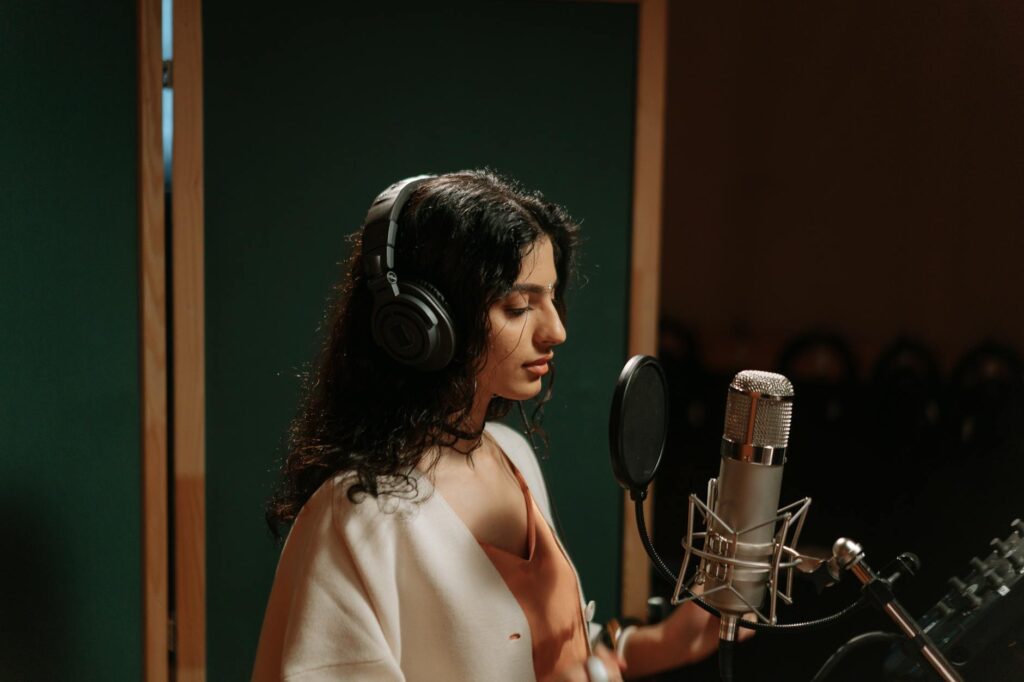
If you want to create sleep content with ai-generated voiceover, ElevenLabs is currently the best tool for the job. The voice quality is remarkable, and you can clone or customize voices to suit your brand. Slower speaking rates, lower pitch settings, and softer voices work best for sleep narration.
Write your script first, then generate. A good sleep meditation script runs about 1,000 to 1,500 words for a 10-minute audio piece. Focus on simple, repetitive language. Short sentences. Lots of breathing cues. Avoid anything that requires active thinking from the listener.
Soundraw and Mubert for Loop-Based Soundscapes
These tools are designed more for background music generation, but they’re excellent for ai rest audio that loops seamlessly. Mubert in particular lets you generate extended tracks and specify mood, energy level, and BPM. Set the energy to minimal and the BPM below 70, and you’ll get workable sleep soundscape material.
Soundraw gives you more direct editing control over the generated tracks. You can remove or add layers, extend sections, and adjust the overall dynamic shape of the piece.
Adobe Podcast and Audacity for Post-Processing
Whatever you generate, you’ll want to clean it up. Adobe Podcast’s AI enhancement tool is excellent at removing any digital artifacts or inconsistencies in generated audio. Audacity (free) lets you normalize volume levels, fade in and out smoothly, and export in multiple formats. For sleep audio, 320kbps MP3 or lossless FLAC are both solid choices depending on your platform.
Building a Full Track: A Step-by-Step Workflow
Let’s say you want to create a 30-minute rain soundscape with gentle ambient music underneath and a short guided intro. Here’s exactly how you’d approach it.
Step 1: Generate Your Base Layer
Use Mubert or Soundraw to generate 10 minutes of ambient background music. Prompt for something minimal , slow pads, low energy, no rhythm. Download the track, then loop it three times in Audacity to get your 30-minute base. Apply crossfades at each loop point so you can’t hear the seam. A 3-second crossfade is usually enough.
Step 2: Layer in Natural Sound
Find or generate rain audio. Sites like Freesound.org have free rain recordings under Creative Commons licenses, or you can use an AI ambient sound generator like myNoise (which lets you customize and export soundscapes). Layer the rain over your ambient music at roughly 60% volume, with the music sitting underneath at around 30 to 40%.
The rain provides the masking effect. The music gives it warmth and emotional texture. Together they work better than either would alone.
Step 3: Write and Generate a Short Guided Intro (Optional)
Not every sleep audio track needs narration, but if you’re building a sleep sounds ai content library, mixing narrated and non-narrated pieces gives your audience more variety. Write a simple 2-minute intro: welcome the listener, offer a breathing exercise, then invite them to let the audio carry them. Keep the language slow and direct.
Generate this with ElevenLabs using a soft, low-pitched voice. Export it, then place it at the start of your layered track in Audacity. Fade the voice out over about 20 seconds as the music and rain take over.
Step 4: Final Mix and Export
Normalize your whole track so the peak volume sits around -3dB. Apply a gentle low-pass filter if any elements feel too bright or sharp , sleep audio should feel rounded, not crisp. Export as MP3 at 320kbps for general use, or FLAC if you’re selling on a platform that supports lossless files.
Listen through once with headphones before publishing. You’ll catch things speakers miss, especially in the mid and high frequencies that can disrupt sleep even at low volume.
Turning Your AI Sleep Audio Into a Content Strategy
Creating one great track is satisfying. Creating a whole library is where the real leverage is. Sleep audio is one of the highest-performing niches on YouTube in terms of watch time , or more accurately, listen time , because people literally leave these videos running all night. That’s 7 or 8 hours of view time per listener per session, which is extraordinary for the algorithm.
A simple content strategy for sleep sounds ai could look like this:
- Release one new track per week, rotating through themes (rain, forest, ocean, fireplace, binaural beats)
- Keep titles descriptive and specific: “8 Hours Brown Noise for Deep Sleep” outperforms “Relaxing Sleep Sounds”
- Pair each upload with a short description mentioning sleep benefits and what’s in the audio
- Build playlists by category so returning listeners can queue up multiple tracks automatically
- Repurpose tracks on Spotify via DistroKid or TuneCore , sleep playlists have millions of monthly listeners
The barrier to creating sleep content with AI is now low enough that consistency is your real competitive advantage. Most creators who start this kind of channel quit after a few weeks. If you stick around and keep putting out solid audio, you’ll outrank people who tried once and gave up.
Common Mistakes That Kill Sleep Audio Quality
A lot of people generate audio, slap it online, and wonder why no one listens. Usually it comes down to a handful of avoidable problems.
Too much dynamic variation. Sleep audio should stay within a narrow volume range throughout. Big swells or sudden quiet patches jolt listeners awake. Compress your audio lightly if the dynamics are too wide.
Loops that click or pop. Noticeable loop points are jarring. Always use crossfades, and always listen through the full loop point before publishing.
Voiceover that’s too fast. Even if a speaking rate sounds slow to you, cut it another 20% for sleep content. Slower is almost always better. ElevenLabs lets you adjust this directly.
Skipping the headphone check. Things sound different at low volume through earbuds in a dark room. That’s how most people will experience your audio. Test it that way.
Generic titles and thumbnails. “Relaxing Music” gets lost. “10 Hours Soft Rain on Leaves for Deep Sleep and Stress Relief” gets found. Be specific.
The Tools Are Ready , Your First Track Should Be Too
The gap between “I want to make sleep audio” and “I have a finished, publishable track” is now genuinely a few hours, not a few months. AI audio generation has changed what’s possible for solo creators, and the sleep niche rewards patience and volume in equal measure.
Start simple. Pick one format, one tool, one theme. Generate something, mix it, listen to it tonight, and publish it tomorrow. Sleep audio generation doesn’t require perfection , it requires consistency and a genuine understanding of what helps people actually rest. You’ve got both within reach right now.