The first time someone genuinely couldn’t tell whether they were listening to a human or a machine, it changed everything. That moment, which used to be a party trick reserved for tech demos, is now something you can pull off on your laptop in under five minutes.
Natural AI voices have crossed a threshold that would have seemed absurd just a few years ago. We’re not talking about the robotic monotone of old GPS systems or the stilted cadence of early Siri. We’re talking about voices that breathe, pause, stumble slightly on long words, and modulate their tone the way a real broadcaster would. The technology is here. The question is how to actually use it well, because generating audio that sounds genuinely human involves more than just picking a voice and hitting play.
Why Most People Get AI Audio Wrong From the Start
Here’s the thing about AI voice realism: the tool is only part of the equation. Plenty of creators grab the best natural AI TTS platform available, paste in their script, and still end up with audio that sounds slightly off. The problem usually isn’t the voice engine. It’s the text going into it.
Text-to-speech systems, even the most sophisticated ones, read exactly what you write. If your script is dense with long, unbroken sentences, the AI will rush through them in a way no human speaker ever would. If you use technical jargon without any breathing room, the output becomes clinical and cold. Ironically, the best results come from writing worse, at least by traditional essay standards. Short sentences. Fragments even. Punctuation used strategically to force pauses rather than just to mark grammar.
Think about how a podcast host actually speaks. They don’t read paragraphs. They say a sentence, let it land, maybe throw in a rhetorical question, then continue. When you write your script with that rhythm in mind, even a decent AI voice starts to sound remarkably human. When you write it like a term paper, even the best system struggles.
One practical trick: read your script out loud before you feed it to any AI voice tool. If you find yourself naturally pausing somewhere that has no punctuation, add a comma or a period. That punctuation becomes the AI’s cue to breathe.
Choosing the Right Platform for Genuinely Human-Sounding AI Voice
Not all TTS platforms are created equal, and the gap between the top tier and the middle of the pack is substantial. If you’re serious about producing audio that doesn’t immediately betray itself as synthetic, you need to know where the best natural AI TTS options actually live right now.
ElevenLabs has become the name most professionals reach for first. Its voice cloning and synthesis models capture subtle vocal qualities like emphasis shifts, mild breathiness, and natural pacing in ways that competitors haven’t fully matched. The free tier gives you 10,000 characters per month, which is enough to experiment seriously before committing to a paid plan.
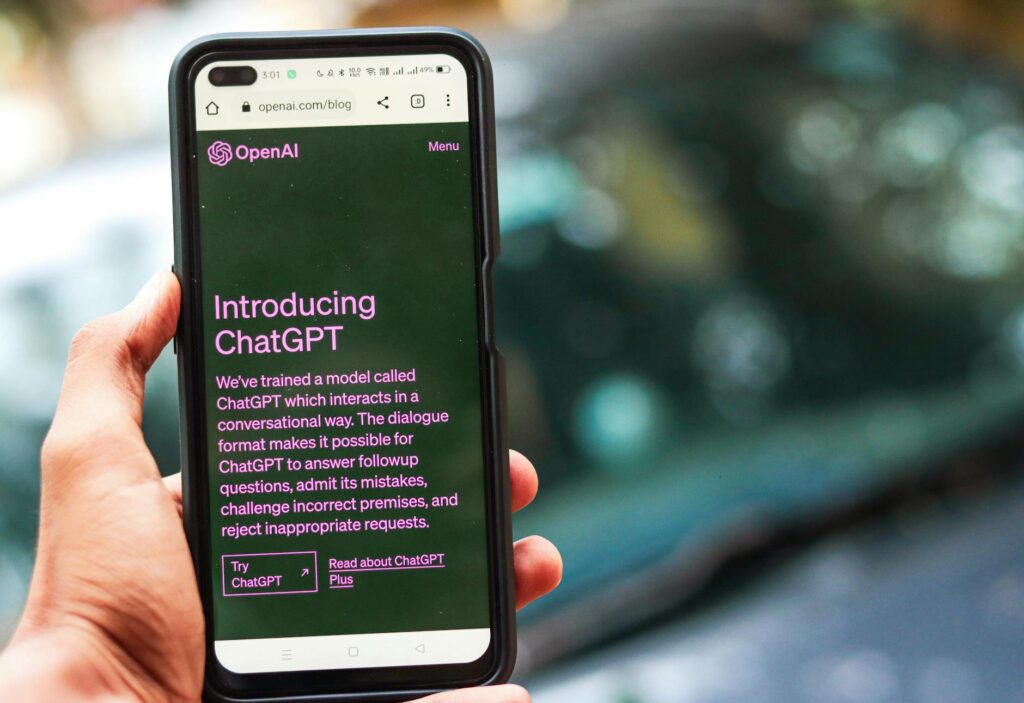
OpenAI’s TTS API offers six voices that land somewhere between warm and authoritative. They’re not as emotionally expressive as ElevenLabs, but they’re clean, consistent, and surprisingly natural for narration work. The pricing is usage-based, which makes it practical for developers and content creators who need volume without unpredictable costs.
PlayHT and Murf are strong mid-tier options. PlayHT in particular has a wide voice library and lets you clone your own voice with a fairly short sample, sometimes as little as five minutes of recorded audio. Murf tends to appeal to corporate users who want polished, studio-quality narration for presentations and e-learning content.
The realistic AI voice race is moving fast. Platforms that were industry leaders eighteen months ago have already been leapfrogged. It’s worth testing at least two or three options with the same script before settling on one, because voice quality is subjective and project-dependent. A voice that sounds perfect for a meditation app might feel weirdly calm in a true-crime podcast.
The Settings and Controls That Actually Matter
Once you’ve picked a platform, don’t just hit generate and walk away. Most serious TTS tools give you a set of controls that can make the difference between something that sounds like a human and something that sounds like a very good robot impression.
Stability and Clarity (ElevenLabs terminology): Lower stability settings introduce more variability, making the voice sound more spontaneous and less even. Higher stability makes it more consistent and controlled. For conversational content like podcasts or YouTube voiceovers, a slightly lower stability setting often sounds more natural. For instructional or medical content where precision matters, push it higher.
Speaking Rate: Most platforms let you adjust speed. The default is almost always slightly too fast for comfortable listening. Dropping the rate by 5 to 10 percent usually improves perceived naturalness considerably, giving the listener time to absorb what they’re hearing without the audio feeling rushed.
Pause Insertion: Some advanced platforms let you insert explicit pauses using SSML tags or simple markup like [pause 0.5s]. This is one of the most underused features in the toolkit. A half-second pause before a key point doesn’t just sound natural; it actually directs listener attention the way a skilled speaker does on purpose.
Emphasis Tags: If you want a specific word to carry more weight, tag it explicitly. “This is the most important step” reads differently than “this is the most important step” if your platform supports emphasis. It’s a small thing, but these micro-adjustments stack up across a full piece of audio.
Voice Cloning: When You Want the Voice to Sound Like You
One of the most compelling applications of human-sounding AI voice technology is cloning your own voice. Creators who record a lot of content use this to scale their output without recording every word themselves. Coaches, course creators, and podcasters can generate supplemental audio, episode recaps, or even full episodes in their own voice without sitting in front of a microphone for hours.
The process is simpler than it sounds. Most platforms need between two and thirty minutes of clean, natural speech from you. The key word is clean. Background noise, room echo, and inconsistent microphone distance all degrade the quality of the cloned voice. Record in a quiet space with a decent USB microphone, use consistent volume, and speak naturally rather than performing for the machine.
Once the clone is trained, treat it the same way you’d treat any AI voice: the script quality determines the output quality. Your cloned voice will read a badly written script badly. But feed it a well-structured, naturally punctuated script, and the result can be genuinely indistinguishable from your own recordings. Some creators have run blind tests on their audiences, and the results surprised everyone, including the creators themselves.
There’s an ethical dimension worth acknowledging here. If you’re using a voice clone of someone else, even a public figure, for content that could mislead or misrepresent them, that’s a serious problem, legally and otherwise. Most reputable platforms prohibit this in their terms of service, and some actively detect and block unauthorized cloning attempts. Use this capability responsibly.
Practical Workflows for Different Use Cases
AI voice realism doesn’t serve every use case the same way. Here’s how the approach shifts depending on what you’re building.
Podcast Production
For solo podcast episodes or narrative journalism, you want a voice with warmth and a sense of personality. Write conversational scripts, use sentence fragments deliberately, and run the output through a basic audio editor like Audacity or Adobe Audition to add a touch of room ambience. Completely dry, studio-clean AI audio can paradoxically sound less human than audio with a small amount of natural room tone mixed in.
YouTube Voiceovers
Pacing is everything on video. The AI voice needs to sync with visuals without feeling hurried. Write your script first, generate the audio, then edit the video to the audio rather than the reverse. It’s a workflow shift from traditional video production, but it saves significant time when the voice isn’t yours to re-record on demand.
E-Learning and Corporate Training
Consistency matters more than expressiveness here. A neutral, clear, moderately paced voice works better than one with a lot of personality variation. Tools like Murf and Speechify Studio are designed with this use case in mind and offer features like slide synchronization and multi-voice dialogue that general-purpose platforms often skip.
Audiobooks
This is arguably the hardest use case for natural AI voices because listeners spend hours with the voice and notice every inconsistency. The best approach is to use a single voice with a consistent style setting throughout, break the book into chapters and generate each separately to catch any quality drift, and listen to every output before finalizing. Some authors have successfully published AI-narrated audiobooks on platforms like Findaway Voices, though it’s worth checking distributor policies as they continue to evolve.
What Separates Good AI Audio From Great AI Audio
The final 10 percent of quality comes from post-processing. Even the most realistic AI voice benefits from a light audio pass. Normalize levels so volume stays consistent across long pieces. Add subtle compression to smooth out any amplitude spikes. Apply a gentle EQ boost around 3 to 5 kHz to add presence and clarity, the frequency range where the human voice cuts through background noise most naturally.
If the platform you’re using allows multi-voice output, use it. A conversation between two AI voices, even on something as simple as an interview-format explainer, sounds dramatically more engaging than a single voice narrating everything. Our brains are wired to follow dialogue, and that cognitive hook works even when both voices are synthetic.
The gap between AI-generated audio and human recording isn’t closed, but it’s narrow enough now that most listeners won’t notice it unless they’re specifically listening for it. Your job is to meet the technology halfway: write scripts that breathe, choose tools that match your use case, dial in the settings, and do the post-production work that takes a good output and makes it something your audience actually wants to keep listening to. Start with a free trial on ElevenLabs or OpenAI’s TTS today, run your own script through it, and hear the difference for yourself.