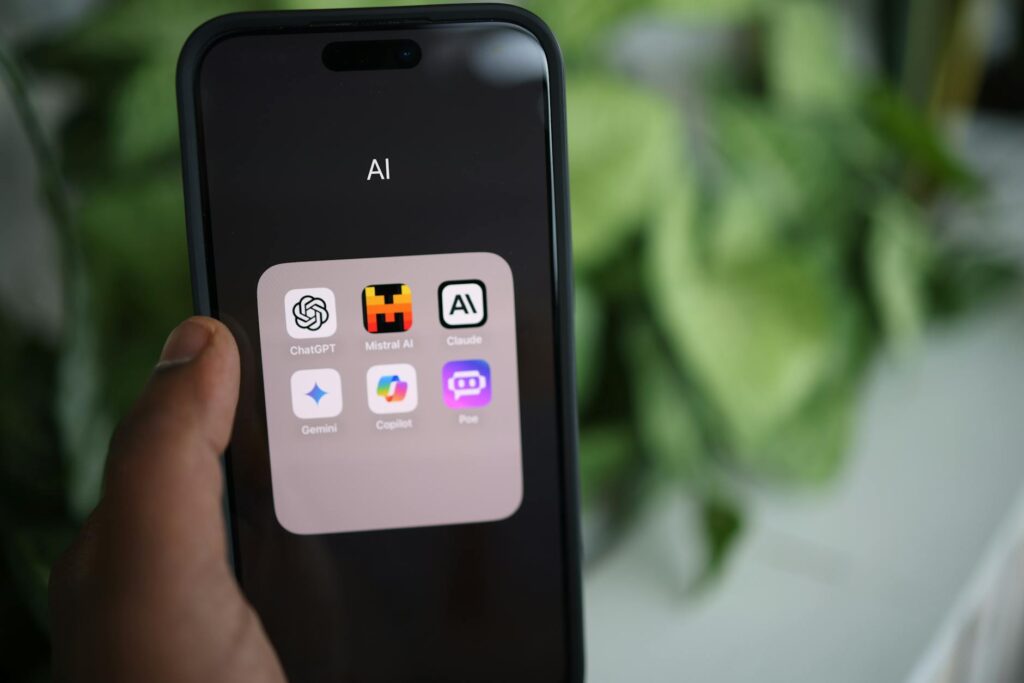
You Don’t Need to Know Anything About AI to Use It
Most people assume AI is complicated. They picture lines of code, expensive software, and a computer science degree collecting dust on a wall. The reality? Some of the most powerful AI tools no experience is required to use, and they’re already reshaping how regular people work, create, and communicate every single day.
If you’ve never touched an AI tool before, you’re actually in a great spot. You get to skip the clunky early versions and jump straight into stuff that just works. No background in AI is needed. No technical knowledge. Just a browser, maybe an email address, and a willingness to try something new.
This guide covers the best tools for complete beginners, why each one is worth your time, and how to actually start using them today without feeling overwhelmed.
Why Beginner-Friendly AI Tools Matter More Than the “Best” Ones
There’s a difference between the most powerful AI tool and the most useful one for you right now. Plenty of tools are packed with features that beginners don’t need yet. They’ve got API access, custom model training, and integrations that would make anyone’s eyes glaze over. Impressive? Sure. Practical for someone just starting out? Not really.
The best beginner ai tools with zero experience in mind are built around one core principle: you should be able to get real value within five minutes of signing up. No tutorials required. No setup headaches. You type something, the AI responds, and you immediately understand why people are excited about this stuff.
That’s the bar we’re using here. Every tool on this list is genuinely accessible to someone with zero knowledge of AI concepts, machine learning, or anything remotely technical.
ChatGPT: The One Almost Everyone Starts With (For Good Reason)
ChatGPT is probably the first name you’ve heard in AI conversations, and that’s not just hype. OpenAI built it to feel like texting a knowledgeable friend. You ask a question or give it a task, and it responds in plain English. That’s it. That’s the whole interface.
For people with no experience, the free version at chat.openai.com is more than enough to get started. You can use it to draft emails, summarize long articles, brainstorm ideas, get cooking suggestions, explain confusing topics, or write a cover letter in about two minutes. The range is genuinely wild.
What makes it great for beginners is that it handles vague instructions surprisingly well. You don’t need to learn special commands or “prompts” (though learning a few basics helps later). If you type “help me write a thank you email after a job interview,” it just does it. The learning curve is essentially just getting used to how conversational the tool is.
The free tier gives you access to GPT-3.5. The paid plan (ChatGPT Plus at $20/month) unlocks GPT-4o, which is noticeably smarter for complex tasks. But honestly, start free. See if it clicks before spending anything.
Canva Magic Studio: AI Design Without Any Design Skills
Design has always been a wall for non-creative types. Photoshop takes months to learn. Hiring a designer costs real money. Canva changed that years ago with its drag-and-drop templates, but its AI tools for complete beginners have taken things to a completely different level.
Inside Canva, you’ll find Magic Write (an AI text generator), Magic Design (creates full layouts from a single prompt), Background Remover, and Magic Eraser (removes unwanted objects from photos). These aren’t gimmicks. They’re practical tools that used to require professional software or professional people.
Say you need a social media post for a small business. With Magic Design, you type what you’re promoting, pick a vibe, and Canva generates five or six ready-to-use designs in seconds. You tweak the text, change a color if you want, and you’re done. No design background required. Literally none.
The free plan covers a surprising amount. The Pro plan runs about $15/month and unlocks the full suite of AI features. For anyone doing any kind of content creation, social media, or small business promotion, this is probably the single most practical tool on this list.
Grammarly: The AI Writing Assistant That Works Everywhere
Grammarly has been around long enough that some people forget it’s genuinely powered by AI. It’s not just a spell checker. It analyzes tone, clarity, intent, and audience, then makes suggestions that go well beyond fixing typos.
For someone with no background in AI tools, Grammarly is perfect because it’s invisible. You install the browser extension, and it quietly works inside every text field you use, from Gmail to Google Docs to LinkedIn to Reddit. You write your stuff, and little suggestions pop up on the side. Click to accept, or ignore. That’s the whole experience.
The newer GrammarlyGO feature (their generative AI layer) lets you highlight a sentence and ask it to rewrite it with a different tone, make it shorter, or punch it up with more confidence. It’s genuinely useful for professional emails and anything where you want to sound more polished without spending 20 minutes rewriting everything yourself.
Free version handles grammar and basic tone suggestions. Premium (around $12-$30/month depending on the plan) adds full goal-setting, clarity rewrites, and the full GrammarlyGO features. The free version alone is worth installing, full stop.
Perplexity AI: Search, But Actually Good
Google is useful. But it’s also a mess of ads, SEO-optimized articles that bury the answer, and links you have to click through six times to find what you need. Perplexity AI is what search should have been all along.
You type a question, and Perplexity gives you a direct answer with cited sources right there on the same page. No clicking around. No sifting through sponsored results. Just the answer, with links to verify it yourself if you want.
This is a fantastic tool for ai tools no experience users who want a research assistant that doesn’t overwhelm them. It works especially well for factual questions, comparing products, understanding news topics, or getting a quick summary of something complicated. It’s honest about uncertainty too, which is more than you can say for a lot of AI tools.
Perplexity is free for most use cases. The Pro plan at $20/month adds access to more powerful underlying models and file upload features. Most people will get plenty of value from the free tier, especially if they’re just switching over from traditional search.
Otter.ai: Never Take a Meeting Note Again
If you spend any time in meetings, on calls, or doing interviews, Otter.ai will save you a surprising amount of time and mental energy. It records audio, transcribes it in real time, and then uses AI to summarize the key points and action items. You join a call, let Otter run in the background, and walk away with a searchable written record of everything that was said.
For people with zero knowledge of AI and zero interest in learning complex tools, Otter is refreshing because it does exactly one thing and does it really well. There’s no configuration, no learning curve. You hit record, and the magic happens in the background.
It integrates with Zoom, Google Meet, and Microsoft Teams, which means it can automatically join and transcribe your scheduled meetings without you doing anything. The free plan gives you 300 minutes of transcription per month, which is plenty for casual use. Paid plans start at $10/month for heavier users.
Midjourney: If You Want to Try AI Image Generation
Midjourney gets mentioned here with a small caveat: it’s not quite as frictionless as the others on this list. You access it through Discord, which feels weird if you’ve never used Discord before. But once you’re in, the experience of typing a description and watching a stunning image appear in seconds is unlike anything else available right now.
It’s genuinely one of the best no background ai tools for visual creativity. You don’t need artistic skills. You don’t need Photoshop. You type something like “a cozy coffee shop in autumn, warm lighting, photorealistic” and Midjourney generates four variations in about 60 seconds. From there you can upscale your favorite, create variations, or start over with a different description.
The free trial is gone as of 2024, so you’ll need a paid plan starting at $10/month to use it. It’s worth it if you do any kind of creative work, content creation, or just want to explore what AI-generated imagery feels like in practice. DALL-E 3 (built into ChatGPT Plus) is a solid free-with-subscription alternative that’s slightly easier to access for true beginners.
How to Actually Get Started Without Getting Overwhelmed
The worst thing you can do is try five tools at once. Pick one. Spend a week with it. Figure out what it does well and where it falls short. Then add a second tool if you need something it can’t do.
If you’re only going to try one tool from this list, make it ChatGPT. It’s free, it works for hundreds of different tasks, and it gives you the fastest understanding of what AI can actually do in practical terms. From there, layer in Canva if you do any visual work, Grammarly if you write a lot, and Perplexity if you research anything regularly.
These aren’t tools you need a manual for. They’re tools you learn by using. The gap between “no experience” and “comfortable everyday user” is smaller than you think, and for most people, it closes in less than a week. Just start. The tools will do the rest.