Your Next Job Interview Might Start With a Video You Made in 30 Minutes
Recruiters spend an average of six seconds scanning a traditional resume. A video resume, done well, can hold attention for 60 to 90 seconds and communicate personality, communication skills, and professional presence in ways no PDF ever could. The problem used to be production , cameras, scripts, lighting, editing. AI has eliminated most of those barriers.
Creating an ai video resume no longer requires a film degree or a freelance video editor. Modern AI tools can handle scripting, avatar generation, voiceover, captioning, and even background customization. Whether you’re applying for a marketing role, a tech position, or a creative job where a video portfolio ai showcase would genuinely move the needle, this guide covers exactly how to build one from scratch.
Understanding What a Video Resume Actually Needs to Do
Before touching any software, get clear on the goal. A video resume isn’t a filmed reading of your LinkedIn profile. It’s a 60 to 120 second pitch that answers three questions the hiring manager is already asking: Can this person communicate clearly? Do they seem like a cultural fit? Do they have the specific skills we need?
The structure that consistently works looks like this:
- Opening hook (5-10 seconds): A sharp, confident statement about who you are and what you do , not “Hi, my name is…” Start with value.
- Core skills and experience (30-45 seconds): Two or three specific accomplishments with numbers attached. “Grew email list by 40% in three months” beats “experienced in email marketing” every time.
- Fit statement (15-20 seconds): Why this role, why this company, why now.
- Call to action (5-10 seconds): Tell them what you want them to do next.
Once you’ve mapped this out on paper, the AI tools do their best work. Feeding vague prompts into a video generator produces vague results. Tight structure produces tight output.
The Best AI Tools for Building a Video Resume in 2024
The market for AI video creation has exploded over the past two years. These are the platforms that actually deliver for this specific use case.
Synthesia
Synthesia is arguably the most polished option for creating an ai resume video using a digital avatar. You type your script, choose an avatar (or upload your own likeness using their custom avatar feature), select a professional background, and the platform generates a fully rendered video in minutes. The avatars speak naturally, support over 130 languages, and don’t require a camera or microphone. For candidates who feel uncomfortable on camera or are applying internationally, Synthesia removes a significant psychological barrier. Plans start around $22/month for individuals.
HeyGen
HeyGen competes directly with Synthesia and, in many ways, edges it out for personal branding. Its avatar quality is exceptional, and it lets you clone your own voice using a short audio sample. If you want the video to sound like you without the technical challenges of recording in a noisy apartment, this is a strong choice. HeyGen also offers a video translation feature that can repurpose your video resume into different languages, which is useful for anyone pursuing roles with international companies.
Runway ML and Descript
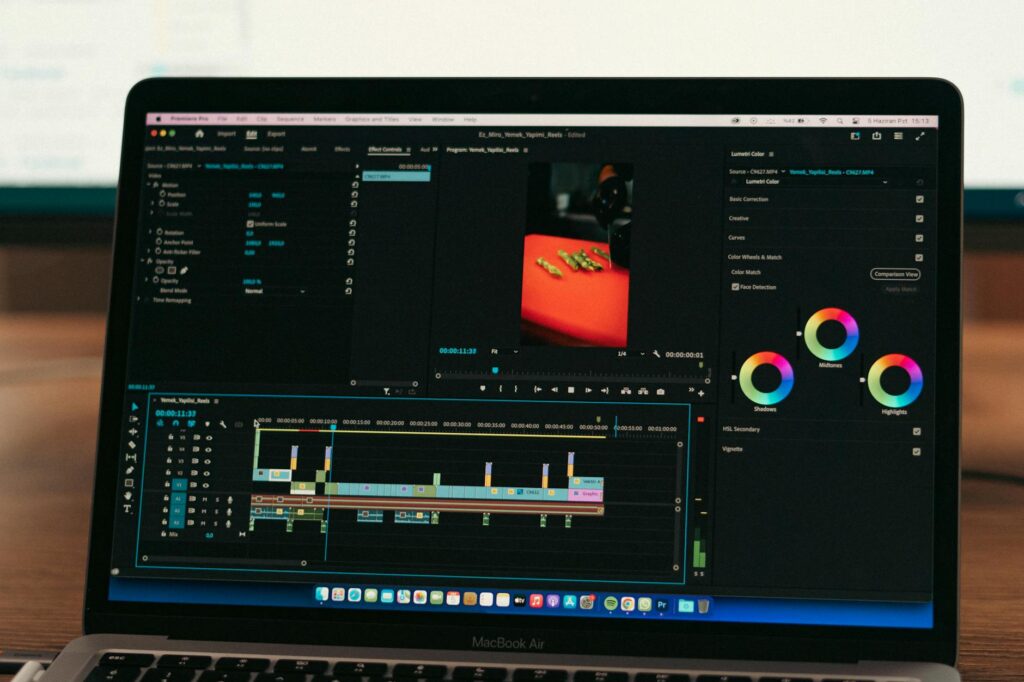
If you’re comfortable recording yourself on camera but need help with editing, these two tools are worth your time. Descript lets you edit video by editing text , delete a word from the transcript and it removes that clip from the video. It also has an AI overdub feature that can fix mispronounced words or awkward pauses without re-recording. Runway ML handles more advanced generation and visual effects if you want your video portfolio ai presentation to have a more cinematic feel. Both tools sit at the intermediate level in terms of learning curve.
Canva Video with Magic Studio
For beginners, Canva’s AI-powered video tools offer an accessible starting point. You won’t get the avatar capabilities of Synthesia, but Canva’s Magic Studio can help you build a polished, templated video resume with animated text, professional transitions, stock footage, and AI-generated copy suggestions. It’s not the most powerful option, but it’s fast, cheap, and produces something that looks significantly more professional than a raw webcam recording.
How to Write a Script That AI Can Actually Work With
The quality of your video resume ai output depends almost entirely on the quality of your script. AI tools render what you give them , they don’t fill in strategic gaps or make you sound more compelling than your words do.
Write conversationally. Read every sentence out loud before pasting it into a generator. If it sounds like a cover letter, rewrite it. Bullet points become stiff when spoken. Short, declarative sentences work better on video than long compound ones.
Use an AI writing assistant to help draft and refine. ChatGPT, Claude, or Gemini can turn a rough outline into a natural-sounding script in a few iterations. Try a prompt like: “Write a 90-second video resume script for a senior project manager with 8 years of experience in SaaS, specializing in cross-functional team leadership. Tone should be confident and direct, not stiff or formal. Start with a strong hook, include two quantified achievements, and end with a call to action.” Refine from there. Don’t accept the first output as final.
Aim for roughly 150 to 180 words for a 60-second video, or 220 to 250 words for 90 seconds. AI text-to-speech tools read at about 130 to 150 words per minute with natural pacing. Go over this and your video starts to feel rushed.
Designing the Visual Layer: Backgrounds, Branding, and Thumbnails
Even with a great script and a realistic avatar, a video resume can fall flat visually if the design looks generic. Spend time on these details because they signal professionalism more than most candidates realize.
Background Selection
Most AI avatar platforms offer preset backgrounds ranging from office settings to abstract designs. Choose something clean and industry-appropriate. A tech candidate might choose a minimal, modern workspace. A creative professional might opt for something with more visual personality. Avoid busy backgrounds that compete with the speaker for attention. If you’re using HeyGen or Synthesia, you can upload a custom background image, which lets you match the company’s brand colors if you’re creating a targeted version for a specific application.
On-Screen Text and Captions
Always include captions. LinkedIn data consistently shows that over 80% of video content on the platform is watched with sound off. Captions aren’t optional, they’re essential. Most AI video platforms generate them automatically. Review them carefully for accuracy, especially around names, acronyms, and technical terms that speech-to-text models sometimes mangle. Add keyword overlays at key moments: your title, your top skills, a standout metric. These reinforce your message visually and work particularly well for recruiters who skim.
Intro and Outro Slides
Open with a branded title card showing your name, role, and LinkedIn or portfolio URL. Close with the same. This takes about 30 seconds to set up in Canva and immediately distinguishes your video from the raw recordings most candidates submit. Think of it the same way you’d think about a well-formatted resume header: it’s a signal that you pay attention to presentation.
Where to Share Your AI Video Resume for Maximum Impact
Creating the video is only half the equation. Placement matters as much as production quality.
Upload to LinkedIn natively rather than linking from YouTube or Vimeo. Native uploads autoplay in the feed, which dramatically increases view rates. Add a short written post alongside the video that includes 2-3 sentences on what role you’re targeting and what you bring to it. Tag relevant companies or recruiters if you have a genuine connection or reason to do so.
Embed the video at the top of your personal website or portfolio page. If you’re in a field where a video portfolio ai presentation makes sense, such as design, marketing, product, or media, having the video visible before your case studies signals confidence and sets you apart immediately from candidates who just link to a Google Drive folder.
For direct applications, host the video on YouTube (unlisted is fine) or Loom, then include the link prominently in your resume, near the top, not buried in a footer. Some applicant tracking systems strip hyperlinks, so also include the URL as plain text so it survives formatting changes.
If you’re applying to a specific company with a tailored pitch, create a short 30-second version just for that application. HeyGen and Synthesia both make this easy since you’re just swapping out a few lines of script in the same project. A personalized video resume that names the company and references their specific challenges converts at a much higher rate than a generic one.
Common Mistakes That Undercut an Otherwise Good Video Resume
A few patterns show up repeatedly among candidates who put in the effort but don’t get results. Avoid these specifically:
- Running too long: Ninety seconds is the ceiling for most contexts. Two minutes feels indulgent. Edit ruthlessly.
- Choosing an avatar that looks uncanny: Some AI avatars still have subtle glitches in eye movement or lip sync. Preview on multiple screens and get a second opinion before publishing.
- Skipping the script review: Paste your script into a text-to-speech reader before generating the full video. Catch awkward phrasing before it’s baked in.
- Neglecting mobile preview: Most recruiters will watch on a phone. Check that text is readable and the visual composition works on a small screen.
- Using AI as a crutch for substance: No tool can compensate for vague accomplishments or a lack of clarity about what you’re offering. The AI handles production. The content is still on you.
The candidates getting results with an ai video resume right now aren’t necessarily the most technically skilled. They’re the ones who combined a clear strategic message with clean production and distributed it where recruiters actually spend time. Pick one tool, write a tight script, produce a focused 60 to 90 second video, and get it in front of people this week. The barrier has never been lower, and most of your competition still isn’t doing this at all.