You Don’t Need a Camera, a Studio, or Even Your Own Voice
Thousands of YouTube channels pulling in millions of views have one thing in common: you never see the creator’s face. Some of them don’t even use a human voice. If you’ve been sitting on a YouTube idea because you’re camera-shy, private, or just don’t have the equipment, the barrier to entry has never been lower than it is right now.
Starting a faceless YouTube channel with AI isn’t a workaround or a shortcut for lazy creators. It’s a legitimate production strategy being used by channels in finance, true crime, history, tech, self-improvement, and dozens of other niches. The tools have matured fast. You can generate scripts, voiceovers, video footage, and even thumbnail art without touching a camera or a recording booth. What you do need is a clear plan, the right tools, and a willingness to put in the work that most people skip.
This guide walks you through exactly how to build that channel from scratch.
Pick a Niche That Works Without a Face
Not every niche suits faceless content equally. Cooking channels, fitness tutorials, and personal vlogs rely heavily on the creator’s physical presence and personality. But a wide range of topics thrive without it. Finance, productivity, world history, mythology, horror stories, documentary-style explainers, and AI news channels are all strong candidates for faceless channel creation.
The key question to ask yourself is: does this content live or die on who’s delivering it, or does it live or die on the information itself? If someone’s watching to learn about the 2008 financial crisis, the Roman Empire, or passive income strategies, they’re there for the content. Your face is irrelevant.
When you’re choosing your niche as an AI YouTube beginner, aim for something with three qualities. First, it should have consistent demand, meaning people search for it regularly, not just when something’s trending. Second, it should be something you can research and write about without burning out within two months. Third, it should have room for a series format, because YouTube’s algorithm rewards channels that keep viewers watching more videos, not just one.
A channel about “the psychology of cults” has evergreen appeal, series potential, and a genuinely interested audience. A channel about a single news event doesn’t. Choose accordingly.
Use AI to Build Your Script (and Why This Step Matters Most)
The script is the spine of every faceless video. Get this wrong and no amount of slick AI visuals will save you. Get it right and even simple production can perform well.
Tools like ChatGPT, Claude, and Gemini can help you draft scripts quickly, but you shouldn’t just paste in a prompt and publish whatever comes out. AI-generated scripts tend to be flat, generic, and structurally predictable unless you push back on them. The better approach is to use AI as a drafting assistant. Give it a topic, a target audience, and a rough angle. Then edit the output aggressively. Add your own research, tighten the pacing, cut the fluff, and make sure there’s a hook in the first 30 seconds that gives viewers a reason to keep watching.
A strong faceless YouTube script follows a clear formula: open with a hook that creates curiosity or stakes, establish why the viewer should care, deliver the content in digestible segments, and close with something memorable rather than just summarizing. Think of it like a documentary structure, not a blog post read aloud.
For a 10-minute video, you’re typically looking at 1,300 to 1,600 words of script. That’s a manageable amount to write and edit with AI assistance in a single session. Use tools like Notion AI or Jasper if you want something more purpose-built for content workflows, but honestly, a good prompt in ChatGPT with a solid follow-up edit process will get you 90% of the way there.
Generate a Voiceover Without Recording a Single Word
This is where faceless YouTube channel AI capabilities really shine. Text-to-speech technology has crossed a threshold in the last two years where it’s genuinely hard to tell the difference between a well-configured AI voice and a real human narrator.
ElevenLabs is currently the gold standard for AI voiceover quality. It offers realistic voices with natural pacing, breathing patterns, and emotional range. You paste in your script, pick a voice that fits your brand (warm and authoritative, calm and clinical, energetic and youthful), and export a clean audio file in minutes. Pricing starts free with limited characters and scales up with usage. For a channel producing two to four videos per month, the Starter plan at around $5 a month covers most needs.
Murf AI and Play.ht are solid alternatives worth testing. Murf has a particularly clean interface and good control over emphasis and pauses, which matters a lot when you want the voice to land a dramatic moment correctly. Play.ht tends to offer more voices and language options, useful if you’re targeting non-English audiences.
One practical tip: always listen to the full voiceover before you start editing video. AI voices sometimes stumble on unusual proper nouns, acronyms, or sentence structures that look fine on paper but sound robotic when spoken. Fixing this before you’ve built your edit saves a lot of time.
Build the Video Without Filming Anything
Here’s where most people get confused about how to start YouTube no face AI channels. They assume “faceless” means you just put text on a black screen. It doesn’t. The best-performing faceless channels use visually compelling footage that supports what the narrator is saying. You’re going for a documentary or explainer feel, not a PowerPoint presentation.
Your options fall into a few categories:
- Stock footage: Sites like Pexels, Pixabay, and Storyblocks offer high-quality royalty-free clips. Storyblocks charges a flat annual fee (around $165/year for the essential plan) and gives you unlimited downloads, which is the most cost-effective approach for regular uploaders.
- AI-generated video: Tools like Runway ML, Pika Labs, and Sora (currently limited access) can generate short video clips from text prompts. The quality is impressive for atmospheric or abstract visuals but still inconsistent for anything requiring realistic human movement. Use these strategically as accent footage rather than your entire video.
- AI image slideshows: Tools like Midjourney or Adobe Firefly can generate stunning static images. Combine these with the Ken Burns effect (subtle zoom and pan) in your editor and you’ve got visually engaging content that looks custom-made.
- Screen recordings and data visualizations: If your content is tech-focused or data-heavy, simple screen recordings of charts, apps, or websites work perfectly and cost nothing.
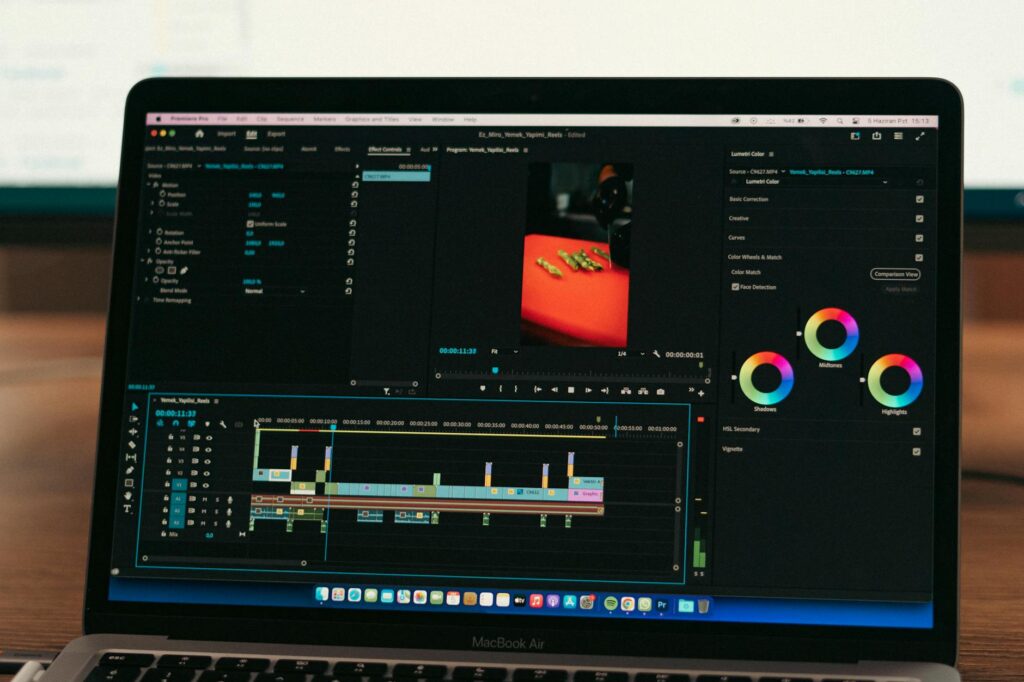
For editing, CapCut is hard to beat for beginners. It’s free, handles AI voiceover sync well, and has built-in features like auto-captions that save hours of work. DaVinci Resolve is the professional upgrade if you want more control without paying for a subscription. Both work fine on standard laptops without high-end hardware.
Thumbnails and Titles: The Part Most Beginners Underestimate
You can produce a brilliant video and still get zero views if the thumbnail and title don’t make someone click. This isn’t a minor detail. It’s arguably the most important skill you’ll develop as a faceless creator, because your thumbnail is doing the job your face would normally do: creating connection, curiosity, and trust in under two seconds.
Canva handles most thumbnail work well and has templates specifically designed for YouTube. But for something sharper and more custom, Adobe Express or Photoshop with AI generative fill features let you create professional-looking visuals without being a designer. Midjourney is excellent for generating background imagery or character-style visuals that make your thumbnails pop.
For titles, the goal is specificity combined with intrigue. “The History of Money” is weak. “Why Ancient Rome Accidentally Destroyed Its Own Economy” is strong. AI tools can help you brainstorm title variations, but run them through your own judgment. Ask: would I click this? Why or why not? Then refine until the answer is genuinely yes.
Setting Up Your Channel for Algorithmic Growth
Your channel setup isn’t glamorous, but it’s not optional either. When you’re starting a faceless YouTube channel, the behind-the-scenes configuration affects how YouTube categorizes and recommends your content.
Write a channel description that clearly states your topic, who it’s for, and what viewers can expect. Use your target topic terms naturally in this description, your video titles, and your tags. Don’t keyword-stuff. YouTube’s algorithm is sophisticated enough to penalize content that reads like a list of search terms rather than genuine information for a viewer.
Upload consistently. This doesn’t mean daily. It means reliably. One well-produced video per week beats three rushed videos followed by a month of silence. Set a schedule you can actually keep with your AI production workflow and stick to it for at least 90 days before drawing any conclusions about what’s working.
Enable all community features, add end screens to every video pointing to another video on your channel, and set up playlists to group related content. These structural elements help viewers stay on your channel longer, which is one of the strongest signals YouTube uses to push content into more recommendations.
The Real Reason Most Faceless Channels Fail (And How to Avoid It)
Here’s the honest truth about why most people who try to build a faceless YouTube channel ai workflow never make it past video five: they treat AI as a content replacement rather than a production accelerator. They let the tools do all the thinking, and the output shows it. Generic topics, hollow scripts, voiceovers with no personality baked into the writing, and visuals that feel assembled rather than crafted.
AI is extraordinary at reducing the technical friction of video production. It can’t replace editorial judgment, genuine curiosity about a topic, or the instinct to ask “is this actually interesting to anyone?” Those still have to come from you.
The channels that win with this model put human creative direction on top of AI production speed. They use AI to do in four hours what would otherwise take twenty, and they spend the time saved on better research, sharper scripts, and smarter titles. That’s the formula. That’s what separates a channel that grows from one that quietly disappears after a month.
If you’re serious about starting this, don’t wait until you’ve figured out every tool. Pick your niche today, write your first script with AI assistance, generate a voiceover on ElevenLabs, cut together your first video in CapCut, and publish it. The first video will be imperfect. Publish it anyway. The creators who are pulling real numbers didn’t start ahead of you in skill. They started ahead of you in time.