You Don’t Need a Passport to Build a Travel Channel Anymore
Some of the fastest-growing travel channels on YouTube have never sent their creators to a single destination. That’s not a quirk , it’s a strategy, and AI video tools have made it completely viable for anyone with a laptop and a decent concept.
The idea of creating travel content without actually traveling might sound like a shortcut or a cheat. It isn’t. Done well, AI travel videos can be more polished, more consistent, and more profitable than footage shot on a shaky phone in a foreign airport. The creators who understand this early are going to own a serious chunk of the travel content space over the next few years. The ones who dismiss it will wonder how they got left behind.
This isn’t about faking experiences or deceiving audiences. It’s about using the tools available to produce compelling, visually rich content that serves viewers who want to dream, plan, and explore , without you needing to burn your savings on flights and hotels.
What AI Travel Video Actually Looks Like in Practice
Before diving into tools and tactics, it helps to understand what virtual travel AI video content actually consists of. The best examples combine several elements: AI-generated or AI-sourced visuals of destinations, narration written and sometimes voiced by AI, music, text overlays, and smart editing that holds a viewer’s attention.
Some creators produce destination guides. Others do “travel with me” style videos where the narrative walks viewers through a place as if they’re experiencing it together. Some focus on comparison content , cost of living in Lisbon vs. Prague, best beaches in Southeast Asia for digital nomads. The format is flexible. What ties them together is that the creator never needs to book a flight to produce them.
Channels built around this model have pulled in tens of millions of views. The travel niche is massive, search volume is consistent year-round, and viewers genuinely can’t always tell whether footage came from a human filmmaker or an AI pipeline. That gap is only going to narrow as the tools improve.
The Core AI Tools You Need in Your Stack
To create travel video AI content at a consistent, professional level, you’ll want to assemble a workflow from several categories of tools. No single platform does everything brilliantly yet, but combining two or three gives you a complete production pipeline.
Video Generation and Stock AI Tools
Runway ML and Pika Labs are the two most capable text-to-video tools right now for generating short clips of landscapes, cityscapes, and atmospheric scenes. You can type a prompt like “golden hour over Santorini, slow pan left, cinematic” and get a 4-second clip that’s genuinely usable. It’s not perfect at longer clips yet, but for cutaway shots and B-roll, it works.
If you’d rather not rely purely on generated footage, tools like Storyblocks and Artgrid give you access to massive libraries of real travel footage that you license for your content. Pair that with AI-generated clips and you’ve got a visual palette that feels rich and varied.
Synthesia and HeyGen are worth considering if you want an AI avatar presenting the content on-camera. Some travel channel AI creators use this to give their channel a “host” persona without ever appearing on screen themselves.
Scriptwriting and Narration
ChatGPT and Claude are the obvious choices for drafting scripts. The key is giving them structured prompts. Don’t just ask for “a script about Tokyo.” Ask for a 500-word narration script for a travel guide video targeting first-time visitors to Tokyo, written in an excited but informative tone, with natural pauses built in. The specificity matters enormously.
For voiceover, ElevenLabs is the clear leader. Its AI voices have reached a point where most viewers don’t flag them as robotic. You can clone your own voice or use one of their library voices, adjust pacing and tone, and export a clean audio file that syncs well with your edit.
Editing and Assembly
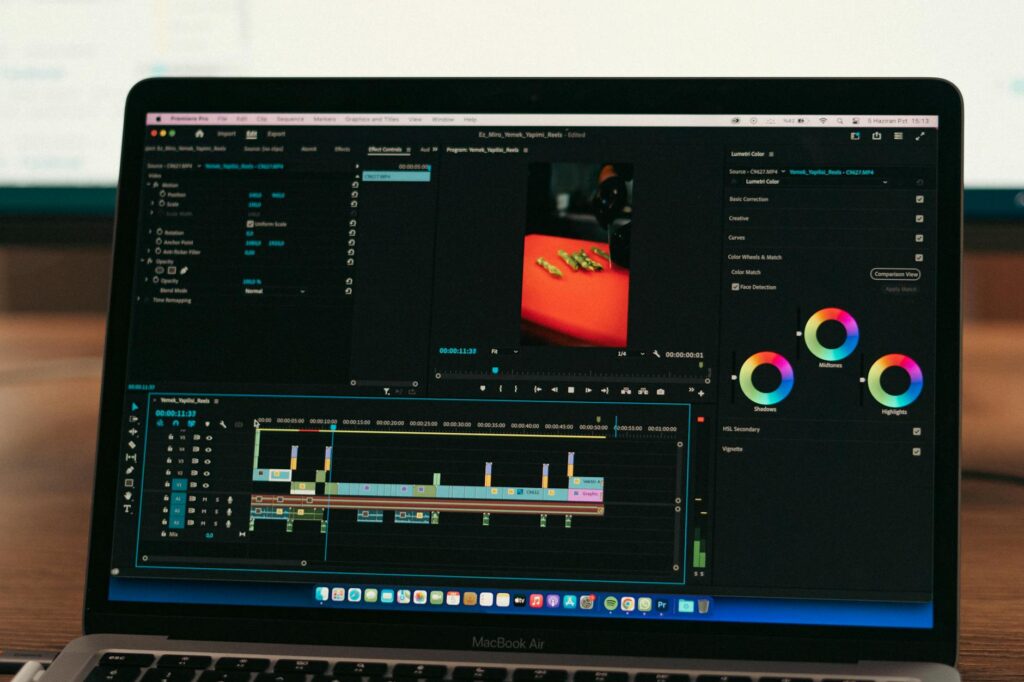
CapCut, DaVinci Resolve, and Descript all have AI-assisted editing features that speed up assembly significantly. Descript in particular is worth learning if you’re new to editing , it lets you edit video by editing a transcript, which removes a ton of technical friction. Auto-captioning, background noise removal, and scene detection are table stakes at this point in most editing tools.
Building a Script That Actually Hooks People
The visuals matter, but the script is what keeps people watching. Most AI travel videos that underperform do so because the script is generic. “Bali is a beautiful island known for its temples and rice terraces” is the kind of opener that gets scrolled past in three seconds.
Strong travel content AI scripts open with a specific hook. A surprising fact. A provocative question. A vivid scene-setter that puts the viewer somewhere immediately. Consider the difference between “Bali is a beautiful island” and “For under $1,500 a month, you can rent a villa with a private pool in Bali , and that price includes groceries.” The second one makes someone stop.
Structure your scripts around what viewers actually want to know: cost, safety, what to do, what to eat, how to get around, what most people get wrong. Build in a natural narrative arc , tease a surprising reveal early and deliver on it toward the end. This isn’t manipulation; it’s good storytelling, and it’s what separates a 70% retention rate from a 30% one.
Use AI to draft, but edit the output yourself. AI-generated scripts tend to be accurate but flat. Your job is to punch up the opening, vary the sentence rhythm, cut any lines that sound like a brochure, and make sure the whole thing sounds like something a smart, curious person would actually say out loud.
The Visual Strategy That Makes AI Footage Look Professional
Raw AI-generated footage from tools like Runway looks decent on its own. But the difference between a video that feels cheap and one that feels cinematic is almost entirely in the editing and layering decisions.
First, don’t rely on a single source. Mix text-to-video clips with licensed stock footage, still images with slow Ken Burns zooms, maps, and even screen recordings of Google Maps or booking sites when relevant. Variety keeps the eye engaged. A video built entirely on one type of visual gets monotonous fast.
Second, color grading matters more than most beginners realize. A free LUT (lookup table) applied consistently across your footage creates visual coherence that tells viewers this is polished content. DaVinci Resolve has powerful free grading tools and thousands of free LUTs are available online.
Third, text overlays and motion graphics add professionalism without requiring advanced skills. CapCut’s template library alone can get you clean, modern lower-thirds and stat callouts. When a voiceover says “the average cost of a meal in Lisbon is about 12 euros,” having that number appear on screen reinforces it and makes the video more shareable as a clip.
Building an Audience Without a Travel Budget
Creating the videos is only half the equation. Getting them in front of people is where a lot of creators stall out.
YouTube is still the best platform for create travel video AI content because search intent is high. People actively look for destination guides, cost of living comparisons, and travel tips , and they’ll find your video months or years after you publish it. That’s passive growth. A well-optimized video on Tokyo budget travel can keep pulling in views and subscribers long after you’ve moved on to the next project.
Optimize your titles and thumbnails relentlessly. The thumbnail is a billboard competing for attention in a search result. Use bold text, a vivid image (AI-generated or stock), and contrast that pops on a small screen. The title should include what someone would actually type into the search bar, not what sounds clever to you as a creator.
Shorts are a smart secondary strategy. Take a compelling 60-second clip from your longer video , a surprising fact, a stunning visual, a quick cost breakdown , and push it as a Short. It drives subscribers back to your main channel and gives the algorithm more material to distribute.
TikTok and Instagram Reels follow similar logic. Repurposing one piece of core content into three to five platform-specific clips is how smart solo creators compete with teams. AI tools like OpusClip can automate a lot of this repurposing with reasonable results.
Monetization Paths Worth Taking Seriously
Once a travel channel AI operation is running consistently, the revenue possibilities are broader than most people assume. YouTube AdSense is the obvious baseline, but the CPM rates in the travel niche are strong compared to most categories , advertisers pay well to reach people actively planning trips.
Affiliate partnerships with booking platforms like Booking.com, Viator, and GetYourGuide are genuinely lucrative for travel content. Mention a hotel you’d recommend in Lisbon, link it in the description, and earn a commission every time someone books through it. You don’t need to have stayed there , research it, represent it accurately, and let the affiliate relationship do the rest.
Digital products fit naturally here too. Destination guides, travel itinerary templates, and packing checklists sell consistently in this niche. Create them once, sell them indefinitely.
The virtual travel AI video space is early enough that positioning now pays disproportionate dividends later. Channels that established themselves in underserved destination niches over the last two years are now the go-to resources for those searches. That’s compounding authority , and it starts with the first video you actually publish.
Pick one destination, build one solid script, assemble your first video with the tools outlined here, and get it live. Perfectionism is expensive in this space. Momentum is what actually builds channels, and the only way to generate it is to start.