You Don’t Need a Film Crew to Move People
Some of the most-watched videos on YouTube are simple: a voice, some text on screen, maybe stock footage of mountains or city lights. What makes them work isn’t production value. It’s the feeling they create. And right now, AI tools make it easier than ever to engineer exactly that feeling, even if you’ve never edited a video in your life.
Creating ai motivational videos used to mean hiring voiceover artists, licensing music, sourcing footage, and wrestling with editing software for hours. Now you can produce a polished, emotionally resonant video in an afternoon using tools most people haven’t even heard of yet. This guide walks you through how to actually do it, step by step, with real tools and real decisions you’ll need to make along the way.
Start with the Script: This Is Where Motivation Actually Lives
Before you touch any video tool, you need a script. Not an outline. Not a vague idea. A word-for-word script that could stand alone as something worth reading. This is the most important step, and it’s also where AI can give you a serious head start.
Tools like ChatGPT, Claude, or Gemini can generate motivational scripts in minutes. But here’s where most people go wrong: they ask for something generic. “Write me a motivational speech about never giving up.” What you get back is exactly what you’d expect, bland, overused, forgettable. Instead, get specific.
Try prompts like: “Write a 90-second motivational script for someone who has been job hunting for six months and is starting to doubt themselves. Use second-person, present tense, and avoid clichés like ‘believe in yourself’ or ‘the sky’s the limit.'” That level of specificity produces something your audience will actually feel.
Once you have a draft, read it out loud. Cut anything that doesn’t earn its place. The best motivational content ai can help you draft, but the editing judgment still belongs to you. Aim for scripts that run between 60 and 180 seconds for most social platforms. Shorter than you think. Tighter than feels comfortable.
Choosing the Right AI Video Platform for the Job
Not all AI video tools are built for the same output. When you want to create motivation video ai style, you’re usually looking for one of three things: a talking avatar, a text-to-video visual experience, or a slideshow-style video with AI voiceover layered over it. Each has its strengths.
Avatar-Based Video Tools
Platforms like HeyGen, Synthesia, and D-ID let you create a realistic human presenter who delivers your script on screen. These are excellent for channels built around a personal brand or coaching identity. You can even clone your own voice and likeness if you want consistency without being on camera every time. HeyGen, for example, has over 100 AI avatars and supports more than 40 languages, which matters if you’re building an inspiration video ai channel with a global audience.
Text-to-Video and Visual Storytelling Tools
If you’d rather let the visuals do the heavy lifting, tools like Runway, Pika, and Kling AI generate footage based on text prompts. You describe a scene, the AI renders it. Think sweeping aerial shots, abstract emotional visuals, or cinematic close-ups of hands writing in journals. These work beautifully for ai inspiring video content where mood and atmosphere carry the message as much as the words do.
Invideo AI and Pictory sit somewhere in between. They take your script, pull relevant stock footage from libraries of millions of clips, and assemble a rough cut automatically. Not as visually original as text-to-video generation, but much faster, especially if you’re producing content at volume.
Voiceover and Audio Tools
ElevenLabs is currently the gold standard for AI voiceover. The emotional range of its voices is genuinely impressive. For motivational content, voice tone matters enormously. A calm, warm, slightly slower delivery hits differently than something punchy and fast. Spend time auditioning voices and testing different pacing before you commit to a style. Murf.ai and Resemble AI are solid alternatives with competitive pricing for creators who aren’t ready to invest in an ElevenLabs subscription.
Building the Visual Layer That Amplifies Your Message
Here’s something most new creators underestimate: the visual track in motivational content isn’t decoration. It’s emotional scaffolding. When someone hears “you’ve already survived 100% of your worst days,” the right visual can make that sentence hit twice as hard.
For motivational content ai production, you generally have four visual approaches to choose from:
- Cinematic stock footage: Platforms like Storyblocks, Pexels, and Artgrid have massive libraries of high-quality footage. Sunrise timelapses, people running, ocean waves, cityscapes at night. Overused? Sometimes. But they’re overused because they work.
- AI-generated visuals: Use Runway or Pika to create original scenes that don’t exist in any stock library. A figure walking through a glowing forest, abstract waves of light, hands reaching toward something just out of frame. These give your channel a distinctive look.
- Text-on-screen kinetic typography: Simple but powerful. Bold words fading in and out, key phrases zooming toward the viewer. CapCut and Adobe Express both have templates that handle this without much manual effort.
- Hybrid approach: Most successful motivational channels use all three, rotating between footage, generated visuals, and typography to keep the viewer’s eye moving.
One practical tip: match your cut points to the natural beats in your script. Every time there’s a pause, a period, or an emotional shift in the voiceover, that’s a chance to switch the visual. It creates rhythm, and rhythm is what makes people watch to the end.
The Role of Music: Underestimated by Almost Everyone
If you’ve ever watched a motivational video with the sound off, you know what music actually contributes. Without it, even great scripts feel flat. With the right track underneath your voiceover, the same words become genuinely moving.
AI music tools have matured considerably. Suno and Udio can generate full instrumental tracks from a text prompt. “Uplifting, orchestral, building from quiet piano to full strings, no lyrics, 90 seconds” will get you something usable within seconds. Epidemic Sound and Artlist aren’t AI-generated but offer royalty-free tracks that are consistently high quality, and both have specific categories for motivational and inspirational content.
The key technical point: mix your music at roughly 15 to 20 percent of the volume of your voiceover. It should be felt more than heard. If someone has to turn down the music to understand the words, your mix is off. Most editing platforms, including CapCut and DaVinci Resolve, have simple audio ducking features that automate this.
Putting It All Together Without Losing Your Mind
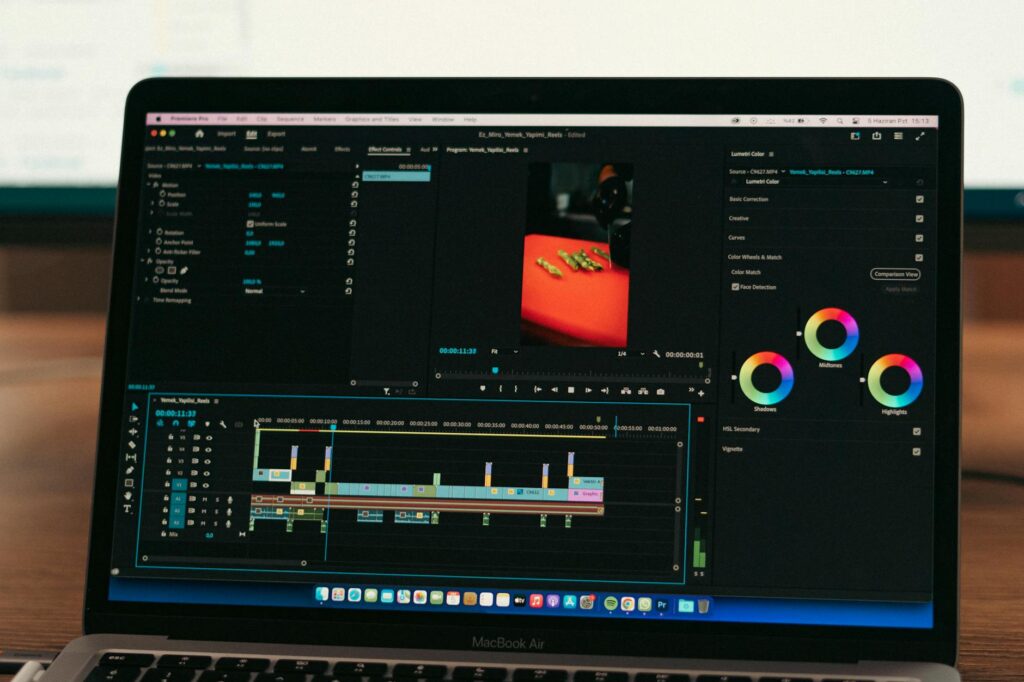
Once you’ve got your voiceover, visuals, and music, you need an editor to tie it together. For creators focused on ai inspiring video production who want simplicity, CapCut is genuinely excellent. It handles auto-captioning, has solid built-in transitions, and runs on both desktop and mobile. For more control, DaVinci Resolve is free, professional-grade, and not nearly as complicated as its reputation suggests after a few hours of learning.
A simple assembly workflow for a 90-second motivational video looks like this: drop your voiceover track in first, then place your video clips along the timeline to match the pacing of the narration, add your music track and duck it under the voiceover, and finally add captions. That last step isn’t optional. Studies consistently show that roughly 85% of social media videos are watched without sound, so captions aren’t just an accessibility feature, they’re a reach multiplier.
For captions specifically, CapCut’s auto-caption tool is accurate enough for most scripts. If you want the bold, animated word-by-word captions you see on viral shorts, there are specific CapCut templates built exactly for that style, search for “viral captions” in the template library.
Distributing Your Content So People Actually See It
Creating the video is only half the job. Motivational content has a huge organic reach potential on YouTube Shorts, Instagram Reels, and TikTok because it gets saved and reshared at above-average rates. People send these videos to friends who are going through hard times. That sharing behavior is what drives algorithmic distribution.
Post consistently rather than perfectly. Three shorter videos per week will outperform one polished video per month on every short-form platform. Use your AI script tool to batch-write five to ten scripts at a time, then record or generate the voiceovers in a single session. You can build a two-week content buffer in a single productive afternoon once you have the workflow down.
For YouTube long-form, motivational videos between 8 and 15 minutes perform strongly in search. Topics like “motivation for when you feel like giving up” or “what to do when nothing is working” pull consistent search volume because people look for this content during low points, which means any time, any day of the week.
One More Thing Worth Getting Right
Authenticity is the thing AI can’t fully replicate for you. The tools handle the production. The perspective, the insight, the specific angle that makes your channel different from the other ten thousand motivational channels out there, that has to come from somewhere real. Use your own experiences as the foundation for your scripts, even if AI helps you draft them. Reference specific struggles, specific moments, specific numbers. “I sent 47 job applications before I got a callback” is a thousand times more powerful than “success takes persistence.”
The combination of your unique point of view with the production capability of modern AI tools is genuinely powerful. Pick one platform, build one workflow, and publish your first video this week. Don’t wait until the process feels perfect. The learning happens in the doing, and the tools get better every month. Get started now while most people are still overthinking it.