A listing with a professional walkthrough video sells 73% faster than one with photos alone, and for years, that kind of video required a camera crew, a drone operator, and a budget most agents couldn’t justify. AI has quietly dismantled that barrier, and the agents who figure it out first are already pulling ahead of the pack.
This isn’t about slapping together a slideshow with some background music. Modern ai real estate video tools can generate cinematic walkthroughs, add virtual staging, create voiceover narration, and even produce a finished edit from a set of still photos. The quality gap between “made with AI” and “filmed by a professional” is shrinking fast. What follows is a practical, step-by-step breakdown of how to use these tools to produce walkthrough videos that actually move properties.
Why AI Video Tools Are a Game Changer for Property Marketing
Let’s start with the economics. Hiring a real estate videographer in most U.S. markets costs between $300 and $800 per shoot, plus editing time. For a high-volume agent handling 20 listings a year, that’s potentially $16,000 just in video production. AI tools can bring that cost down to a flat monthly subscription of $30 to $150, depending on the platform.
But cost is only part of the story. The bigger advantage is speed. A traditional video production cycle runs 3 to 5 days from shoot to finished edit. With property video ai tools, you can go from raw inputs to a shareable link in under two hours. For agents working competitive markets where listings can go pending in 48 hours, that turnaround matters enormously.
There’s also the consistency factor. Every listing gets a polished video, not just the luxury properties with big marketing budgets. That consistency builds your brand. Buyers recognize your style, sellers notice your production quality, and referrals follow.
Choosing the Right AI Platform for Your Workflow
Not every AI video tool is built for real estate, and picking the wrong one wastes time. Here are the main categories you’ll encounter, along with what each does best.
Photo-to-Video Engines
These tools take your listing photos and animate them into a flowing video sequence. Platforms like Luma AI, Runway ML, and Kling AI can generate smooth camera movements, zoom effects, and transitions from a set of still images. You upload 15 to 30 photos of a property, specify the mood and pacing, and the AI produces a video that looks like a camera actually moved through the space. It’s not perfect, but for properties where a full shoot isn’t in the budget, it’s remarkably convincing.
Virtual Tour AI Platforms
Tools like Matterport (which has integrated AI features), EyeSpy360, and Kuula let you create virtual tour ai experiences from 360-degree camera footage or even smartphone captures. These platforms now use AI to automatically stitch footage, clean up lighting inconsistencies, remove clutter, and add navigational hotspots. Some integrate directly with MLS listing systems, which makes embedding tours into listing pages seamless.
Full-Feature AI Video Editors
Platforms like Synthesia, HeyGen, and Pictory let you go further by adding AI-generated voiceover, on-screen text, music, and even an AI avatar presenter who walks buyers through the property’s features. For agents who want a more personalized marketing feel without being on camera themselves, this is genuinely useful. You write a script, paste it in, pick a voice, and the platform builds the narrated video around your footage or images.
Dedicated Real Estate AI Tools
A few platforms are built specifically for property marketing. Aryeo, BoxBrownie AI, and Plai have specialized features like automatic property description generation, AI photo enhancement, and video templates tailored to real estate formats. If you want a single tool that handles most of your content workflow, these all-in-one platforms are worth a serious look.
Step-by-Step: Building Your First AI Real Estate Walkthrough
Let’s walk through a realistic production process using a combination of accessible tools. This is the workflow that many agents and small brokerages are already using successfully.
Step 1: Gather Your Raw Material
The quality of your output depends heavily on your inputs. If you’re using a photo-to-video engine, shoot at least 25 to 30 high-resolution photos of the property, covering every room from two or three angles. Wide shots establish the space; detail shots (hardware, countertops, views) add texture to the video. Natural light beats flash where possible. If you’re working with 360-degree footage for a real estate walkthrough ai experience, a decent 360 camera like the Ricoh Theta Z1 or Insta360 X4 will give you the resolution most platforms need to produce clean output.
Step 2: Choose Your Platform and Upload
For a first project, Runway ML or Luma AI are good starting points because their interfaces are relatively intuitive. Upload your photos in the order you want them to appear, roughly following the natural flow of the home: exterior, entryway, living room, kitchen, dining area, bedrooms, bathrooms, outdoor spaces. Most platforms let you set duration per image (2 to 4 seconds usually works well), camera motion style (slow zoom in, parallax, pan), and overall video aspect ratio.
Step 3: Add AI-Generated Narration
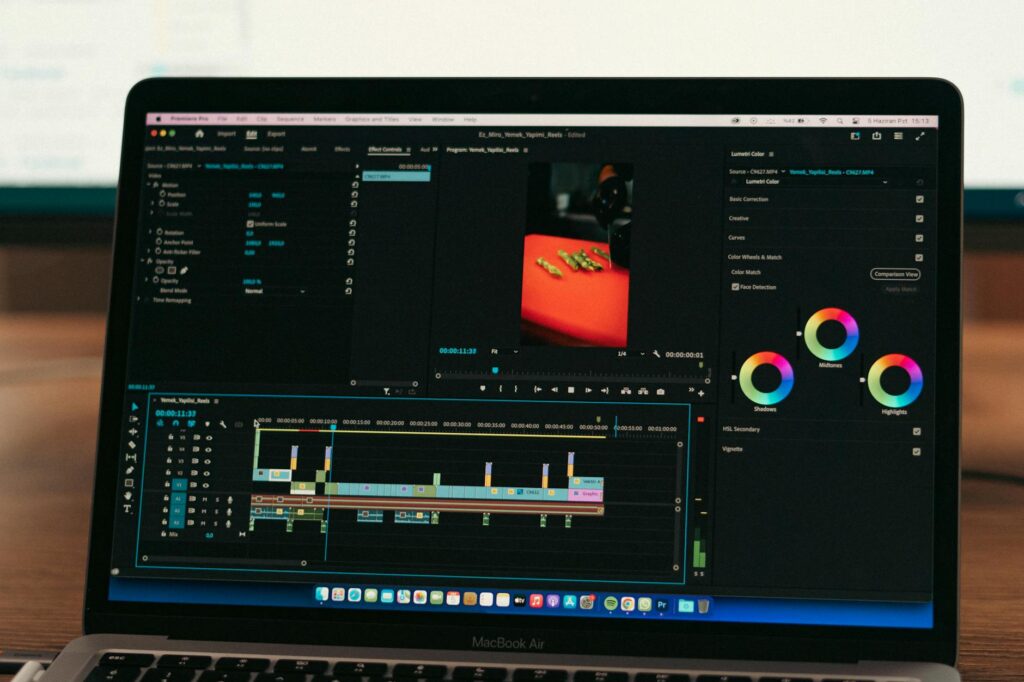
Once you have the visual sequence, export it and bring it into a narration tool. ElevenLabs has become a go-to for realistic AI voiceover. You write a short script, 150 to 250 words, describing the home’s highlights with genuine enthusiasm rather than listing-speak. Paste it in, pick a voice that matches your brand tone (warm and conversational tends to outperform stiff and formal in real estate), and generate the audio. Sync it to your video timeline in a simple editor like CapCut or DaVinci Resolve, and you have a narrated walkthrough.
Step 4: Layer in Music and Text
Background music makes a dramatic difference in how polished a video feels. Epidemic Sound and Artlist both offer licensed real estate-friendly tracks. Avoid anything too dramatic or distracting; acoustic guitar, light piano, or soft ambient tracks work best. Add property details as text overlays: address, square footage, key features, your brokerage name and contact info. Keep text on screen for at least 3 seconds so viewers can read it comfortably.
Step 5: Export and Distribute
Export your finished real estate ai video in 1080p at minimum, 4K if the platform supports it. Upload it to YouTube (unlisted is fine if you don’t want it publicly indexed) and generate a shareable link for your MLS listing and email campaigns. For social media, create a square or vertical crop for Instagram Reels and TikTok. A single video can be repurposed into three or four different formats with just a few minutes of extra editing.
Getting the AI Staging Right
One of the most underused features in property video ai workflows is virtual staging. If a listing has empty rooms, AI staging tools like REimagineHome or Homestyler AI can furnish them digitally before you even create the video. You upload a photo of an empty room, select a furniture style (modern, farmhouse, Scandinavian, etc.), and the AI renders a realistically furnished version in about 60 seconds. These staged images then feed into your video sequence, and buyers see a home that feels lived-in and aspirational rather than vacant and cold.
It’s worth being transparent with buyers about virtual staging. Most AI staging platforms watermark their images or provide a disclosure option. Using the disclosure is the right move ethically, and it also protects you legally in states where MLS rules require it.
Common Mistakes That Kill the Final Product
A few avoidable errors consistently show up in AI-generated real estate videos, and knowing them in advance will save you from frustrating do-overs.
- Too many photos, too fast: Cramming 50 photos into a 60-second video turns into a visual blur. Aim for 20 to 25 images across a 90-second to 2-minute runtime. Give viewers time to absorb each space.
- Ignoring the exterior: Buyers fall in love with curb appeal. Open with a strong exterior shot and return to outdoor spaces before the video ends. AI tools that don’t have exterior footage to work with produce videos that feel incomplete.
- Generic voiceover scripts: “This beautiful home features an open floor plan” is something buyers have read 10,000 times. Write scripts that highlight specific, memorable details: the original 1940s hardwood floors, the western-facing backyard that catches sunset light, the kitchen island that seats six.
- Skipping mobile optimization: More than 70% of real estate video views happen on smartphones. Preview your finished video on a phone before publishing. Text that looks fine on a desktop can be unreadably small on a 6-inch screen.
- Forgetting a call to action: End every video with a clear next step. “Schedule your private showing at [link]” or “Call [your number] to learn about upcoming open house dates.” Don’t leave buyers hovering at the end with nowhere to go.
What AI Still Can’t Do (And What You Should Know)
AI is genuinely powerful for real estate video production, but it’s not magic. Current photo-to-video tools sometimes produce subtle visual distortions around doorframes, windows, and furniture edges, especially when generating motion from still images. The technology is improving every few months, but for ultra-luxury listings where every pixel matters, a hybrid approach still makes sense: hire a videographer for the anchor footage, then use AI to enhance, stage, add narration, and accelerate editing.
AI also can’t replace the strategic judgment of knowing which features to highlight. A tool will animate whatever photos you give it. You’re still the one who decides that the master suite view deserves a 4-second linger while the dated guest bathroom gets a quick half-second cut. That editorial instinct is yours, and it’s the thing that separates a video that generates showing requests from one that gets scrolled past.
Start with one listing this week. Pick a platform, upload your photos, and build something rough. The first one won’t be perfect, but the second one will be significantly better, and by the fifth, you’ll have a repeatable system that produces professional-quality real estate walkthrough ai content faster than most agents can even schedule a videographer. That head start compounds over time, and in a relationship-driven business like real estate, being the agent who always shows up with better marketing is a reputation worth building.