You don’t need a camera, a studio, or a lighting rig to publish professional-looking video content anymore. AI tools have fundamentally changed the production pipeline, and creators who understand this are publishing daily while others are still saving up for gear.
The gap between “I have no equipment” and “I have a finished video” has never been smaller. AI video generation, text-to-video synthesis, AI avatars, and automated voiceovers have made it genuinely possible to produce polished content with nothing but a browser and an idea. This guide breaks down exactly how to do it, which tools to use, and how to build a repeatable workflow on a tight budget.
Why Equipment Isn’t the Bottleneck Anymore
For most of the past decade, video quality was directly proportional to gear spend. A decent camera setup ran $1,500 to $3,000. Professional audio meant another $300 minimum. Lighting kits, backdrops, editing software , the costs stacked fast, and they stopped a lot of creators before they ever started.
AI changed the math. Tools like Synthesia, HeyGen, Runway, Pictory, and InVideo now handle everything from avatar-based presentation to scene generation to automated captions. A creator using a cheap video AI stack today can produce content that would’ve required a small production team five years ago. That’s not hype , it’s a measurable shift in how content gets made.
What matters now isn’t your gear. It’s your script, your strategy, and your ability to pick the right tools for the job. Those are learnable skills that cost a fraction of a camera body.
Building Your Equipment-Free AI Video Workflow
The first thing to understand is that “create videos no camera AI” isn’t a single tool , it’s a workflow made up of several specialized tools, each handling a different piece of the production puzzle. Here’s how those pieces fit together.
Step 1: Start With a Strong Script
Every great video starts with a script, and this is where most beginners skip a critical step. Don’t just feed AI tools raw ideas. Write a proper script first, even if it’s short. Use ChatGPT or Claude to draft your script if you’re not comfortable writing. Give it a clear prompt: your topic, your target audience, your desired tone, and your approximate video length. A 60-second video needs roughly 150 to 180 words of spoken content.
Tighten the script manually before you move on. AI drafts are starting points, not finished products. Cut anything that doesn’t serve the viewer directly. Tighter scripts produce tighter videos.
Step 2: Choose Your Visual Approach
This is where your equipment free video AI workflow branches depending on your content type. You’ve got three main paths:
- AI Avatar Videos: Tools like HeyGen and Synthesia let you create a realistic digital presenter who reads your script aloud. You pick an avatar, paste in your script, and the system generates a video of that avatar speaking. No camera, no recording, no reshoots.
- Text-to-Video Generation: Tools like Runway Gen-2, Pika Labs, and Kling AI generate video footage from text prompts or still images. You describe a scene and the AI renders it. This approach works well for cinematic content, ads, and social media clips.
- Slideshow-Style Videos with AI Voiceover: Tools like Pictory and InVideo take your script or a blog post URL and assemble a video from stock footage, licensed images, and an AI-generated voiceover. This is the fastest path for educational or explainer content.
Pick the approach that fits your content style. A financial explainer channel works brilliantly with the slideshow approach. A fashion or lifestyle brand might lean harder on text-to-video generation for visual impact.
Step 3: Generate Your Voiceover
Even if your chosen tool handles voiceover automatically, it’s worth knowing the standalone options. ElevenLabs produces the most natural AI voices currently available. You paste in your script, choose a voice profile, adjust the pacing and tone settings, and export a clean audio file in minutes. The difference between ElevenLabs and older text-to-speech tools is striking , the voices have natural cadence, breath patterns, and emotional variation.
Murf.ai and Descript are solid alternatives, with Descript also offering full audio and video editing capabilities in one platform. If you’re building an ai video no equipment workflow for long-term use, Descript is worth the subscription for the editing layer alone.
Step 4: Assemble and Edit
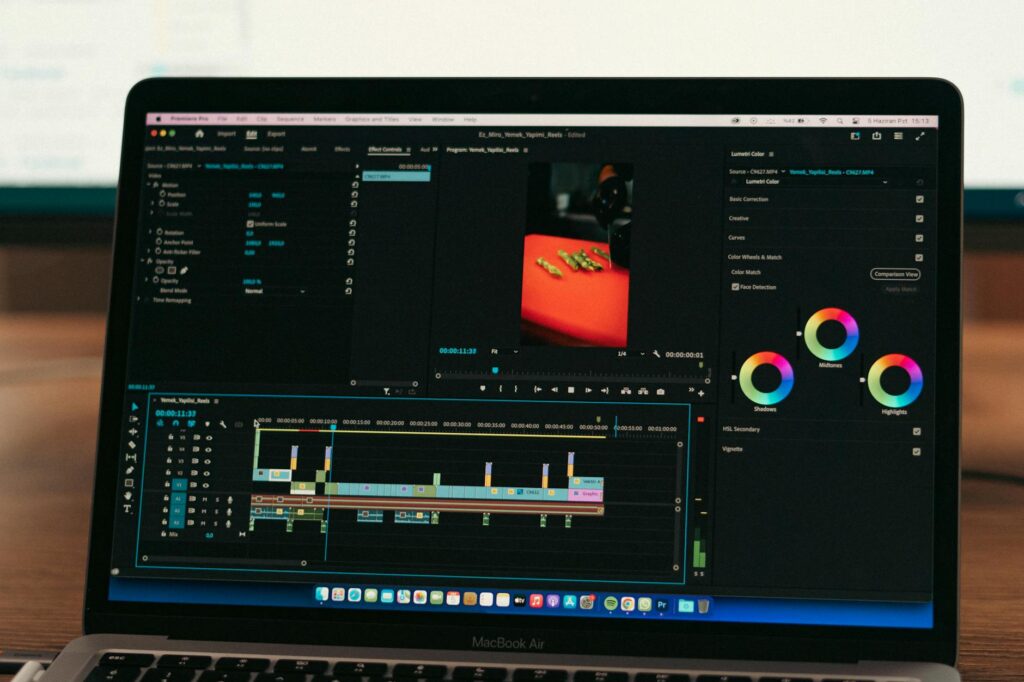
Once you have your visuals and audio, you need to assemble them into a finished video. CapCut (free) handles this well for short-form content and has built-in AI features like auto-captioning and background removal. For longer content or more control, DaVinci Resolve is free and genuinely professional-grade.
Auto-captions deserve special mention. Roughly 85% of social media video is watched without sound at some point. Burned-in captions increase completion rates substantially, and both CapCut and Descript generate them automatically from your audio track. This is one of those small details that separates polished content from amateur content.
The Best AI Tools for Each Part of the Pipeline
Rather than giving you a vague list, here’s a practical breakdown organized by function. This is the actual toolkit a budget video ai guide should give you.
For AI Avatars and Talking Head Videos
HeyGen is currently the leader for avatar quality and customization. Plans start at around $29 per month, and the output quality justifies the cost for anyone publishing regularly. You can also clone your own likeness once you’re ready to move beyond stock avatars, which creates a more authentic personal brand without ever recording live footage.
Synthesia offers over 230 AI avatars and supports 140+ languages, making it the stronger pick for global or multilingual content. Enterprise pricing is steep, but the starter plan covers most creators’ needs.
For Text-to-Video and Scene Generation
Runway Gen-2 remains one of the most capable text-to-video tools available. It handles motion, lighting, and scene coherence better than most competitors. Free tier is limited but useful for testing. Paid plans start at $15 per month.
Pika Labs is strong for short clips and stylized visuals. It’s particularly popular for generating social content with a cinematic look. The free tier is genuinely usable, which is rare in this category.
Kling AI, developed by Kuaishou, has impressed a lot of creators with its motion quality and longer generation windows (up to two minutes of video). It’s worth testing if you’re doing narrative or product-style content.
For Script-to-Video (Slideshow Style)
Pictory is one of the most reliable tools for converting written content into video. Paste a blog post or script, choose a visual style, and it assembles a video with stock footage and an AI voiceover. At roughly $19 per month, it’s one of the most cost-effective entries in a cheap video AI workflow.
InVideo AI works similarly but gives you more control over scene selection and narration style. It’s well-suited to news-style and educational content where accuracy of visual matching matters.
What to Realistically Expect From AI-Generated Videos
Honesty matters here. AI video tools have real limitations that you should understand before committing time and money.
Text-to-video generation still struggles with consistency across shots. Characters change appearance between scenes. Hands remain a known weak point for most models. Complex action sequences often produce visual artifacts. This makes text-to-video better for atmospheric, abstract, or product-adjacent content than for narrative storytelling with specific characters.
Avatar videos look polished but don’t feel personal in the way a genuine on-camera presence does. For personal brands built on trust and relatability, this is worth considering. For informational channels, tutorial series, or corporate training content, the avatar approach works extremely well.
Slideshow-style AI videos look like what they are: assembled stock footage. That’s not necessarily a problem , millions of successful YouTube channels use this format , but it requires strong scripting and pacing to hold viewer attention. The visual component supports the narration; it doesn’t replace it.
Understanding these trade-offs lets you choose the right tool for each project rather than forcing one approach onto every content type.
A Practical Budget for Getting Started
Here’s a realistic monthly cost breakdown for a creator building a complete equipment free video AI workflow from scratch:
- HeyGen Starter: $29/month (avatar videos)
- ElevenLabs Starter: $5/month (30,000 characters of AI voice)
- Pictory Standard: $19/month (script-to-video)
- CapCut Pro: $7.99/month (editing and auto-captions)
- Runway Basic: $15/month (text-to-video generation)
That’s roughly $76 per month for a full production stack. Compare that to $3,000 or more in camera equipment, and the economics are obvious. Many creators start with just one or two of these tools and expand as their content output grows.
If budget is extremely tight, start with Pictory or InVideo AI on a free trial, use ElevenLabs’ free tier (10,000 characters per month), and edit in the free version of CapCut. You can produce your first five to ten videos at zero cost to test your content strategy before spending anything.
The Skills That Actually Determine Your Results
The creators getting the best results from AI video tools aren’t necessarily the most technically sophisticated. They’re the ones who write compelling scripts, understand their audience, and iterate quickly based on performance data.
Scripting is the highest-leverage skill in an AI video workflow. A mediocre script fed through a great tool produces mediocre content. A sharp, well-structured script produced through even a basic tool creates videos people actually watch and share. Invest your learning time here first.
Thumbnail and title creation matter just as much as the video itself for discoverability. Use Canva’s free tier or Adobe Express for thumbnails. Study what performs in your niche before designing anything.
Consistency beats perfection at every level. Publishing three AI-generated videos per week with an iterative mindset will outperform spending three weeks on one “perfect” video every time. The feedback loop is the real teacher.
Pick one tool from this guide today, write a 150-word script on something you know well, and produce your first video this week. The learning curve flattens dramatically once you have one finished video behind you, and the only way to build momentum is to start before you feel completely ready.