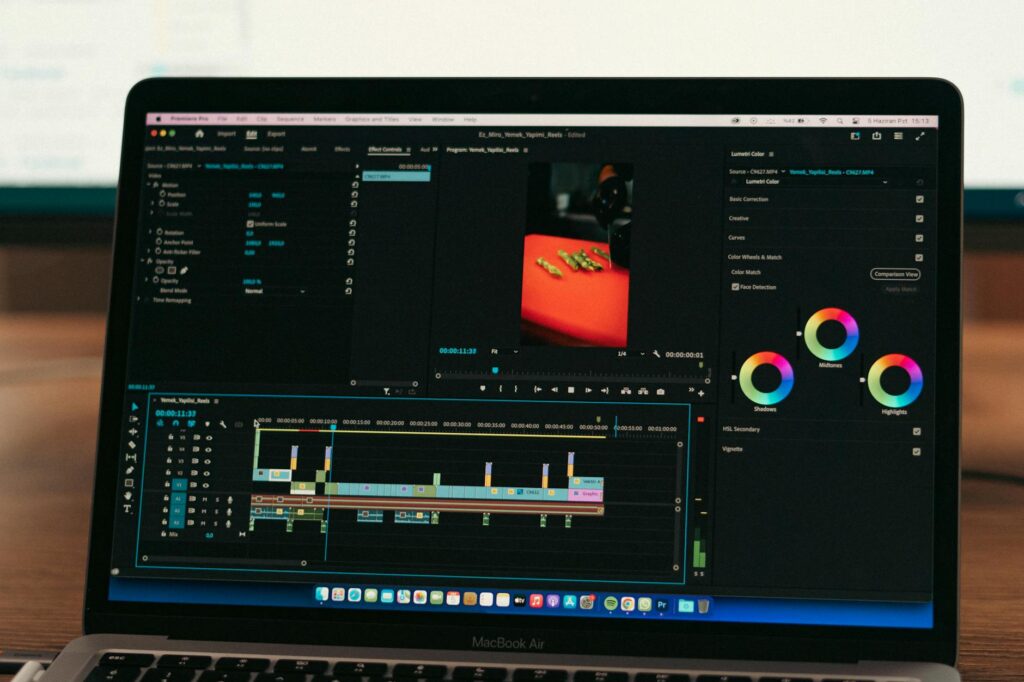
Marketers who switched to AI-generated video ads last year are reporting click-through rates two to three times higher than their static image campaigns, and they’re producing those videos in under an hour. If you’re still manually stitching together clips in Premiere Pro or paying a video agency $2,000 a pop, you’re leaving both time and money on the table.
Creating compelling video ads used to require a camera crew, a script team, a location, and a post-production editor who charged by the hour. Now, a solo entrepreneur with a laptop and a decent prompt can produce scroll-stopping ai ad videos that compete with content from brands ten times their size. Here’s exactly how to do it.
Why Video Ads Outperform Everything Else on Social Right Now
Facebook and Instagram’s algorithms aren’t subtle about their preferences. Meta’s own internal data shows that video content receives roughly 59% more engagement than other post formats, and Reels-style short-form video is consistently prioritized in both feeds and discovery sections. When you combine that algorithmic preference with the fact that the average user spends about 19 minutes per day watching video on Instagram alone, the case for video ads essentially makes itself.
The problem has always been production cost and speed. A brand that wants to test five different ad creatives would traditionally need five separate shoots or at least five rounds of editing. With video ads ai tools, you can generate, iterate, and test five versions in an afternoon. That speed is genuinely transformative for performance marketing, where creative testing is the single biggest lever you can pull.
Beyond the algorithm, video communicates trust faster than any other format. A founder talking directly to camera for 15 seconds builds more credibility than a static banner ad ever could. AI tools now let you create that founder-style content even if you’ve never been comfortable on camera.
Choosing the Right AI Tool for the Job
Not all AI video platforms are built for advertising. Some are optimized for long-form content like YouTube explainers or training videos. For Facebook and Instagram specifically, you want tools that understand aspect ratios (9:16 for Reels, 1:1 for feed, 4:5 for the sweet spot between the two), can produce short punchy cuts under 60 seconds, and give you enough customization to match your brand identity.
Here are the platforms most advertisers are actually using right now:
- Runway ML: Best for cinematic-quality footage generation and visual storytelling. Its Gen-3 model can create realistic video clips from text prompts, which works beautifully for product-forward ads.
- Synthesia: The go-to for avatar-based talking head videos. You upload your script, choose a presenter, and get a polished facebook ai video in minutes. Brands use this heavily for testimonial-style ads.
- Pictory: Ideal if you already have long-form content like blog posts or webinar recordings. It automatically cuts them into short, captioned video clips ready for social ads.
- HeyGen: Strong competitor to Synthesia with more natural-looking avatars and impressive lip-sync quality. Their video translation feature is excellent if you’re running multilingual ad campaigns.
- Canva’s AI Video Tools: The most accessible entry point if you’re already using Canva for design. Limited in raw power but fast for templated social ad formats.
For most small to mid-sized advertisers, HeyGen or Synthesia combined with a tool like CapCut for final polish gives you the best results without a steep learning curve.
Scripting Your Ad: Where Most Creators Get It Wrong
The script is the most important part of any video ad, AI-generated or otherwise. A beautiful visual presentation built around a weak hook will still fail. Most creators write scripts that are far too long, too product-focused, and too slow to get to the point.
For Facebook and Instagram, your hook needs to land in the first two seconds. That’s not an exaggeration. Meta’s research shows that roughly 65% of viewers who watch the first three seconds of a video ad will watch at least ten seconds. If those first three seconds don’t stop the scroll, nothing else matters.
Strong hooks usually follow one of three patterns. They call out a specific problem (“Still wasting two hours a day on email?”), make a bold surprising claim (“This $12 product replaced my $300 skincare routine”), or create immediate curiosity (“Most people get this completely backwards”). Write three or four hook options and test them as separate ad variations.
Keep the total script under 90 words for a 30-second ad. Read it out loud and time it. Then cut another 20%. Here’s a basic structure that consistently converts:
- 0-3 seconds: The hook (problem, claim, or curiosity gap)
- 3-15 seconds: Brief agitation or explanation of why this matters
- 15-25 seconds: Your solution, product, or key benefit
- 25-30 seconds: Clear call to action (“Shop now,” “Book a free call,” “Grab yours today”)
Once you have a tight script, paste it into ChatGPT or Claude and ask it to give you three variations with different tones: one direct and conversational, one urgency-driven, one curiosity-led. This takes about five minutes and gives you creative variations you’d normally spend hours brainstorming.
Generating Your AI Ad Video Step by Step
Let’s walk through a real workflow using HeyGen, since it’s one of the most popular platforms for creating instagram video ai content at scale.
Start by creating an account and navigating to the “AI Avatar” section. HeyGen offers over 100 stock avatars, or you can create a custom avatar using just a few minutes of footage of yourself or a spokesperson. Custom avatars are worth the extra setup time if you’re running ads for a personal brand or a founder-led business.
Paste your script into the text field. HeyGen’s system will automatically calculate the video length based on your script. At this point, select your avatar, choose a background (you can upload a custom branded background or use their library), and pick a voice. The voice options have improved dramatically in 2024 and most sound genuinely natural rather than robotic.
Before you generate the full video, preview a short segment. Check that the lip sync feels natural and that the pacing matches the energy of your ad. If the delivery sounds too flat, try adjusting the tone settings or adding pause markers in your script using simple punctuation.
Once you’re happy with the preview, generate the full video. Depending on your plan, this takes between two and eight minutes. Download the file, then bring it into CapCut or your editing tool of choice for final touches: adding captions (non-negotiable since 85% of Facebook videos are watched without sound), overlaying your logo, adding a branded end card with your call to action, and color grading if needed.
Total time from blank page to finished ai advertising video: roughly 45 to 90 minutes, including script writing. Compare that to a traditional video shoot.
Optimizing Your Video for Facebook and Instagram Specifically
Generating a great video is only half the equation. How you set it up inside Meta’s ad platform determines whether it actually reaches the right people and converts.
Always upload your video in the native format for each placement. For Instagram Reels and Stories, that’s 1080×1920 (9:16). For Facebook and Instagram feed, use 1080×1350 (4:5) because it takes up more vertical screen real estate than a square and still works across both platforms. Don’t just upload one version and let Meta auto-crop it. The auto-crop often cuts off your text or your avatar’s face in ways that kill conversions.
Captions aren’t optional. Use Meta’s built-in auto-caption tool or generate SRT files through CapCut and upload them manually. Manually uploaded captions give you more control over timing and styling, which matters for brand consistency.
In the ad copy field (the text above your video), lead with your strongest benefit or a question that matches your hook. Roughly 90 characters or fewer will show before the “see more” cutoff on mobile, so front-load the most important information. Don’t restate what the video already says. The copy and video should complement each other, not repeat each other.
For testing, run your ad variations using Meta’s A/B test feature rather than duplicating ad sets manually. This lets the platform distribute impressions more scientifically, which gives you cleaner data on which hook, script, or visual style is actually driving results.
Scaling What Works Without Losing Quality
Once you’ve found a winning ai advertising video, the temptation is to just increase the budget. That works for a while, but ad fatigue on Meta typically kicks in after two to four weeks for most audiences. Creative refresh is what keeps performance strong.
The good news is that refreshing an AI-generated video is dramatically faster than reshooting original content. If your avatar-based ad is performing well, try keeping the same script but swapping the background, changing the avatar’s outfit (HeyGen supports this), or adjusting the opening hook. These small changes reset the creative in the algorithm’s eyes while preserving the core message that’s converting.
You can also take a winning script and run it across multiple AI avatars simultaneously, giving you diverse representation in your ad creative with minimal additional effort. Brands running multicultural campaigns have started using this approach to serve culturally relevant creative to different audience segments without any additional production cost.
The real competitive advantage of mastering AI video tools isn’t just cost savings on individual videos. It’s the ability to iterate relentlessly. Traditional advertisers test two or three creatives per month. With AI workflows in place, you can test ten to fifteen, which means you find your winning creative faster, scale with more confidence, and stay ahead of fatigue cycles that burn out slower-moving competitors. Start with one tool, one script, and one clean workflow. Ship your first video this week. The learning compounds faster than you’d expect.