Short Videos Are Winning the Internet , Here’s How to Make Them Faster
Scroll through Instagram or TikTok for five minutes and you’ll notice one thing immediately: short, punchy videos dominate everything. If you’re not creating them consistently, you’re leaving serious reach on the table , and AI can change that without requiring a film crew or a full day of editing.
AI social media videos aren’t just a novelty anymore. Creators, small business owners, and marketing teams are using them to produce content that looks polished, moves fast, and actually performs. The tools have matured quickly. What used to take hours of cutting, captioning, and color grading now takes maybe twenty minutes , sometimes less.
This guide breaks down exactly how to create social videos with AI, which tools are worth your time, and what separates a scroll-stopper from something that disappears into the feed.
What AI Video Tools Actually Do (And What They Don’t)
Let’s be clear about expectations first. AI video tools aren’t magic wands that spit out viral content with zero input. They’re powerful assistants that handle the tedious, time-consuming parts of production so you can focus on the creative decisions that actually matter.
Most social video AI tools fall into a few categories. Some convert text scripts into fully rendered videos with stock footage, voiceovers, and captions. Others take raw footage you’ve already shot and automatically edit it, add subtitles, trim silences, and generate highlight reels. A third category generates entirely synthetic video from text prompts , faces, scenes, product mockups, all built from scratch by the model.
Each type has its place depending on what you’re making. A real estate agent repurposing a walkthrough video needs different tools than a content creator building an explainer from a blog post. Knowing which category fits your use case saves a lot of wasted time.
What AI won’t do is replace your strategy. It can’t tell you what your audience cares about, what tone fits your brand, or what hook will make someone stop scrolling. That part is still on you.
The Best Starting Point: Script-to-Video for Fast Content Creation
If you’re new to AI short video creation, the script-to-video workflow is the most accessible entry point. You type a topic or paste in a script, and the tool builds a complete video around it. Tools like Pictory, InVideo AI, and Runway each handle this differently but the basic pipeline is the same.
Here’s what a typical workflow looks like:
- Write or paste a short script (150 to 300 words works well for a 60 to 90 second video)
- The AI matches your script to relevant stock footage or generates visuals
- A text-to-speech voiceover is applied, or you record your own
- Auto-captions are generated and synced to the audio
- You review, tweak clips, adjust pacing, and export in vertical format (9:16) for Instagram Reels and TikTok
The whole process, from blank page to exported video, can take under 30 minutes once you’ve done it a couple of times. Compare that to a traditional edit, which might run three to five hours for the same length of content, and the efficiency gain is obvious.
Pictory is particularly strong for repurposing written content. Paste a blog post URL, and it pulls key sentences, matches footage, and gives you a social-ready clip. InVideo AI leans more into its template library and works well for branded content with consistent colors and fonts. Both are solid options for anyone building a content calendar at scale.
Creating AI Videos for Instagram and TikTok Specifically
Not all platforms are the same, and your AI video for Instagram and TikTok needs to be built with platform-specific habits in mind. TikTok rewards raw energy, fast cuts, trending audio, and a hook delivered in the first two seconds. Instagram Reels can handle slightly more polished content, but it still punishes slow intros.
When you’re using an AI video tool to create content for these platforms, keep these specifics in mind:
Aspect Ratio and Resolution
Always export at 9:16 for vertical video. Most AI tools do this automatically when you select a TikTok or Reels preset. Don’t skip this step. Horizontal video on a mobile feed looks lazy and gets scrolled past immediately.
Caption Style Matters More Than You Think
Auto-captions are now standard in every decent AI tool, but how they’re styled affects engagement. Bold, high-contrast text with one to three words appearing at a time performs significantly better than full sentences at the bottom of the screen. Tools like CapCut’s AI editor and Submagic let you customize caption style, font weight, and animation. It’s a small detail that makes a big visual difference.
Hook Engineering
The first three seconds of your video determine whether anyone watches the rest. AI tools can help you draft hook variations, but you still need to choose one that works for your content. A good hook creates a question in the viewer’s mind or promises something specific. “Here’s why your gym routine isn’t working” beats “Today I’m going to talk about fitness” every single time.
Tools Worth Knowing in 2024 and Beyond
The social video AI tool market has exploded. Some platforms are genuinely excellent. Others are all demo reel and no delivery. Here’s a practical breakdown of what’s actually worth using.
Runway ML
Runway is the go-to for creators who want generative video capabilities, not just automated editing. Its Gen-2 and Gen-3 models can produce short video clips from text prompts or images. The quality isn’t perfect for long sequences, but for five to ten second cinematic B-roll clips, it’s genuinely impressive. It’s become a staple in the AI video Instagram and TikTok creator community for generating visual hooks and transitions that feel original.
CapCut
CapCut is free, powerful, and built with TikTok culture in mind (its parent company is ByteDance). Its AI features include auto-captioning, background removal, script generation, and a “Clips” feature that automatically assembles your footage into a highlight reel. For anyone just starting out with AI short video creation, CapCut is probably the single best place to begin.
Descript
Descript is built for people who want to edit video the way they edit a document. You transcribe your footage, then cut and rearrange text to edit the actual video. Its AI overdub feature lets you fix misspeaks by typing the correction, and it generates the voice to match. For talking-head content and podcast clips, it’s hard to beat.
Synthesia
Synthesia creates videos using AI avatars. You write a script, pick an avatar, and the platform generates a realistic on-camera presenter delivering your content. It’s not trying to replace human creators, but it’s incredibly useful for training videos, product explainers, and brands that need a consistent presenter without booking talent every week. Roughly 50,000 companies now use Synthesia for exactly this kind of content.
Submagic
Submagic is specifically built for short-form social content. It auto-generates captions with a style that’s already optimized for TikTok and Reels, adds emojis and highlights automatically, and handles the kind of snappy, attention-grabbing aesthetic that performs well on both platforms. It’s narrow in scope but extremely good at what it does.
Building a Repeatable AI Video Workflow
The real advantage of using AI for social video isn’t any single piece of content. It’s the ability to produce consistently without burning out. That requires a system, not just a tool.
Here’s a workflow that works well for creators publishing three to five videos per week:
- Monday: Draft five short scripts based on questions your audience is asking. Use ChatGPT or Claude to help brainstorm angles and write first drafts quickly.
- Tuesday: Record raw footage or audio for talking-head content. Don’t overthink production quality at this stage.
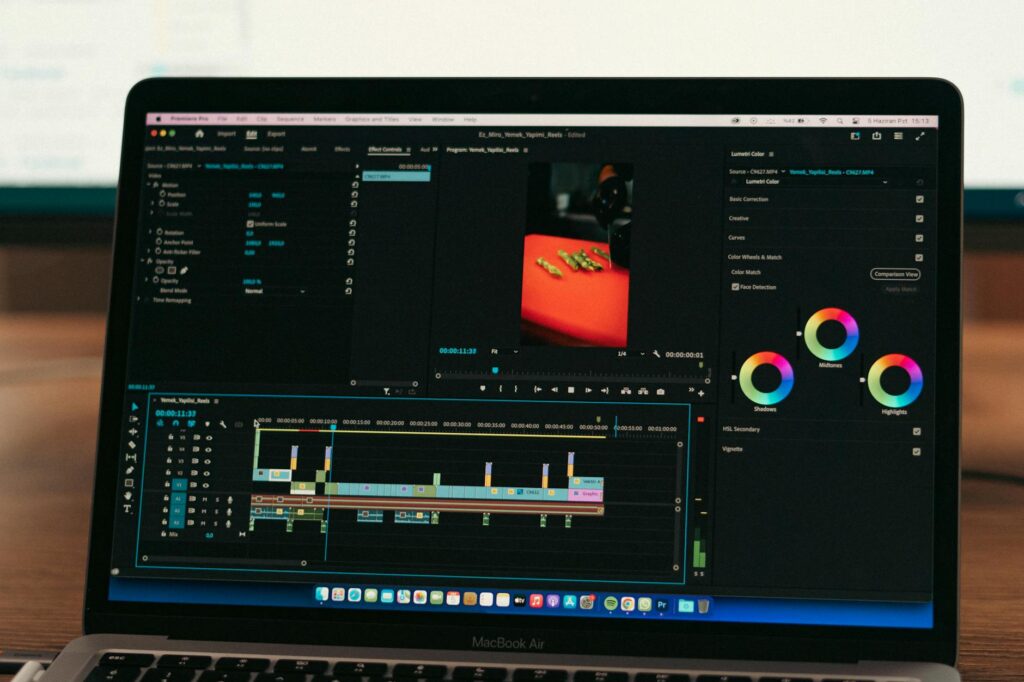
- Wednesday: Run footage through Descript or CapCut AI for editing, captioning, and trimming. Use Runway for any B-roll you need but didn’t shoot.
- Thursday: Review, finalize captions in Submagic, add music, and export everything in the correct format.
- Friday: Schedule posts using a tool like Later or Buffer. Batch scheduling is one of the least glamorous but most important habits for consistent social presence.
This kind of rhythm transforms AI video creation from a one-off experiment into a sustainable content engine. The quality compounds over time too. After a few weeks of this workflow, you’ll know which hooks work for your audience, which formats get saved and shared, and which topics drive the most comments. That data should directly inform the next week’s scripts.
Common Mistakes That Kill AI Video Performance
Even with the best tools, a few habits will consistently undermine your results. Watch out for these.
Slow intros are the biggest killer. If your video doesn’t make a strong impression in the first two seconds, the algorithm won’t push it. AI tools don’t fix this automatically. You have to engineer it intentionally in the script before the video is ever made.
Over-polishing is a real trap too. Spending two hours perfecting a thirty-second video that could’ve been done in twenty minutes defeats the efficiency gains AI gives you. Good enough, published consistently, beats perfect, published rarely. Every time.
Ignoring native features is another common mistake. TikTok’s algorithm rewards content created or edited on-platform. CapCut integrates directly with TikTok and often gets a small distribution boost because of it. Use native tools where it makes sense.
Finally, don’t create AI social media videos in a vacuum. Watch your analytics. A drop in completion rate on a certain video type tells you something important. A spike in saves after a specific format tells you something even more important. Let the data guide your AI content decisions the same way it would guide any other marketing strategy.
Start Small, Then Scale What Works
You don’t need to master every tool on day one. Pick one platform (CapCut is the easiest starting point), commit to posting three AI-assisted videos per week for a month, and pay close attention to which ones get traction. Once you know what resonates, layer in more advanced tools like Runway for generative visuals or Descript for faster editing. The creators getting the most out of AI short video creation right now aren’t necessarily the most technically sophisticated. They’re the ones who started, iterated fast, and let the results tell them where to go next. Start this week. Your first video doesn’t have to be perfect. It just has to exist.