Why Looping Video Is Everywhere Right Now
Looping video content has quietly taken over the internet, and most people haven’t even noticed. Website backgrounds, digital signage, social media reels, streaming overlays, animated wallpapers , they’re all powered by the same core idea: a seamless clip that repeats forever without an obvious cut point.
What’s changed recently is who gets to make them. Until a couple of years ago, creating a polished ai loop video required either expensive stock footage or a professional editor who knew how to manually blend the start and end frames. Now AI tools have made the whole process accessible to pretty much anyone with a laptop and a decent idea. You don’t need After Effects training. You don’t need a camera crew. You just need to understand which tools do what, and how to get the best results out of them.
This guide walks you through exactly that , from the basic concepts to the specific platforms and techniques that are actually worth your time.
What Makes a Looping Video Actually Work
Before you fire up any AI tool, it helps to understand what separates a good loop from a bad one. A bad loop has a visible “seam” , that jarring moment where the clip jumps back to frame one. You’ve seen it on cheap websites and old GIFs. It kills the illusion immediately.
A good loop is one where your eye genuinely can’t find the cut point. The motion is continuous, the lighting doesn’t shift, and there’s no object that suddenly teleports from one side of the frame to the other. Achieving this manually takes real skill. Getting AI to do it is mostly a matter of choosing the right tool and giving it the right input.
There are three main approaches to looping content AI tools currently use:
- Ping-pong looping: The clip plays forward, then reverses. Simple, but works beautifully for symmetrical motion like waves or flames.
- Seamless generation: The AI generates a video that’s specifically designed so the last frame blends naturally into the first. This is the gold standard.
- Frame interpolation and blending: The AI takes an existing video and creates transition frames between the end and the beginning, smoothing the seam out artificially.
Knowing which technique a tool uses will help you decide whether it’s right for your project.
The Best AI Tools to Create Loop Video Content Right Now
The market for AI video generation has exploded. Not all of it is useful for looping specifically, but several platforms stand out.
Runway ML
Runway is probably the most versatile option for anyone serious about this space. Its Gen-3 Alpha model generates video from text prompts or images, and it includes a looping mode that produces clips designed to cycle without a visible seam. The output quality is genuinely impressive , especially for abstract, nature, or atmospheric content. If you want to create loop video ai-style for a website hero section or a streaming background, Runway’s output is often good enough to use without any post-processing.
The catch is price. Runway runs on a credit system, and generating high-quality clips burns through credits faster than you’d expect. Budget accordingly if you’re planning to produce a lot of content.
Kling AI
Kling, developed by Kuaishou Technology, has become a serious competitor. It handles motion physics particularly well, which matters enormously for loops involving water, cloth, or organic movement. A background loop ai generated through Kling tends to look natural rather than synthetic, which is the main thing most creators are fighting against. It also has a specific “loop” toggle in some generation modes, which removes a lot of the manual work involved in making clips cycle smoothly.
Luma Dream Machine
Luma’s Dream Machine is worth mentioning for one specific reason: it’s excellent at generating short clips from a single image. If you have a still photo or illustration that you want to bring to life as a looping background, Dream Machine handles that transition from static to motion beautifully. The loops it produces aren’t always perfect on their own, but combining Dream Machine output with a little ping-pong looping in a free editor like CapCut or DaVinci Resolve gives you very clean results.
Pika Labs
Pika is more accessible than Runway in terms of cost and has a Discord-based workflow that some people find intuitive and others find annoying. Its looping-specific features are still developing, but for simpler looping content ai projects , think animated social media backgrounds or short ambient clips , it gets the job done without a steep learning curve.
How to Set Up Your Prompts for Seamless Loops
The single biggest variable in your output quality is how you write your prompt. Most people treat AI video generation like a search engine query, and that’s where they go wrong.
For looping video specifically, your prompt needs to do three things: describe the visual content clearly, define the motion explicitly, and signal to the model that you want cyclical or continuous movement rather than a story with a beginning and end.
Compare these two prompts:
- Weak: “Ocean waves at sunset”
- Strong: “Slow continuous ocean waves rolling toward the shore at golden hour, ambient and meditative, seamless loop, no horizon shift, consistent warm lighting”
The second prompt tells the model about the mood, the movement style, the lighting consistency, and the intended loop behavior. That specificity matters. Words like “continuous,” “ambient,” “seamless,” “slow drift,” and “gentle oscillation” tend to produce motion that loops more naturally than action-oriented or narrative prompts.
Avoid prompts that imply a beginning and an end. Phrases like “a bird takes flight” or “the sun rises over the mountains” will generate video with obvious start and end points that resist looping. Instead, aim for perpetual states: “birds gliding in slow circles,” “mist drifting slowly across a forest floor,” “candle flame flickering gently.”
Editing AI-Generated Clips Into Perfect Loops
Even the best AI tools don’t always nail the seamless loop on the first try. When the output is close but not quite there, a little editing goes a long way. You don’t need to be an expert editor to fix most looping issues.
The Cross-Dissolve Method
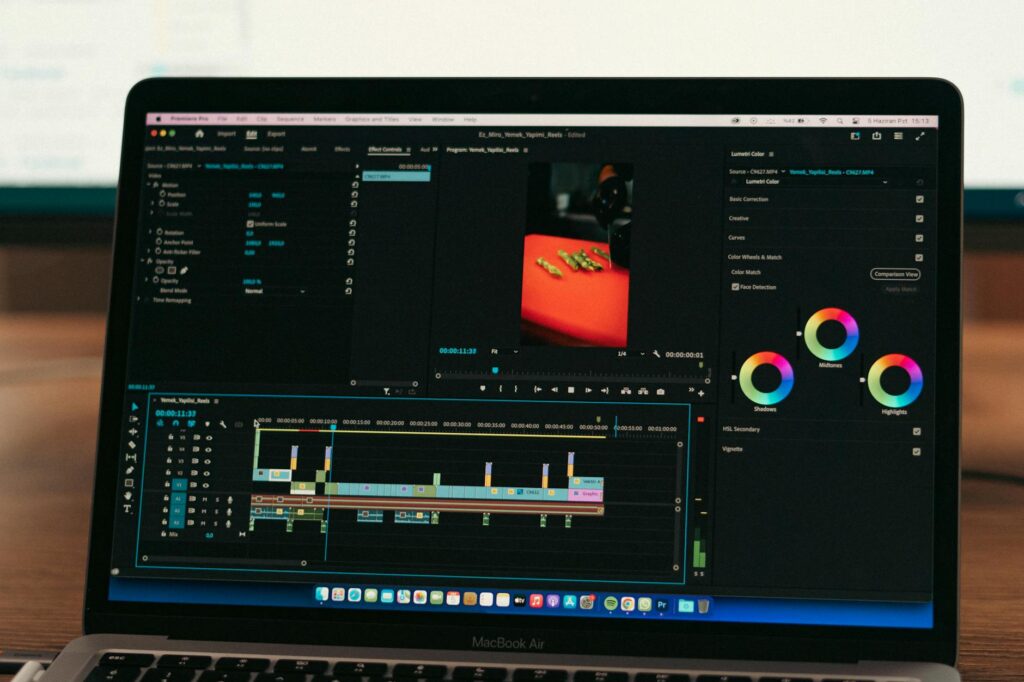
This is the most common fix. Import your clip into any video editor, duplicate it on a second track, offset the duplicate so it starts where the original ends, and add a cross-dissolve transition between them. Export the blended segment as your new loop. It’s not perfect for every type of footage, but for abstract visuals and nature scenes it’s nearly invisible.
Reverse and Blend
For ping-pong style loops, export your clip, create a reversed version, and layer them end to end. If the motion is symmetrical enough, the reversal point will feel like a natural breath rather than a cut. This works especially well for particle effects, flowing liquids, and breathing animations , the kind of ai looping visual content you’d use as a meditation app background or ambient screen wallpaper.
Smart Frame Blending in DaVinci Resolve
DaVinci Resolve’s optical flow feature can generate interpolated frames between two points. If you use this between the end frame and the start frame of a clip, you can create a smooth transition that genuinely fools the eye. It’s free, it runs on most modern computers, and it takes about ten minutes to learn the relevant settings. For anyone producing looping content at scale, this is worth adding to your workflow.
Where Looping AI Video Actually Gets Used
Understanding the use cases helps you make better creative decisions from the start. The most common applications right now include:
- Website hero sections and backgrounds: Ambient video backgrounds on landing pages dramatically increase time-on-page metrics. A well-produced background loop ai clip gives a site a premium feel without requiring live-action filming.
- Twitch and YouTube streaming overlays: Animated backgrounds behind a facecam or panel have become a standard part of stream production. AI-generated loops are cheaper than commissioning a motion designer and often just as effective.
- Social media content: Instagram Reels and TikTok’s looping format reward content that watches well on repeat. Smooth AI loops get replayed automatically, boosting watch time signals to the algorithm.
- Digital signage and retail displays: Businesses using screens in-store or in lobbies need hours of ambient content. AI loop video tools can generate that content in minutes rather than hours of filming.
- Wallpaper apps and ambient screens: A growing niche of apps and desktop software uses looping video as dynamic wallpaper. AI-generated ai looping visual content is increasingly what populates those libraries.
Common Mistakes That Ruin a Loop
A few errors come up constantly, especially from people just getting started with this workflow.
Generating clips that are too short is probably the most frequent. A two-second loop is almost always too short , viewers’ brains detect the repeat subconsciously even if they can’t articulate it. Aim for at least five to eight seconds of base footage before looping. Ten seconds is usually the sweet spot for most use cases.
Choosing visuals with too much structured motion is another trap. A waterfall works great as a loop. A person walking across a frame absolutely does not , because the character’s position gives away the seam instantly. Stick to environments and textures rather than subjects with clear directional movement.
And don’t neglect audio. If your loop includes ambient sound, the audio loop has to match the video loop in length and feel. A loop with great visuals and a jarring audio click every eight seconds will still feel cheap and unpolished.
Start Small, Then Scale Your Loop Library
The best approach if you’re new to this is to pick one platform, one use case, and one visual style, then produce five to ten variations until you understand how to reliably get clean results. Runway or Kling are both solid starting points depending on your budget. Once you have a workflow that produces loops you’re happy with, scaling it up is straightforward , the same prompting logic and editing techniques apply regardless of how much content you need to produce.
AI looping video is genuinely one of the most practical applications of AI generation tools right now. The output is immediately useful, the learning curve is manageable, and the demand from clients and platforms keeps growing. If you’ve been on the fence about getting into AI video tools, this is one of the most rewarding places to start.