You Don’t Need to Be On Camera to Build a Serious Video Channel
Thousands of creators are pulling in six figures a year on YouTube without ever showing their face. The technology that makes this possible has improved dramatically, and the barrier to entry right now is lower than it’s ever been.
If you’ve been sitting on a video idea because you don’t want to appear on camera, whether that’s due to privacy concerns, anxiety, or simply not wanting to deal with lighting, hair, and setup, AI tools have genuinely solved that problem. You can produce polished, engaging content using nothing but a laptop and the right software stack. Here’s exactly how to do it.
Why Faceless Video Channels Are Exploding Right Now
The numbers back this up. Channels in niches like finance, true crime, history, meditation, and tech explainers are generating millions of views monthly without a single on-camera presenter. What’s changed recently is that faceless videos AI tools now handle the parts that used to require expensive freelancers: voiceover, video editing, b-roll selection, even scriptwriting.
The old faceless video formula involved screen recordings and robotic text-to-speech voices that sounded like they belonged in a 1990s phone menu. That’s dead. Modern AI voice synthesis produces audio that’s genuinely hard to distinguish from a human recording. Couple that with AI-generated visuals and stock footage platforms, and you’ve got a production pipeline that would have cost thousands per video just five years ago, now achievable in under an hour for free or close to it.
Advertisers don’t care whether you’re on camera. They care about watch time, audience demographics, and conversion rates. A well-structured faceless YouTube AI channel in a high-CPM niche like personal finance or software reviews can earn $15 to $40 per thousand views. That’s real money, and it doesn’t require you to perform for a camera.
The Core Workflow: Script, Voice, Visuals, Edit
Before picking tools, understand the production pipeline. Every faceless video follows the same fundamental structure regardless of the AI tools involved. You need a script, a voiceover, visuals that match the narration, and an edit that ties everything together. AI can now handle all four, though the quality of your output depends on how thoughtfully you use these tools rather than just running everything on autopilot.
Step 1: Write a Script That Actually Works on Screen
Start with ChatGPT, Claude, or any capable large language model. Give it a specific prompt rather than a vague one. Instead of asking for “a script about investing,” tell it: “Write a 700-word YouTube script for a beginner audience explaining index fund investing. Use a conversational tone, open with a surprising statistic, and structure it with three clear sections.” Specificity gets you a usable draft, not a generic outline you’ll have to rewrite entirely.
Edit the output before feeding it anywhere else. AI scripts often lack personality and tend toward predictable structure. Add a specific example. Change a sentence that sounds like it was written by a committee. The script is the foundation of your video, and five minutes of editing here saves you from a mediocre final product.
Step 2: Generate a Voiceover Without Recording Anything
ElevenLabs is the current market leader for realistic AI voice synthesis. Their voices carry natural pacing, tonal variation, and pronunciation accuracy that competitors haven’t fully matched yet. You can clone a custom voice or choose from their library. For a no camera AI videos workflow, their Creator plan at around $22 per month gives you enough characters to produce four to six full-length videos monthly.
Alternatives worth considering include Murf AI, which has strong studio-quality presets, and PlayHT, which offers voice cloning at a slightly lower price point. Run your script through whichever you choose, export the audio file, and you’re ready for the next stage. The whole voiceover process takes about ten minutes once you’re comfortable with the interface.
Step 3: Source or Generate Your Visuals
This is where most beginners get stuck. You have three main options: stock footage, AI-generated images and video clips, or screen recordings. For most topics, a combination of the first two works best.
For stock footage, Pexels and Pixabay are free and have surprisingly large libraries. Storyblocks offers a flat annual subscription that gives you unlimited downloads for around $165 a year, which works out to almost nothing per video. If you make videos no face AI style, these platforms become your visual backbone.
AI-generated visuals are evolving fast. Runway ML and Kling AI let you generate short video clips from text prompts. The quality is still inconsistent for complex motion, but for abstract visuals, nature scenes, or simple product shots, they’re impressive. Midjourney remains the strongest option for static imagery, which you can animate slightly using tools like CapCut’s motion effects or Adobe’s generative fill.
For data-heavy or tutorial content, screen recordings using Loom or OBS are perfectly legitimate. Nobody expects you to animate a software tutorial. Just record your screen, let your AI voiceover narrate, and the format works cleanly.
Putting It Together: Editing Tools That Don’t Require Expertise
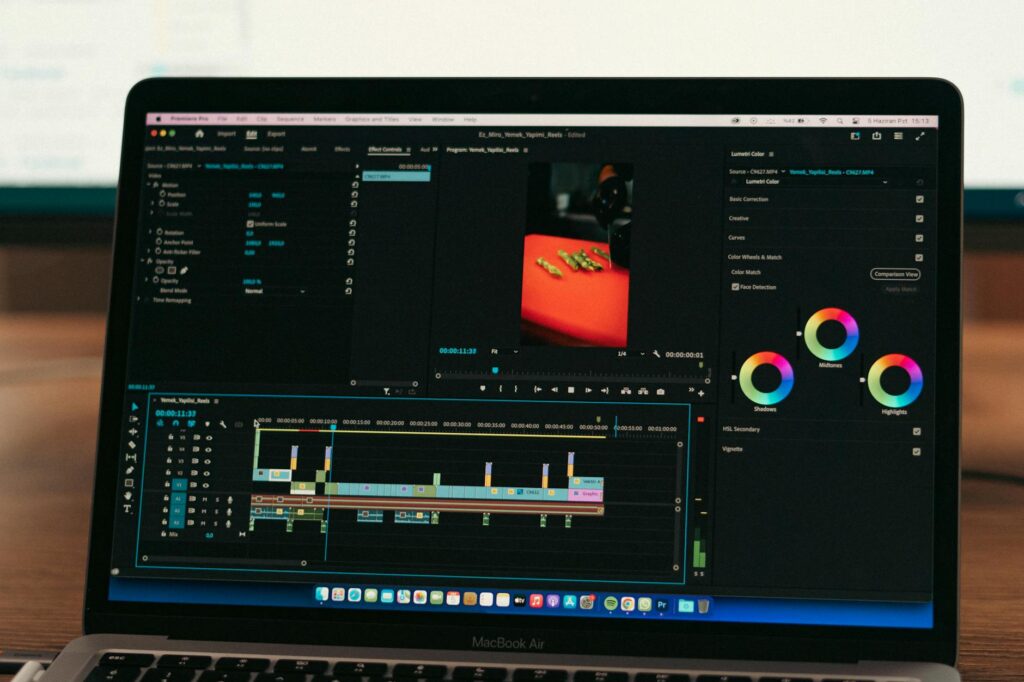
The editing step intimidates people who’ve never touched video software, but AI-assisted editors have simplified this dramatically. CapCut is free, runs in a browser, and has an auto-caption feature that syncs subtitles to your voiceover in about thirty seconds. For a faceless ai channel, subtitles aren’t optional. Studies consistently show that 85% of social media video is watched without sound, and YouTube rewards videos with accurate captions in search rankings.
If you want more control without paying Adobe prices, DaVinci Resolve’s free version is professional-grade. It has a steeper learning curve, but the color grading and audio mixing tools justify the time investment once you’re producing consistently.
For a completely automated approach, tools like InVideo AI and Pictory AI deserve attention. You paste your script, and these platforms auto-match b-roll footage, add captions, sync voiceover, and export a finished video. The output isn’t as polished as a manually edited video, but for channels where you’re publishing several times a week, automation is worth the slight quality trade-off. Pictory in particular handles the voiceover, footage selection, and captions in a single pipeline.
Thumbnail Creation Without Graphic Design Skills
Thumbnails drive click-through rates more than any other single factor. Adobe Firefly and Canva’s AI image generation tool both let you create custom thumbnail visuals from text prompts. Layer your title text over these in Canva using their free plan. Aim for high contrast, bold fonts, and a single clear focal point. You don’t need a face in a thumbnail to get clicks. Finance channels like “Andrei Jikh” and history channels like “Knowledgia” prove this consistently.
Choosing Your Niche Strategically for a Faceless AI Channel
Not all niches are equally suited to the faceless format. The best ones share a common trait: the content is inherently visual or narrative-driven in a way that doesn’t require a personality-led presentation. Here’s where the faceless YouTube AI model performs strongest:
- Personal finance and investing: High CPM, evergreen content, massive audience. Topics like “how to invest $500” or “best index funds 2025” perform for years.
- History and documentary: Narrated over archival footage or AI-generated imagery. Channels in this space regularly hit millions of views per video.
- True crime: Narrative-driven, existing audience hungry for content, works well with text-on-screen visuals and dramatic AI voiceover.
- Tech and software tutorials: Screen recording plus voiceover. Extremely high search volume, especially for niche software products with dedicated user bases.
- Meditation and sleep content: Long-form ambient videos with AI-generated visuals and calming voiceover. Extremely low production effort, very high watch time.
- Motivational and self-improvement: Quote-style content works well short-form on Shorts and TikTok, where the faceless AI videos format dominates.
Avoid niches where personality and trust are the product. Cooking channels, fitness channels, and vlogs depend on a connection with a specific person. Trying to run those formats without showing your face works against you structurally.
Monetization and Scaling Your Output
Once you hit YouTube’s monetization threshold (1,000 subscribers and 4,000 watch hours, or 500 subscribers and 3 million Shorts views for the newer program), ad revenue kicks in. But that’s just one stream. Affiliate marketing often outperforms ad revenue for faceless channels, especially in finance and tech niches where you can recommend software tools, brokerage accounts, or courses and earn commissions on every referral.
Scaling is where the AI-first approach really pays off. Once your workflow is dialed in, producing two or three videos per week is realistic without hiring anyone. Use a tool like Notion AI or Trello to batch your content calendar. Write four scripts in one sitting, generate all four voiceovers back to back, source visuals in a single session, and edit across a dedicated production day. Batch production is how solo creators compete with teams.
Sponsorships become available once you build an audience in a specific niche. Faceless channels can command the same rates as on-camera channels because sponsors care about audience size and engagement, not whether the creator’s face is visible.
The Realistic Timeline and What to Expect
Don’t expect overnight results. Most faceless channels that succeed consistently publish for six to twelve months before seeing significant traction. The algorithm rewards consistency and audience retention above all else. Your first ten videos will be worse than your last ten, and that’s fine. Each one teaches you something about pacing, thumbnail strategy, and which topics your audience actually engages with.
Set a target of publishing at least one video per week for the first three months. Use YouTube Studio analytics to identify which videos hold audience attention past the 50% mark. Double down on those formats. Cut the ones that lose viewers in the first thirty seconds. This feedback loop, not the AI tools themselves, is what separates channels that grow from ones that stall.
The tools are available right now. ElevenLabs handles your voice, Pictory or CapCut handles your edit, and ChatGPT handles your script. There’s no reason to wait for a better camera setup, a better microphone, or better lighting. Start building your faceless AI channel this week, and in six months you’ll have a publishing archive that would have taken a full production team to create just a few years ago.