Your Fitness Channel Doesn’t Need a Film Crew Anymore
Fitness content is one of the most competitive niches on the internet, and if you’ve ever tried to film, edit, and upload a polished workout video solo, you know it can eat up half your day before a single rep gets recorded. That’s exactly why AI video tools have become a genuine game-changer for fitness creators, gym owners, personal trainers, and even total beginners who just want to share what they know.
The good news is that creating ai fitness videos no longer requires a Ring light, a mirrorless camera, and six hours of editing expertise. Modern AI tools can handle scriptwriting, voiceovers, avatar-based presenting, automatic captions, background music, and even full video generation from a text prompt. Let’s break down how to actually use these tools to build something worth watching.
Planning Your Fitness Video Before the AI Does the Heavy Lifting
Here’s the part most people skip: strategy. Before you open a single AI tool, you need to know what your video is actually for. Is it a five-minute beginner HIIT routine? A 30-second Instagram Reel showing a single exercise with form tips? A full 20-minute guided yoga flow? The format and platform dictate everything that follows.
Spend ten minutes answering these questions before you touch any software:
- Who is the audience? (beginners, athletes, older adults, postpartum moms, etc.)
- What’s the primary platform? (YouTube, TikTok, Instagram, a private membership site)
- Will you appear on camera, use an AI avatar, or use stock footage of movement?
- Do you want a narrator voice or on-screen text to carry the instruction?
These decisions determine which AI tools you’ll actually need. A personal trainer building a fitness channel with AI will have very different requirements than a supplement brand creating short promotional clips. Know your goal first, then pick your tools.
Using AI to Write Workout Scripts That Actually Sound Like You
The script is the skeleton of any good workout video. ChatGPT, Claude, and similar large language models are genuinely excellent at generating structured fitness scripts when you give them specific inputs. Vague prompts produce vague results. Instead of typing “write a workout video script,” try something like: “Write a 600-word script for a 10-minute beginner full-body strength workout for women over 40. Use an encouraging tone, include warm-up and cool-down cues, and give brief form reminders for each exercise.”
The output won’t be perfect on the first pass, but it’ll be 80% of the way there in about 30 seconds. You then edit it to match your voice, add your personality, swap out exercises you don’t like, and tighten the pacing. This approach cuts scripting time from an hour down to about 15 minutes for most creators. That’s not a small win.
One practical tip: paste the script back into the AI and ask it to flag any instructions that might be confusing for beginners, or ask it to add breathing cues throughout. The more specific your follow-up prompts, the better the final script becomes.
Generating Voiceovers and AI Presenters Without Hiring Anyone
This is where workout video AI really starts to feel like magic. Tools like ElevenLabs, Murf, and Descript let you generate realistic voiceovers from your script using AI voices, or better yet, your own cloned voice. You record about ten minutes of yourself speaking clearly, upload it, and from that point forward the system can read any text in your voice. No more re-recording because you stumbled over one sentence at the 4-minute mark.
For creators who don’t want to appear on camera at all, AI avatar platforms like HeyGen, Synthesia, and D-ID take this further. You can create a digital presenter, dress them in gym clothes, and have them deliver your script with reasonably natural movements and expressions. It’s not quite indistinguishable from a real human yet, but for instructional fitness content where the actual exercise footage does most of the communicating, it works surprisingly well.
If you’re building exercise content with AI for a faceless fitness channel, this combination of cloned voice plus stock exercise footage is one of the most efficient pipelines available right now. You’re essentially producing professional-quality instructional content without ever turning on a camera yourself.
Assembling the Video: AI Editing Tools That Cut Your Post-Production Time in Half
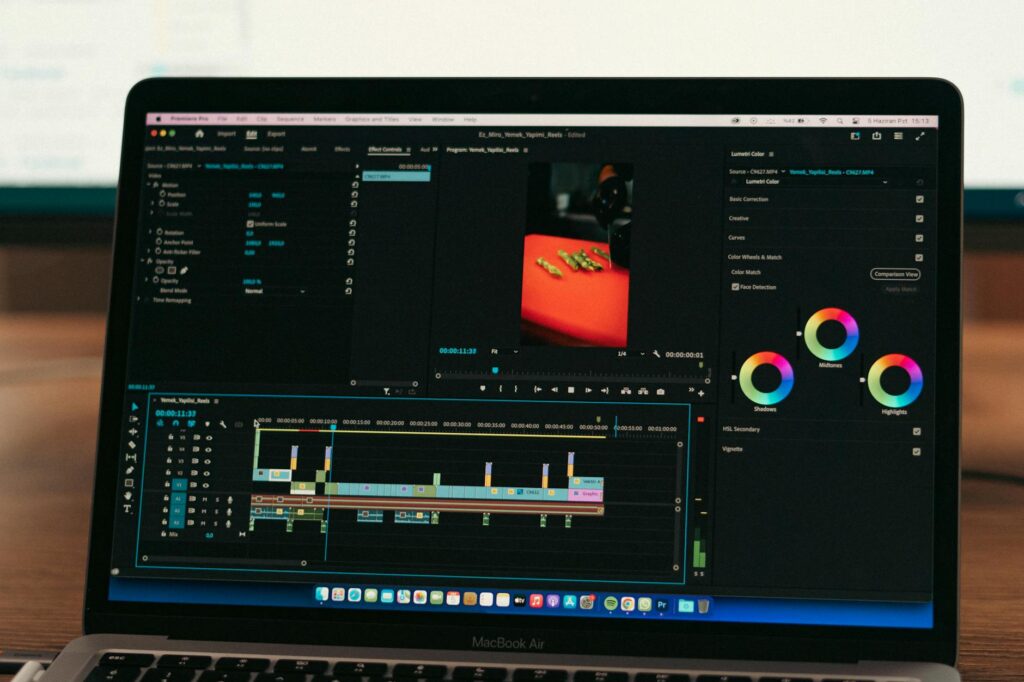
Once you’ve got your script, voiceover, and any raw footage or AI-generated visuals, the editing stage is where most people lose momentum. Traditional video editing has a steep learning curve. AI-powered editors flatten that curve considerably.
Pictory and Runway are two strong options here. Pictory lets you paste in your script and automatically matches relevant stock video clips to each section. For fitness content, this means it can pull up footage of someone doing squats when your script mentions squats, someone stretching when you mention cool-downs, and so on. The automated matching isn’t always perfect, but it gets you a rough cut in minutes rather than hours.
Runway is better suited for creators who want more creative control or who are working with their own recorded footage. Its AI tools can remove backgrounds, auto-cut on beat to music, generate B-roll, and even create short cinematic clips from text descriptions. Want a slow-motion shot of someone lifting a dumbbell in a sunlit gym? Describe it, and Runway’s video generation tools will attempt to build it.
CapCut, which many short-form fitness creators already use, has also added solid AI features including auto-captions, background removal, and template-based AI editing that snaps your clips into trending formats automatically. It’s free and genuinely useful for TikTok and Reels-length ai fitness videos.
Adding Music, Captions, and Branding Without Losing Your Mind
Background music in workout videos isn’t optional. It sets pace, energy, and tone. The problem is that almost every popular track is copyright-protected, and one Content ID claim can strip the audio from your entire video or get it demonetized. AI music generators solve this cleanly.
Suno and Udio can generate original, royalty-free music tracks from simple text prompts. “Upbeat gym music, 130 BPM, electronic, motivational” will get you a usable track in under a minute. It’s not going to replace a professional music producer, but for YouTube workout videos or Instagram fitness clips, it absolutely does the job.
Captions are non-negotiable in 2024. Roughly 85% of social media videos are watched without sound at least some of the time, and fitness content is often consumed while people are already at the gym or on a treadmill with their headphones in a different playlist. Tools like Kapwing, Descript, and even native TikTok captions use AI transcription to auto-generate and sync captions with very high accuracy. Clean, readable captions also help with accessibility and SEO simultaneously.
For branding, Canva’s AI tools let you generate consistent intro/outro sequences, thumbnail templates, and lower-third graphics that match your channel colors and fonts. Spend an hour building your template library once and it pays dividends across every video you make afterward.
Building a Repeatable AI Workout Video Creation Workflow
The real power of ai workout video creation isn’t any single tool. It’s building a repeatable system that lets you produce more content with less friction every single week. Here’s a practical workflow that combines everything above:
- Step 1 (10 min): Use ChatGPT or Claude to generate your workout script based on a specific audience and format.
- Step 2 (15 min): Edit the script to match your voice and verify the exercise instructions are accurate.
- Step 3 (10 min): Generate your voiceover using ElevenLabs or your cloned voice tool of choice.
- Step 4 (20 min): Assemble the video in Pictory or CapCut using stock footage or your own clips, with the AI auto-matching visuals to script sections.
- Step 5 (10 min): Add AI-generated background music, enable auto-captions, and drop in your branded intro/outro.
- Step 6 (5 min): Export, schedule, and repurpose clips for short-form platforms.
That’s a full workout video in roughly 70 minutes. Compare that to the four-to-six hour production days many fitness creators currently grind through, and the math speaks for itself.
What AI Still Can’t Do (And Where You Still Need to Show Up)
Let’s be honest about the limits. AI tools are brilliant at structure, efficiency, and production polish. They’re not brilliant at authenticity, real-time motivation, or the kind of credibility that comes from a trainer who’s visibly worked hard and knows their craft deeply. Viewers can tell the difference between a video where a real person is genuinely cuing them through a tough set and a fully automated production with no human energy in it.
The best approach for most fitness creators isn’t to replace yourself with AI. It’s to use AI to handle the time-consuming production work so you can focus on the parts only you can do: the real demonstrations, the genuine personality, the coaching instincts that come from actual experience. Use AI as your production assistant, not your replacement.
If you’ve been sitting on fitness expertise but holding back because video production felt too overwhelming, this is the moment to start. Pick one tool from this article, use it this week on a single video, and see what the process feels like. The fitness channel ai pipeline has never been more accessible, and the creators who figure out these workflows now will have a serious head start on everyone who waits for the technology to get “good enough.” It already is.