Why Health Creators Are Turning to AI Video Tools Right Now
Health and wellness is one of the most competitive niches on the internet, and the creators winning right now aren’t necessarily the ones with the biggest budgets. They’re the ones who’ve figured out how to produce consistent, high-quality content without burning out. That’s exactly where AI video tools come in.
If you’ve been thinking about launching an ai fitness channel or scaling up an existing wellness brand, the toolkit available today is genuinely remarkable. We’re talking about tools that can generate scripts, create voiceovers, produce avatar-led videos, add captions, and even suggest content calendars, all without a camera or a production crew. The barrier to entry has dropped dramatically, and creators who understand how to use these tools effectively are pulling ahead fast.
This guide walks you through the entire process, from idea to published video, using AI at every stage. Whether you’re a solo creator, a fitness coach trying to scale your content, or a brand building a wellness channel ai presence, there’s a workflow here that’ll work for you.
Choosing the Right AI Video Tools for Health Content
Not all AI video platforms are built the same, and health content has some specific requirements you need to think about. You want tools that produce clear, professional visuals, support accurate spoken content (mispronounced medical terms are a credibility killer), and give you enough customization to build a recognizable brand aesthetic.
Here are the main categories of tools you’ll be working with:
- AI Script Generators: Tools like ChatGPT, Claude, or Jasper can draft full video scripts based on a topic prompt. For health content, you’ll want to refine outputs carefully, but they’re excellent starting points.
- AI Avatar Platforms: Synthesia, HeyGen, and D-ID let you create on-screen presenters without filming yourself. You pick an avatar, paste in your script, and get a polished talking-head video.
- Text-to-Video Tools: Platforms like Pictory, InVideo AI, and Runway can turn scripts or blog posts into video sequences with stock footage, transitions, and music automatically matched to the content.
- AI Voiceover Generators: ElevenLabs, Murf, and Play.ht produce realistic human-sounding narration. For wellness content, tone matters a lot, and these tools let you audition dozens of voices to find one that fits your brand.
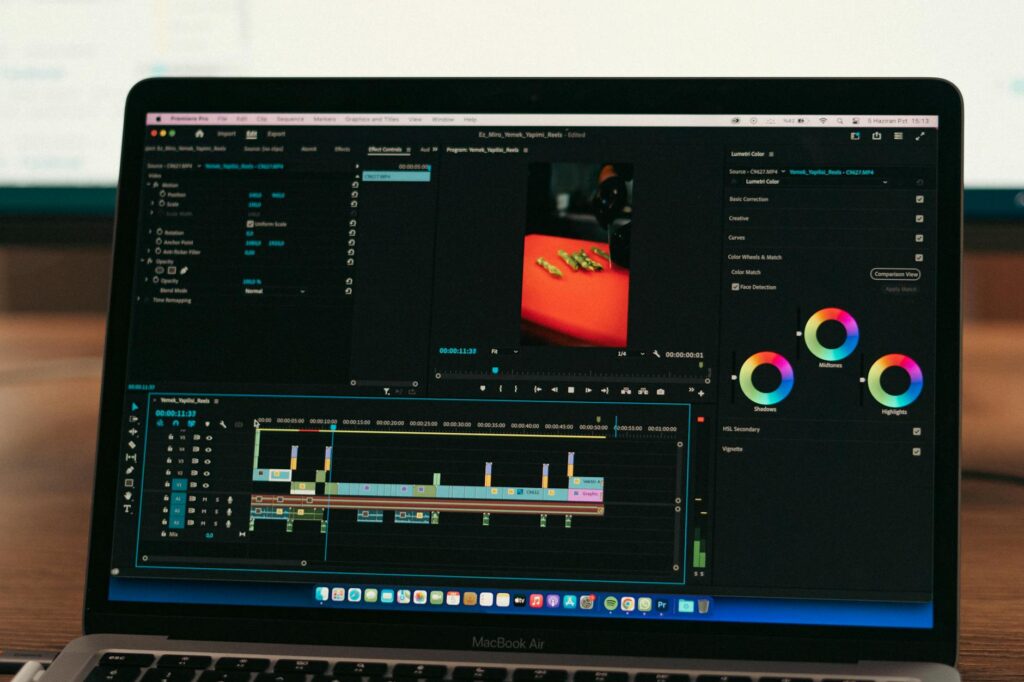
- Auto-Captioning and Editing Tools: Descript and CapCut’s AI features handle transcription, caption styling, and even filler word removal automatically.
For a full wellness video ai production workflow, most creators end up combining two or three of these tools rather than relying on a single platform. The sweet spot for most beginners is a script generator plus an avatar platform plus an auto-captioning tool. That combination alone can get you from idea to finished video in under two hours.
Building a Repeatable Script Formula for Health Topics
Consistency is what separates hobby channels from channels that actually grow. One of the smartest things you can do when creating ai health videos is build a script template that you use every single time. AI tools make this incredibly easy to implement at scale.
A strong health video script typically follows this structure:
- Hook (first 10 seconds): Lead with a specific problem, stat, or surprising claim. “If you’re doing cardio for weight loss but skipping this one step, you’re leaving about 30% of your results on the table” is infinitely more compelling than “Today we’re talking about cardio.”
- Credibility Signal (seconds 10-20): Briefly establish why the viewer should trust this content. This could be a credential, a testimonial-style statement, or simply naming a specific research source.
- Core Content (the bulk of the video): Break this into three to five clear points or steps. AI tools are excellent at generating structured lists on health topics. Ask for “five evidence-based tips for improving sleep quality” and you’ll get a solid draft in seconds.
- Call to Action: Every video needs one. Subscribe, download a guide, book a consultation, follow on Instagram. Don’t skip this.
When you prompt your AI script tool, be specific. Instead of asking for “a video about stress,” try “Write a 90-second video script for a wellness channel targeting women aged 30-45 about three breathing techniques that reduce cortisol levels, in a calm and encouraging tone.” The specificity of your prompt directly affects the quality of your output.
One pro tip: always run health claims through a quick fact-check before publishing. AI tools can hallucinate statistics or misattribute research. A simple Google Scholar search on any specific claim takes about 60 seconds and protects your credibility.
Creating Your First AI-Generated Wellness Video Step by Step
Let’s make this concrete. Here’s a workflow you can follow starting today, using tools that are either free or low-cost.
Step 1: Generate and Refine Your Script
Open ChatGPT (the free version works fine for this) and use the structured prompt format described above. Ask for a script on a specific health topic your audience cares about. Paste the output into a document, then read it out loud. Reading aloud catches awkward phrasing that looks fine on screen but sounds weird when spoken. Edit anything that doesn’t flow naturally in conversation.
Step 2: Choose Your Visual Approach
You’ve got two main options here. The first is an avatar-led video, where an AI presenter delivers your script directly to camera. This works well for educational health content, explainers, and anything that benefits from a human face on screen. The second is a footage-and-narration format, where B-roll clips play over a voiceover. This works brilliantly for workout demonstrations, nutrition content, mindfulness topics, and anything visually descriptive.
For health content ai video production, both approaches are legitimate. Many successful channels actually mix both formats depending on the topic.
Step 3: Generate Your Voiceover or Avatar Video
If you’re going the avatar route, upload your script to HeyGen or Synthesia, select an avatar that matches your brand’s vibe, and hit generate. Most renders take five to fifteen minutes depending on video length. If you prefer the footage-and-narration route, generate your audio in ElevenLabs first, then import it into Pictory or InVideo AI, which will automatically match relevant stock footage to your script’s keywords.
Step 4: Add Captions and Brand Elements
Upload your finished video to Descript or CapCut and use the auto-caption feature. Captions are non-negotiable for wellness content. Roughly 85% of social media videos are watched without sound, and viewers who do watch with sound still retain information better when captions are present. Customize the caption font and color to match your brand palette so every video feels cohesive.
Step 5: Export and Publish
Export in the appropriate aspect ratio for your platform. YouTube wants 16:9 horizontal. Instagram Reels, TikTok, and YouTube Shorts all want 9:16 vertical. If you’re publishing to multiple platforms, some tools let you export in both formats simultaneously, which saves a lot of time.
Content Strategy Specifically for AI Fitness and Wellness Channels
Having the technical workflow down is only half the battle. The other half is knowing what to make. When you’re running an ai fitness channel or wellness brand, your content strategy needs to address the specific way people search for health information online.
People searching for wellness content are almost always looking for solutions to specific problems. They’re not searching “wellness tips.” They’re searching “how to sleep better with anxiety” or “best low-impact workout for bad knees.” Your content needs to meet them where they are. AI tools can actually help here too. Ask ChatGPT to generate 20 specific video topic ideas for your niche based on common questions people have, then run those topics through a free keyword tool like Ubersuggest to find ones with decent search volume.
Batch creation is a game-changer for AI-powered wellness channels. Because the production time per video is so much shorter with AI tools, you can realistically script, produce, and caption five to ten videos in a single day. Many successful creators do monthly batch sessions where they produce four weeks of content at once. This keeps publishing schedules consistent without the constant pressure of weekly production deadlines.
Evergreen content performs especially well in the health space. Videos about foundational topics like hydration, sleep hygiene, posture, stress management, and basic nutrition continue attracting views for years. Prioritize these when you’re first building your library, since they’ll keep generating traffic long after you’ve moved on to newer content.
Staying Credible and Compliant in Health Video Content
This part doesn’t get talked about enough in AI content creation circles, but it’s genuinely important. Health content carries a higher responsibility than most niches. People make real decisions about their bodies based on what they watch. That means a few non-negotiable practices if you want to build a channel that lasts.
Always include a disclaimer stating that your content is for informational purposes only and doesn’t replace professional medical advice. This isn’t just legal protection, it’s the right thing to do. Place it in your video description and, for any video making specific health claims, in the video itself.
Avoid making specific treatment claims. There’s a big difference between “this breathing technique may help reduce stress” and “this will cure your anxiety.” AI-generated scripts occasionally drift into overclaiming, so watch for this when editing. Keep your language measured and evidence-aware rather than sensational.
If you’re not a licensed health professional yourself, citing your sources adds enormous credibility. Drop the study name or website link in your description. It signals that your content is research-backed rather than just opinion, and viewers in the health space genuinely notice and appreciate that.
Start Small, Build Fast, Stay Consistent
The biggest mistake new creators make is waiting until everything feels perfect before they publish. Your first five ai health videos will not be your best. That’s completely fine. The creators building real audiences with wellness video ai workflows right now didn’t start with polished production. They started with a solid system, published consistently, and improved with every video.
Pick one sub-niche within health and wellness (sleep, fitness for beginners, plant-based eating, mental wellness, whatever genuinely interests you), set up your two or three core AI tools this week, and produce your first video using the workflow above. Publish it. Watch the analytics. Adjust. Repeat. That simple loop, executed consistently over six to twelve months, is what separates channels that break through from the ones that never got started.