Holiday Videos Used to Take Weeks. AI Has Changed That Completely.
The brands winning holiday seasons right now aren’t necessarily the ones with the biggest budgets. They’re the ones moving fastest, publishing seasonal video content across every platform before their competitors have even briefed their design teams. AI makes that possible, and if you’re not using it yet, you’re leaving serious ground on the table.
Creating ai holiday videos used to mean hiring a videographer, booking a studio, sourcing seasonal props, and editing for hours. Now, with the right stack of AI tools, a single person can produce polished, platform-ready seasonal video content in a fraction of that time. This article walks through exactly how to do it, from concept to final export, without getting lost in tool tutorials or marketing fluff.
Why Seasonal Video Content Is a Different Beast Than Regular Marketing
Seasonal content has a ruthless deadline problem. A Christmas campaign that launches on December 22nd is basically useless. An Easter video published after the long weekend doesn’t exist. The window is narrow, the competition is intense, and audiences are bombarded with festive messaging from every direction. Your content has roughly three seconds to earn attention before someone scrolls past.
That urgency is exactly why seasonal ai video production has exploded in popularity among small businesses and solo creators. They can’t afford to be slow. AI tools remove the bottlenecks that used to make fast, high-quality video production exclusive to well-resourced marketing teams.
Beyond speed, there’s a consistency challenge. Brands that show up across Halloween, Thanksgiving, Christmas, Valentine’s Day, Eid, Diwali, and every other seasonal moment need a production workflow that scales. Recreating a custom video strategy from scratch every eight weeks isn’t realistic. AI makes it repeatable.
Building Your Seasonal Video Workflow with AI
Before you open a single tool, you need a clear idea of what each seasonal video needs to accomplish. Is it driving traffic to a limited-time offer? Building brand warmth and emotional connection? Showcasing a product in a festive context? The answer shapes every decision downstream, from script to visual style to music choice.
Once you’ve got a clear objective, here’s a workflow that actually works:
Step 1: Generate Your Script with an AI Writing Assistant
Start with ChatGPT, Claude, or a purpose-built marketing copywriting tool. Give it specific context: the holiday, your audience, your product or service, the platform (Instagram Reel vs. YouTube ad vs. homepage hero video), and the emotional tone you’re after. Don’t just ask for “a Christmas video script.” Ask for a 30-second script for a cozy, nostalgia-driven Christmas ad promoting a small candle business, targeting women aged 28-45, ending with a clear call to action to shop the holiday collection.
Specificity produces usable output. Vague prompts produce generic content that sounds like every other brand’s holiday filler. Spend two minutes crafting a detailed prompt and you’ll save twenty minutes of editing the result.
Step 2: Source or Generate Visuals with AI Image and Video Tools
This is where ai festive content creation gets genuinely exciting. Tools like Midjourney, Adobe Firefly, and DALL-E 3 can generate seasonal imagery that’s on-brand and completely unique. You’re not pulling from the same stock photo library as fifty other businesses. You’re creating visuals that belong to your brand.
For actual video generation, tools like Runway Gen-3, Pika Labs, and Kling AI let you turn text prompts or still images into short video clips. You might generate a scene of snow falling over a decorated storefront, a family gathered around a dinner table with warm lighting, or product close-ups with seasonal bokeh effects. These clips don’t need to be long. Most holiday marketing ai video content is assembled from multiple short clips stitched together, which is exactly how these tools work best.
A realistic expectation: AI video generation at the moment produces clips that work best at 3-8 seconds each. You’ll typically generate more clips than you need and select the strongest ones. Build that selection buffer into your time estimate.
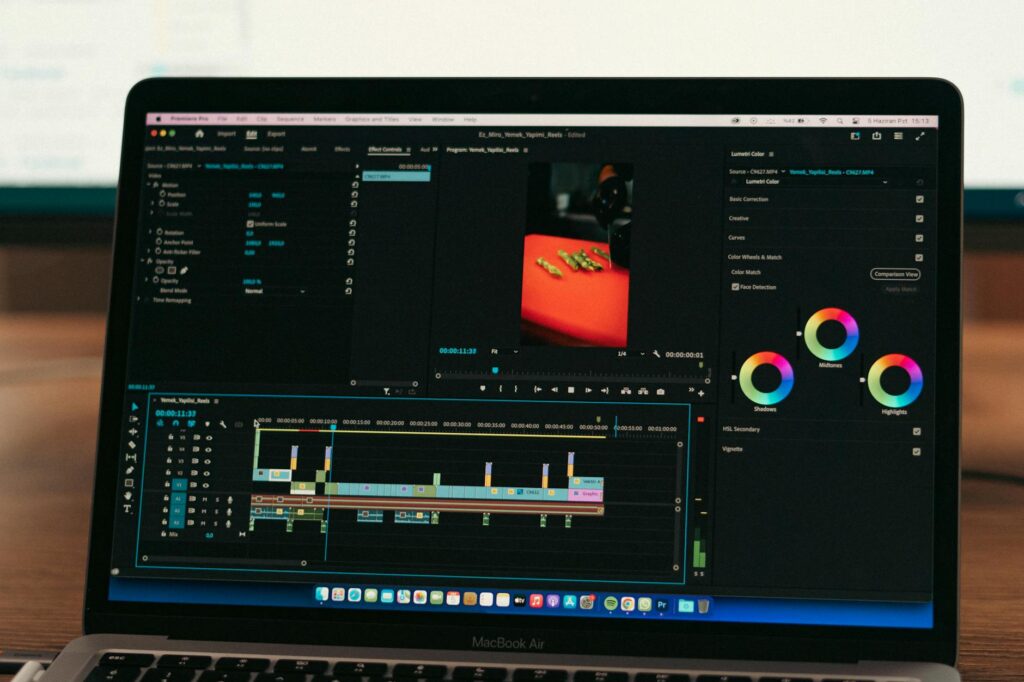
Step 3: Assemble and Edit with AI-Assisted Video Editors
Tools like Descript, CapCut, and Adobe Premiere with its AI features have dramatically reduced editing time. CapCut in particular has become a go-to for social-first seasonal video content ai creators swear by, largely because of its auto-captions, AI beat sync, and template library that includes seasonal presets.
Descript is worth mentioning separately because it lets you edit video by editing text. Delete a sentence from the transcript, the video clip disappears. It’s a genuinely different way of working that speeds up the back-and-forth between script and final cut.
For holiday marketing specifically, look for editors that include royalty-free seasonal music libraries. Epidemic Sound and Artlist both integrate with major editing platforms and offer extensive holiday and seasonal tracks. The right music does about 40% of the emotional work in a festive video. Don’t underestimate it.
Platform-Specific Tactics for Holiday AI Videos
Different platforms reward different approaches, and that’s true for seasonal content as much as anything else.
Instagram and TikTok: Speed and Authenticity Win
On short-form social, highly polished production can actually work against you. Audiences on these platforms have developed a strong radar for content that feels corporate. Seasonal ai video content that looks slightly raw, moves quickly, and has a human voiceover tends to outperform perfectly composited brand films. Use AI to cut production time, but don’t let the output look like it was assembled by a machine. Add a real voice, include at least one genuine human moment, and keep captions on since roughly 85% of Instagram videos are watched without sound.
YouTube and Website: Longer, More Emotional Storytelling
YouTube pre-rolls and website hero videos have more room to breathe. Here you can go 60 seconds or more and build an actual narrative arc. AI tools are particularly powerful for this format because you can generate establishing shots, product scenes, and closing moments separately and assemble them into something that looks like it required a full shoot day. A well-structured 90-second holiday brand film built from AI-generated clips, a professionally recorded voiceover, and licensed music can easily pass for a $5,000 production if you’re thoughtful about the composition and transitions.
Email Marketing: Short and Direct Works Best
Embedded video in email has high engagement when it works, but deliverability and compatibility issues mean many marketers use a video thumbnail that links out to a landing page instead. A 10-15 second ai festive content clip set as an animated GIF or used as a thumbnail background can dramatically increase click-through rates compared to static email headers. Tools like Canva’s video features or Lumen5 can generate these thumbnail-style clips quickly with seasonal overlays and branding.
The Prompt Strategy That Makes Seasonal AI Content Actually Look Good
Most people who complain that AI-generated video looks fake are using prompts that are too short. “Christmas living room with fireplace” is going to give you something generic. Try this instead: “Cinematic close-up of a crackling fireplace with soft bokeh Christmas lights in the background, golden warm tones, film grain texture, slow motion, shallow depth of field, 4K quality.”
The difference in output quality is significant. A few principles that consistently improve results across all AI visual tools:
- Specify the camera style (close-up, wide shot, overhead, handheld, cinematic) rather than leaving it to default
- Include lighting direction (warm side lighting, soft diffused daylight, candlelight) because lighting is what makes AI visuals feel cozy and seasonal
- Name a film stock or visual reference if the tool supports it (Kodak Portra 400, Fujifilm Velvia)
- Request a specific color palette rather than assuming the tool will choose a festive one
- Add motion descriptors for video clips: slow pan, gentle zoom in, subtle camera shake, smooth tracking shot
Spending ten minutes developing a strong prompt template for each seasonal campaign is one of the highest-leverage things you can do. Once you have a template that produces consistent results, you can iterate quickly across multiple clips without starting from scratch each time.
The Real Cost and Time Math on AI Holiday Video Production
Let’s be direct about what this actually costs. A mid-tier AI production stack for seasonal video content might include Midjourney at around $10-30 per month, Runway or Pika at $15-35 per month, CapCut Pro at around $10 per month, and Epidemic Sound at roughly $15 per month. You’re looking at $50-90 per month for a full production capability that replaces several thousand dollars of traditional video production per project.
Time-wise, a competent creator who knows these tools can produce a finished 30-60 second holiday video in 3-6 hours on the first attempt. After you’ve run through the workflow twice and have your prompt templates locked in, that drops to 1.5-3 hours. Compared to the days or weeks required to coordinate traditional video production, that’s transformative for anyone running lean.
The caveat worth acknowledging: AI video tools are improving weekly, but they’re not perfect. You’ll generate clips that don’t make the cut. Hands still look weird sometimes. Motion can feel unnatural on certain subjects. Plan for a 30-40% clip rejection rate and generate accordingly. It’s still dramatically faster than the alternative.
Start Small, Ship Fast, and Build Your Seasonal AI System
The best way to get good at holiday marketing ai video production isn’t to read more about it. It’s to pick the next seasonal moment on your calendar, block out a day, and run the full workflow from script to exported file. You’ll make mistakes. You’ll find tools that click for you and some that don’t. You’ll develop opinions about which AI models produce better festive imagery and which ones consistently miss the mark.
That hands-on experience compounds quickly. Creators who invested time learning these tools ahead of last Christmas are now producing seasonal video content in a fraction of the time it takes their competitors. The window to build that advantage before the next major holiday season is right now. Pick a tool, write a prompt, and make something. The learning curve is gentler than you think, and the output quality will surprise you.