LinkedIn Video Is Having a Moment , And AI Is Why Most Creators Are Winning
Video on LinkedIn gets roughly three times more engagement than text posts. If you’re still relying on carousels and walls of text to build your professional brand, you’re leaving a serious amount of visibility on the table.
Here’s the thing though: most people avoid LinkedIn video because it feels like too much work. You need a script, decent lighting, editing skills, and enough confidence to press record on your face. That’s a lot of friction. AI tools have quietly dismantled almost all of it, and the people who’ve figured that out are consistently showing up at the top of feeds right now.
This isn’t about gaming the algorithm. It’s about removing the production barriers so you can actually show up consistently with professional video ai content that reflects what you know and what you offer. Let’s break down exactly how to do it.
Start With the Script: Let AI Do the Heavy Lifting
The blank page problem is real. You know your topic, but staring at a cursor waiting for a “good enough” hook is how LinkedIn posts never get made. This is where AI writing tools become your first best friend in the production process.
Tools like ChatGPT, Claude, or Jasper can turn a rough idea into a tight, punchy video script in about two minutes. The key is prompting them correctly. Don’t just type “write me a LinkedIn video script about leadership.” That produces generic output. Instead, try something like: “Write a 60-second LinkedIn video script for a senior marketing manager addressing why most B2B campaigns fail in Q1, using a direct tone and a specific opening hook.”
The specificity changes everything. You get a script you can actually use, or at minimum one that’s 80% there with light editing on your end.
Keep LinkedIn video scripts short. The sweet spot for native LinkedIn video engagement sits between 30 and 90 seconds for most professional content. Longer formats (3 to 5 minutes) work for deep-dive tutorials or thought leadership, but they need a strong hook in the first five seconds or people scroll. AI can help you write both, just tell it the intended length upfront.
Using AI to Match Your Voice
One underrated trick: paste a few examples of your existing writing or speaking style into the prompt and ask the AI to match it. Most tools are surprisingly good at this. You get output that sounds like you rather than a generic LinkedIn post from 2019. That consistency matters when you’re trying to build a recognizable presence.
Creating the Actual Video Without Showing Your Face
Not everyone wants to be on camera, and that’s completely fine. The growth of ai linkedin video tools has made faceless professional video genuinely viable, and in some niches it actually performs better because the focus stays on the content rather than the presenter.
Here are the main approaches:
- AI avatar tools: Platforms like Synthesia, HeyGen, and D-ID let you create a photorealistic avatar that reads your script aloud. You type the script, pick an avatar (or create one that looks like you), and the tool generates a polished talking-head video. No camera, no lighting setup, no retakes.
- Text-to-video tools: Tools like Pictory, InVideo AI, and Lumen5 convert scripts or blog posts into video slideshows with voiceover, stock footage, and auto-generated captions. Great for sharing insights, stats, and listicle-style content.
- Screen recording plus AI voiceover: If you’re showing a process or tool, record your screen and use an AI voice generator (ElevenLabs is excellent here) to narrate. This approach works extremely well for SaaS founders, consultants, and educators.
The linkedin video content ai space has exploded over the last 18 months. There are now tools at every price point, including free tiers that are genuinely usable for getting started.
If You Do Want to Be On Camera
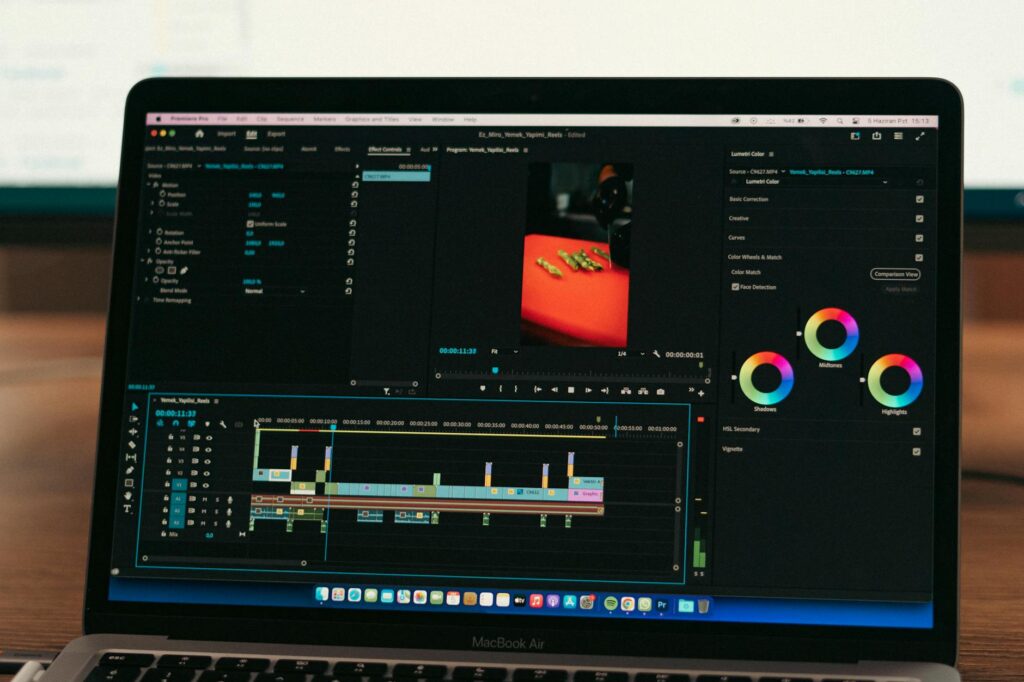
AI can still cut your production time dramatically. Tools like Descript let you edit video by editing the transcript. Delete a sentence from the text and the video cuts it automatically. No timeline scrubbing, no frame-by-frame edits. You can also remove filler words (“um,” “uh,” “like”) with a single click. What used to take 45 minutes of editing now takes about 8.
Captions are non-negotiable on LinkedIn since most people watch with sound off. Descript, CapCut, and Opus Clip all generate accurate auto-captions that you can style and edit in minutes. Uploading a video without captions in 2024 is leaving engagement on the table.
Repurposing Existing Content Into LinkedIn Video
You probably have more video-worthy content sitting around than you realize. A podcast episode, a webinar recording, a long YouTube video, even a detailed LinkedIn post. AI tools let you transform all of it into create linkedin ai video content without starting from scratch.
Opus Clip deserves a special mention here. You upload a long video and the tool uses AI to identify the most engaging clips, auto-adds captions, and formats them for vertical or square aspect ratios. It’s built specifically for social repurposing and it’s genuinely impressive at picking out quotable moments. A 45-minute webinar can become five or six usable LinkedIn clips in about 20 minutes.
Vidyo.ai does something similar with a slightly different interface. Both tools score clips based on predicted engagement, which is useful when you’re not sure which moments will land.
Turning Blog Posts and Articles Into Video
If you publish written content regularly, Pictory is built for this exact use case. Paste in a URL or block of text and it generates a video complete with relevant stock footage, an AI voiceover, and background music. The quality is solid enough for LinkedIn if you spend 10 to 15 minutes customizing the visuals and tweaking the script it pulls from your text.
This is how some creators maintain a daily LinkedIn video presence without actually producing daily video content. They batch-write articles weekly, run them through Pictory, and schedule the resulting videos. It’s an efficient system that more people should be using.
Optimizing Your AI Video for LinkedIn’s Algorithm
Creating a video is only half the battle. LinkedIn’s feed algorithm rewards specific behaviors and content structures, and understanding them makes your linkedin content ai video work a lot harder for you.
A few things that consistently move the needle:
- Native uploads always beat links. Upload directly to LinkedIn rather than sharing a YouTube or Vimeo link. Native video gets dramatically more reach, roughly 5 to 7 times more in most creator reports.
- Hook in the first frame. LinkedIn auto-plays video silently. The thumbnail and the first second of footage need to communicate the value immediately. Use bold text overlays or a strong facial expression if you’re on camera.
- Post copy matters. The text above the video should add context and drive curiosity, not just repeat what the video says. Ask a question, make a bold claim, or share the specific takeaway someone will get from watching.
- Respond to early comments. The first 60 to 90 minutes after posting are critical. LinkedIn’s algorithm interprets engagement velocity as a signal of quality. Reply to every comment quickly, even briefly.
- Keep it under 3 minutes for general content. Data from LinkedIn’s own creator reports shows that videos under 3 minutes consistently outperform longer ones for reach, though watch time is higher on longer educational content among niche audiences.
Using AI to Write the Post Copy Too
Don’t forget that the written hook above your video matters almost as much as the video itself. Use the same AI tools you used to write your script to draft two or three versions of the post caption. Test different angles: a provocative question, a specific statistic, a short personal story. You can run informal A/B testing by varying your approach across posts and tracking which style generates more views and comments over a few weeks.
Building a Repeatable AI Video Workflow
The creators who win on LinkedIn aren’t necessarily making better videos than you could. They’re just consistent. And consistency comes from having a system that doesn’t require heroic effort every single time.
Here’s a practical workflow that combines several AI tools into something you can actually sustain:
- Monday: Brainstorm 3 to 5 video topics using ChatGPT (prompt: “Give me 5 LinkedIn video ideas for a [your role] targeting [your audience] this week”)
- Tuesday: Write scripts for all 5 topics (15 to 20 minutes total with AI assistance)
- Wednesday: Record or generate videos using your preferred tool (Synthesia for avatar, Descript for on-camera, Pictory for text-based)
- Thursday: Edit, add captions, export. Write post copy for each video.
- Friday: Schedule posts using LinkedIn’s native scheduler or a tool like Buffer
Done this way, five professional video ai pieces of content a week is achievable in about 3 to 4 hours of total work. That’s not nothing, but it’s a far cry from the half-day production ordeal that stops most professionals from ever starting.
The Tools Worth Actually Paying For
Free tiers will get you started, but if you’re serious about building a LinkedIn video presence, a few paid tools are genuinely worth the investment. Descript’s creator plan runs around $24 per month and removes watermarks while unlocking better transcription accuracy. HeyGen’s starter plan at $29 per month gives you enough avatar video minutes for a solid weekly cadence. Opus Clip’s paid tier at around $19 per month is worth it the moment you have any long-form content to repurpose.
You don’t need all of them. Pick one workflow and one or two tools, get fluent with them, and build from there. The biggest mistake people make is buying five AI tools, getting overwhelmed, and posting nothing.
Start this week. Pick one topic you know well, drop it into ChatGPT for a script, record or generate a 60-second video, and upload it natively to LinkedIn. That first post won’t be perfect. It doesn’t need to be. What matters is that you’re in the game, because right now the competition for LinkedIn video attention is still surprisingly thin, and the window to build an early-mover advantage with AI tools won’t stay open forever.