The Shortcut Everyone’s Using (And You Probably Aren’t Yet)
Short videos are dominating the internet right now, and the creators winning the most views aren’t always the most talented ones. They’re the fastest. That’s exactly where AI comes in.
AI viral short videos aren’t some futuristic concept anymore. Creators are using these tools right now to pump out polished, engaging content in a fraction of the time it used to take. We’re talking scripted, edited, captioned, and optimized videos produced in under an hour. If you’re still doing everything manually, you’re leaving a serious competitive edge on the table.
This guide breaks down exactly how to use AI at every stage of short video creation, from ideation to posting. No fluff, no vague advice. Just a real workflow you can start using today.
Why Short Videos Are a Different Beast Entirely
Short-form content doesn’t follow the same rules as YouTube videos or blog posts. You’ve got roughly three seconds to grab someone’s attention before they swipe away. That’s not an exaggeration. TikTok’s own internal data has suggested that the first two to three seconds of a video determine whether viewers stay or bounce.
This means every element needs to be intentional. The hook, the pacing, the visuals, the captions, the audio. It’s a lot to juggle when you’re creating manually. AI tools solve this problem by letting you work faster without sacrificing quality. And when you can iterate quickly, you dramatically improve your chances of stumbling onto a format or concept that actually connects with an audience.
There’s also the sheer volume factor. Algorithms on TikTok, Instagram Reels, and YouTube Shorts reward consistency. Posting three to five times a week is realistic with AI. Doing that manually while keeping quality high? Nearly impossible for a solo creator.
Step One: Using AI to Find Winning Video Ideas
Blank page paralysis is real. Fortunately, it’s also completely avoidable.
Start with tools like ChatGPT or Claude to generate video concepts within your niche. Don’t just ask for “video ideas.” Get specific. Try prompts like: “Give me 10 short video concepts for a personal finance account targeting people aged 22 to 35 who feel behind on saving money.” The more specific your prompt, the more usable the output.
You can also use AI to analyze trends. Tools like TrendTok and Exploding Topics surface what’s gaining traction before it peaks. Pair those trend signals with AI-generated scripts and you’re building short viral content with AI rather than just hoping something lands.
Another smart move is feeding competitor video transcripts into an AI tool and asking it to identify the structural patterns. Why did this video get 2 million views? What does the hook look like? How long is the setup before the payoff? AI can reverse-engineer successful content quickly, giving you a repeatable formula instead of guessing.
Step Two: Writing Scripts That Actually Hook People
The script is everything. A mediocre video with a killer script will outperform a visually stunning video with a boring one almost every time.
AI tools are genuinely excellent at writing short-form scripts when you give them the right structure to follow. A simple framework that works well is the problem-agitation-solution model compressed into 30 to 60 seconds. Here’s how you’d prompt it:
- Tell the AI your niche and target audience
- Specify the video length (say, 45 seconds)
- Ask for an attention-grabbing opening line that leads with curiosity or controversy
- Request a clear, single takeaway or call to action at the end
Tools like Jasper, Copy.ai, and even a well-prompted ChatGPT session can produce solid first drafts in seconds. Don’t just copy-paste the output though. Read it out loud, tweak it to sound like you, and cut anything that drags. AI writes fast. Your job is to make it feel human.
One underrated trick: ask the AI to write five different opening lines for the same script concept. Test the best-sounding one. The opening is where views are won or lost, so spending an extra two minutes here pays off.
Step Three: Generating Visuals Without a Camera or Crew
Here’s where it gets really interesting for solo creators. You don’t need to film anything to create viral video AI content anymore. Seriously.
Tools like Runway ML, Pika Labs, and Kling AI let you generate video clips from text prompts or still images. Describe a scene, hit generate, and you’ve got usable footage. The quality has improved dramatically over the past year. These aren’t the blurry, distorted clips from 2023. Current outputs are genuinely clean enough to use in polished short videos.
For creators who do want to appear on camera, tools like HeyGen and Synthesia let you create an AI avatar that reads your script with realistic lip sync. You record yourself once, clone your likeness and voice, and then all future videos get produced without you sitting in front of a camera. Some creators are using this to post daily without filming a single new frame.
If you’re making more stylized content, Canva’s AI video tools and Adobe Firefly offer templates and generative assets that speed up the design process significantly. Combine those with stock footage from platforms like Pexels or Storyblocks and you’ve got a full visual toolkit without a production budget.
Step Four: Editing Fast with AI-Powered Tools
Editing is where most creators lose hours. AI tools cut that time down aggressively.
Descript is one of the best tools available right now for AI-assisted editing. You upload your video, it transcribes it automatically, and then you edit the video by editing the text. Delete a word in the transcript and the corresponding clip disappears. It also removes filler words like “um” and “uh” automatically. For talking-head content, this alone saves enormous amounts of time.
CapCut has become the go-to for AI TikTok viral content creation, and for good reason. It’s free, it’s built specifically for short-form video, and its AI features include auto-captions, smart cut, background removal, and beat-sync editing that matches your cuts to the music automatically. The auto-caption feature alone is worth using because captions increase watch time by keeping viewers engaged even when they’re watching on mute.
Opus Clip is another one worth knowing. You feed it a longer video and it uses AI to identify the most engaging segments, then auto-edits them into short clips optimized for vertical viewing. If you do any long-form content at all, repurposing it with Opus Clip into short vertical videos is almost effortless.
Step Five: Audio, Music, and Voice That Fits the Platform
Audio is criminally underrated in short video strategy. The right sound can add thousands of views because the algorithm promotes videos that use trending audio. The wrong background music feels off and kills retention.
For original voiceovers, ElevenLabs produces AI-generated voices that sound remarkably natural. You can clone your own voice for consistency, or choose from a library of voices in different styles and languages. For creators in multiple markets, this is a game-changer since you can create viral videos with AI narration in Spanish, Portuguese, or French without hiring anyone.
Mubert and Soundraw generate royalty-free music on demand. You set the mood, tempo, and length, and the AI produces a track that fits. No licensing headaches, no copyright strikes. For short videos especially, this matters because monetization and reach both get affected by using copyrighted music outside of official licensing agreements.
If you want to use trending sounds (which does help on TikTok), just make sure you’re checking the native app for what’s trending rather than third-party tools. TikTok’s own trending audio section is updated in real time and the algorithm genuinely responds to it.
Putting the Whole Workflow Together
Here’s a realistic production timeline using the full AI stack described above. This isn’t hypothetical. Creators are running workflows exactly like this right now.
- Minutes 1 to 10: Use ChatGPT to brainstorm five to ten video concepts based on trending topics in your niche
- Minutes 10 to 20: Write and refine a script using AI, including five variations of the opening hook
- Minutes 20 to 35: Generate or source visuals using Runway ML, stock footage, or your AI avatar in HeyGen
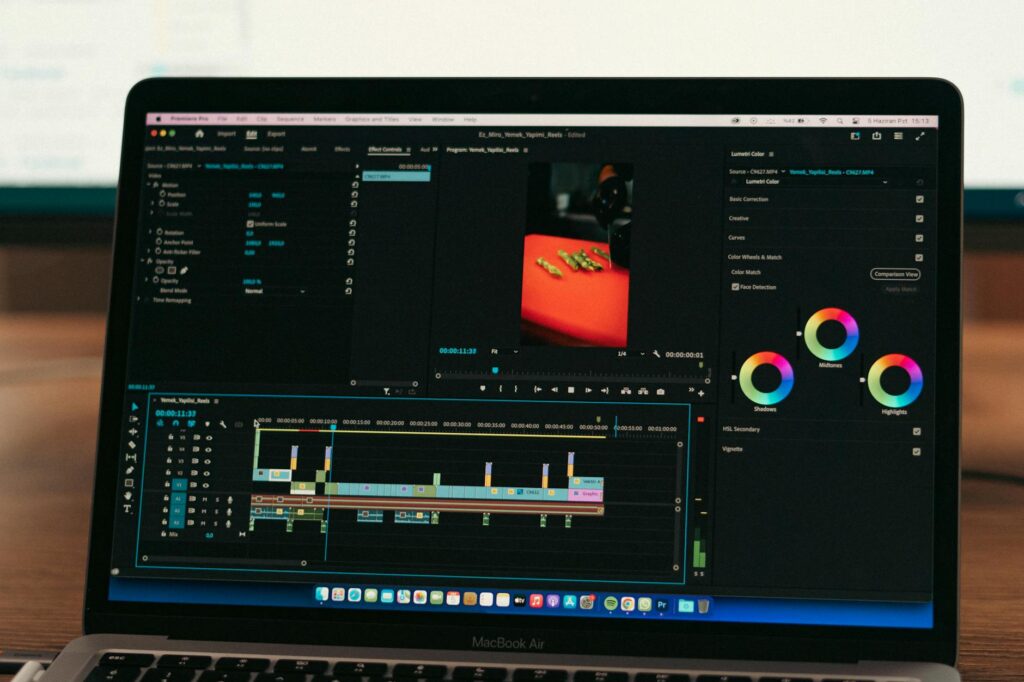
- Minutes 35 to 50: Edit in CapCut or Descript, add captions, sync to music, apply transitions
- Minutes 50 to 60: Write an optimized caption using AI, research hashtags, schedule the post
An hour per video. That’s doable every single day if you want it to be.
The Biggest Mistake Creators Make with AI Video Tools
Using too many tools at once and finishing nothing. It’s easy to spend the entire hour testing new apps instead of actually publishing a video. Pick a core stack and stick with it for at least 30 days. Consistency with a simple setup beats complexity with a bloated one every time.
Also, don’t let AI remove your personality entirely. The create viral videos AI workflow works best when AI handles the heavy lifting and you bring the perspective, tone, and genuine point of view. Audiences follow people, not production pipelines. Use AI as your production team, not as your replacement.
Short viral content AI creation is genuinely accessible now in a way it wasn’t even 18 months ago. The tools are cheaper, faster, and more capable. The barrier to producing high-quality short videos has basically collapsed. So pick one tool from each stage of this workflow, build a first video this week, and post it. Analyze what works, adjust the approach, and repeat. That’s the whole strategy. The creators seeing results aren’t smarter than you. They just started.