Webinar Production Used to Take Days. AI Just Changed That.
Most people running webinars are spending 80% of their time on production and only 20% on the content that actually matters. AI tools have flipped that equation entirely, letting creators and marketers build polished, professional online event videos in a fraction of the time it used to take.
Whether you’re hosting a live virtual summit, a product demo, a training series, or an on-demand course, AI can handle everything from scripting and voiceover to video editing and automated captions. The result isn’t just faster work; it’s genuinely better output, because you can iterate quickly instead of committing to a single take or a single cut.
This guide walks through exactly how to use AI at every stage of webinar video production, from the blank-page moment before you’ve written a word to the final polished file you’ll publish or send to registrants.
Start With AI-Generated Scripts and Structured Outlines
The blank page is where most webinar hosts lose the most time. Staring at a slide deck and wondering how to thread it into a coherent narrative wastes hours that should go into delivery and rehearsal. AI writing tools like ChatGPT, Claude, or Jasper can generate a full webinar script from a topic, target audience description, and a rough list of talking points.
The key is specificity. Don’t just prompt the AI with “write a webinar about email marketing.” Instead, try: “Write a 45-minute webinar script for B2B SaaS founders who want to improve their cold email open rates. Include a hook, three core frameworks, two case study mentions, and a soft pitch for a consulting call at the end.” That level of detail produces something you can actually use rather than rewrite from scratch.
Once you have a script, AI tools can also generate structured slide outlines tied directly to your script sections. Tools like Tome, Gamma, or Beautiful.ai will take a prompt or a pasted script and build a slide deck automatically, complete with section headers, bullet points, and layout suggestions. This creates webinar content AI handles end to end, so you’re spending your time refining rather than building.
Roughly 70% of the final script quality depends on the quality of your initial prompt, so take five minutes to craft a detailed brief before you hit generate. You’ll save yourself far more time on the back end.
Building the Visual Layer: AI Video Generation and Avatars
Here’s where the real transformation happens for online event video production. Traditionally, creating a polished webinar recording meant booking a studio, coordinating camera angles, dealing with lighting, and spending hours in post-production. AI video platforms have made all of that optional.
Tools like Synthesia, HeyGen, and Colossyan let you create a presenter-led ai webinar video using a digital avatar. You paste in your script, choose an avatar (or upload your own likeness), select a voice, and the platform renders a full video with a professional presenter on screen. No camera. No studio. No retakes when you stumble over a sentence.
This matters especially for teams that produce recurring virtual event video content at scale. Instead of coordinating a filming schedule every time you launch a new training or product walkthrough, you update the script and re-render the video in minutes. HeyGen, for example, lets you clone your own voice and facial likeness so the avatar looks and sounds like you, which keeps brand consistency without requiring you to be physically present for every recording.
For presenters who do want to appear on camera, AI tools like Descript or Riverside.fm use machine learning to clean up video quality automatically: removing background noise, stabilizing shaky footage, adjusting exposure, and even removing filler words from the transcript with a single click. If you’ve ever spent three hours editing out every “um” from a 60-minute webinar recording, you’ll understand why this feature alone is worth the subscription price.
Automated Captions, Translations, and Accessibility
One of the most underrated advantages of using AI for webinar content is what happens after the video exists. Getting your content in front of a global audience used to mean hiring a translation service and a caption editor. Now it’s a checkbox in most AI video platforms.
Captions matter more than most webinar hosts realize. Studies consistently show that 80% of viewers who use captions don’t have a hearing impairment; they’re simply watching in a noisy environment, a public space, or in their second language. Accurate captions increase completion rates, improve accessibility compliance, and boost SEO when you publish recordings to YouTube or your website.
Tools like Descript, Otter.ai, and the built-in transcription engines in Synthesia and HeyGen generate captions automatically with accuracy rates above 95% for standard English. For multilingual events, platforms like Rask AI or Maestra can translate your webinar into 50-plus languages with AI dubbing that synchronizes to the original speaker’s lip movements. This turns a single create webinar ai workflow into a piece of content that serves a genuinely global audience without duplicating your production effort.
If you’re running live webinars through Zoom, Microsoft Teams, or Hopin, most platforms now have native AI transcription built in. Turn it on. The transcript becomes raw material you can feed back into AI tools to create highlight clips, written summaries, email follow-ups, and social media content after the event ends.
Using AI to Edit and Repurpose Webinar Recordings
A 60-minute webinar recording is an asset, not just an archive. The hosts who get the most value from their events treat every recording as raw material for a content ecosystem, and AI makes that repurposing genuinely fast.
Opus Clip is one of the standout tools in this space. You upload your full virtual event video ai recording, and the platform analyzes it for high-engagement moments, generates short clips (typically 30 to 90 seconds), adds auto-captions, and scores each clip for predicted social media engagement. In about 20 minutes of processing time, a single webinar becomes 10 to 15 short-form clips ready for LinkedIn, Instagram Reels, or TikTok.
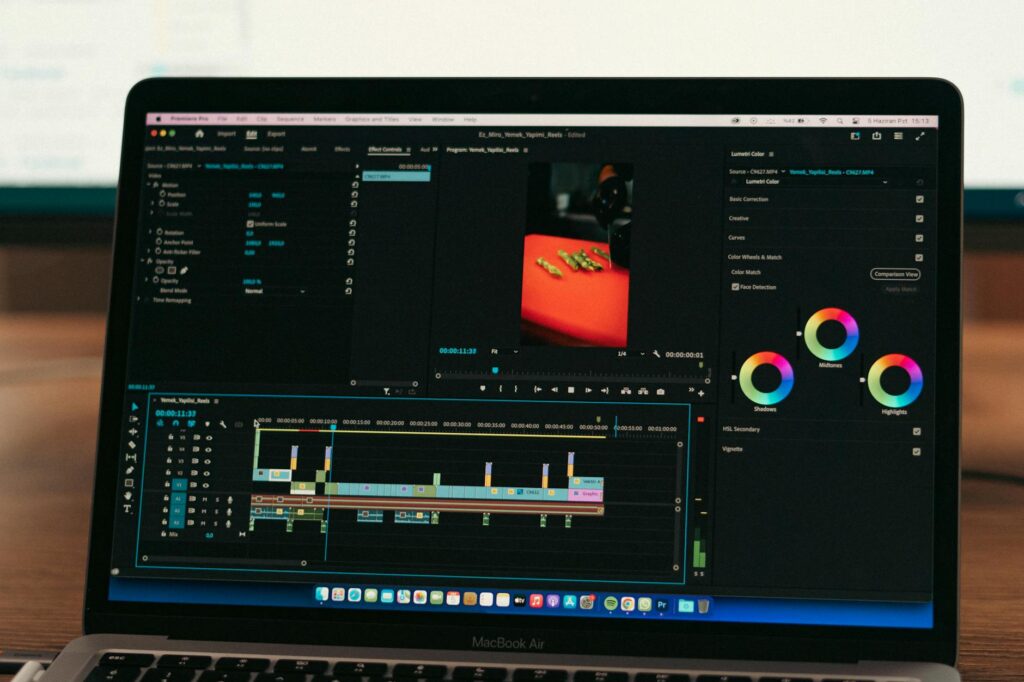
Descript takes a different approach. It transcribes your full video and lets you edit the video by editing the text transcript. Delete a paragraph from the transcript and the corresponding video footage disappears. This is the fastest way to create a tightened highlight reel or a shorter “best-of” version of a long webinar for people who didn’t attend live. You don’t need traditional video editing skills; you need to know how to use a word processor.
For more sophisticated editing, Runway ML offers AI-powered tools that can remove backgrounds, add motion graphics, and apply consistent visual styles across multiple clips. If your brand has a specific look, you can automate it across every piece of content that comes out of a single event.
Automating Promotion and Follow-Up With AI Video Content
The video itself is only part of the equation. The promotional and follow-up content that surrounds a webinar can consume as much time as the event itself, and AI handles most of it.
Before the event, tools like InVideo AI or Pictory can generate short teaser videos from a script or a few bullet points about your upcoming webinar. These 30 to 60 second promotional clips work across email, LinkedIn, and paid social. You don’t need to film anything; the platform combines stock footage, text animations, and AI voiceover into a polished promotional video in minutes.
After the event, use your transcript as the input for AI-generated follow-up sequences. Feed the full transcript into ChatGPT with a prompt like: “Based on this webinar transcript, write a five-part email follow-up sequence for attendees who signed up but didn’t attend live.” The AI has the full context of what was covered and can write genuinely relevant, specific emails rather than generic “here’s the replay” messages. This is where webinar content ai creates compounding value: one event produces weeks of relevant, useful communication.
Tools like Vidyard also allow you to add personalized AI-generated video messages to follow-up emails. You record one core message, and the platform dynamically inserts each recipient’s name and company into the video using AI voice synthesis. Open rates on these personalized video emails consistently outperform text-only alternatives by 30 to 40 percent in most reported case studies.
Choosing the Right AI Stack for Your Webinar Workflow
You don’t need to use every tool mentioned in this article. The right stack depends on your production volume, your budget, and whether you’re producing live events, recorded content, or both.
For a lean solo operator or small team running monthly webinars, a combination of ChatGPT for scripting, Descript for editing and transcription, and Opus Clip for repurposing covers roughly 90% of the workflow. That combination costs under $100 per month combined and handles everything from draft to distribution.
For larger organizations running frequent virtual events, adding Synthesia or HeyGen for avatar-based video creation, plus Rask AI for multilingual distribution, makes sense. Enterprise pricing on these platforms varies, but the ROI calculation is straightforward: replace one day of studio production per month and you’ve more than covered the cost.
The most important thing is to pick a workflow and stick with it long enough to get good at it. AI tools have steep efficiency curves; the third time you run a webinar through your AI production process, it’ll feel effortless compared to the first. Start with one tool, master it, then layer in the next. The creators producing the most impressive online event video ai content aren’t necessarily using the most tools; they’re using a small number of tools extremely well.
Pick your starting point this week, run your next webinar through an AI-assisted workflow, and measure the time you save. That number will tell you exactly where to invest next.